To Next Page


K
Kimberly AyalaSep 4, 2025
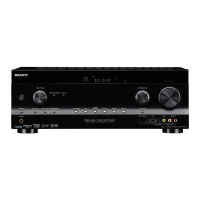
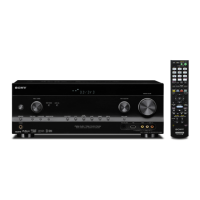
Why is there no sound from surround speakers on my Sony STR-DH800?
- EericmooreSep 4, 2025
Select a CINEMA STUDIO EX mode. Adjust the speaker level. Check “SP PATTERN” setting.

Why is there no sound from surround speakers on my Sony STR-DH800?
Select a CINEMA STUDIO EX mode. Adjust the speaker level. Check “SP PATTERN” setting.
What to do if there is no sound from the S-AIR product connected to Sony Receiver?
If you use another S-AIR main unit, place it more than 8 m away from this S-AIR main unit. Confirm the S-AIR IDs of the S-AIR main unit and S-AIR sub unit. Confirm the pairing setting. Place the S-AIR main unit and S-AIR sub unit closer to each other. Avoid use of equipment that generates electromagnetic energy, such as a microwave oven. Place the S-AIR main unit and S-AIR sub unit separately from other wireless devices. Avoid using any other wireless devices. Change the “RF CHANGE” setting. Change the S-AIR ID settings of the S-AIR main unit and S-AIR sub unit. Turn off the system and S-AIR sub unit, then turn on them. Check that headphones are not connected to the S-AIR sub unit.
Why is there severe hum or noise coming from my Sony STR-DH800?
If you're experiencing severe hum or noise from your Sony Receiver, consider the following: - Ensure that the speakers and components are securely connected. - Check that connecting cords are away from transformers, motors, TVs, or fluorescent lights (at least 3 meters away). - Move your audio components away from the TV. - Clean the plugs and jacks with a cloth slightly moistened with alcohol if they are dirty.
How to fix the poor FM reception on Sony STR-DH800?
To improve poor FM reception on your Sony Receiver, use a 75-ohm coaxial cable (not supplied) to connect the receiver to an outdoor FM antenna (aerial).
Why does the surround effect not work on my Sony STR-DH800 Receiver?
If you're not getting a surround effect from your Sony Receiver: - Make sure the sound field function is on by pressing MOVIE or MUSIC. - Sound fields do not function for signals with a sampling frequency of more than 48 kHz.
How to fix Sony Receiver when radio stations cannot be tuned in?
If you are unable to tune into radio stations on your Sony Receiver: - Check that the antennas (aerials) are connected securely. Adjust the antennas (aerials) and connect an external antenna (aerial), if necessary. - If the signal strength of the stations is too weak when tuning in with automatic tuning, use direct tuning. - Make sure you set the tuning interval correctly when tuning in AM stations with direct tuning. - If no stations have been preset or the preset stations have been cleared when tuning by scanning preset stations, preset the stations. - Press DISPLAY repeatedly on the receiver so that the frequency appears on the display. - Keep the satellite radio antenna (aerial) away from the speaker cords and the power cord to avoid picking up noise.
Why Dolby Digital or DTS multi channel sound is not reproduced on Sony STR-DH800?
If Dolby Digital or DTS multi-channel sound is not being reproduced on your Sony Receiver: - Check that the DVD, etc. you are playing is recorded in Dolby Digital or DTS format. - When connecting the DVD player, etc., to the digital input jacks of this receiver, check the audio setting (the settings for the audio output) of the connected component.
Guides on how to install speakers for 5.1 and 7.1 channel systems.
Instructions for connecting the TV via HDMI, component, or video cables.
Guidance on connecting the receiver to a power outlet.
Steps to initialize the receiver and reset settings to factory defaults.
How to select the front speaker system (A, B, or A+B) for the receiver.
Introduces the DCAC technology for automatic speaker calibration.
Steps to confirm, save, and select calibration types after measurement.
Explains how to interpret and resolve error codes during auto calibration.
Guides on adjusting speaker levels and balance using the test tone feature.
How to select and start playback from connected audio/video components.
Explains how to navigate through the receiver's menu system for adjustments.
Guides on using the LEVEL menu for test tones, phase, and individual speaker levels.
Instructions for setting distances for front, center, surround, and subwoofer speakers.
Instructions for tuning into FM and AM radio broadcasts.
Guides on automatically scanning or directly tuning to radio stations.
Instructions for storing and tuning to favorite FM/AM radio stations.
Steps to tune and store radio stations using preset numbers.
Introduction to SIRIUS Satellite Radio service and subscription information.
Instructions for connecting the SiriusConnect Home tuner to the receiver.
Methods for selecting SIRIUS channels, including category tuning.
Steps to preset SIRIUS channels using preset numbers for quick access.
Guides on setting up and using Parental Lock to restrict channel access.
Procedure to change the default lock code for parental controls.
Explains common messages and their remedies for SIRIUS Satellite Radio.
Enjoying discs via HDMI with automatic input switching and power control.
Routing TV audio through receiver speakers and adjusting volume.
Automatically turns off receiver and components when the TV is turned off.
Introduction to S-AIR products, including main and sub units for wireless audio.
Instructions for inserting the wireless transmitter into the S-AIR main unit.
Steps to set the ID for the S-AIR main unit to establish sound transmission.
Guides on setting the ID for S-AIR sub units (surround amplifier, receiver).
Steps to pair the S-AIR main unit with a specific sub unit for secure transmission.
Final steps to complete S-AIR pairing and exit menus.
How to enjoy system sound in another room using the S-AIR receiver.
Adjusting 'RF CHANGE' setting to improve transmission stability with other wireless systems.
Enables S-AIR receiver operation while the main unit is in standby mode.
How to select between digital and analog audio input modes.
Procedure to reassign audio/video signals to different input jacks.
How to connect a digital media port adapter to enjoy sound from portable devices.
Instructions for connecting the DIGITAL MEDIA PORT adapter to the DMPORT jack.
How to play back and listen to components connected via DMPORT.
Configuring speaker patterns and assigning surround back speakers for bi-amplification.
How to operate Sony or non-Sony components using the supplied remote.
Steps to program the remote to control non-Sony components and TVs.
Important safety guidelines regarding liquid, heat, and power.
Notes on AC power cord usage, voltage, and proper plug insertion.
Recommendations for placing the receiver to prevent heat buildup and interference.
Steps to resolve issues with no sound or low volume from any component.
Troubleshooting poor FM reception and inability to tune radio stations.
Resolving problems with HDMI audio/video not outputting correctly.
Troubleshooting HDMI control function and System Audio Control sound output.
 General
| Equalizer | Yes |
|---|---|
| Product color | Black |
| Impedance | 8 Ω |
| Audio output channels | 7.1 channels |
| Total Harmonic Distortion (THD) | 1 % |
| Connectivity technology | Wired |
| Battery type | AA |
| Dimensions (WxDxH) | 430 x 157.5 x 322 mm |
| Power requirements | 120V 60Hz |
| Power consumption (standby) | 0.3 W |
| Power consumption (typical) | 240 W |
 Weight and Dimensions
| Weight | 8300 g |
|---|