EasyManua.ls Logo

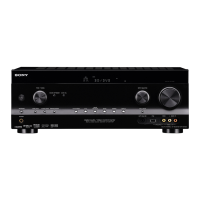
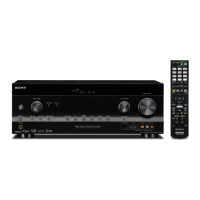
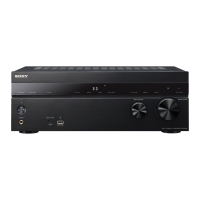
Sony STR-DH810 - User Manual

Sony STR-DH810
104 pages
Print Icon
To Next Page IconTo Next Page
Loading...
©2010 Sony Corporation
4-168-075-11(1)
Multi Channel AV
Receiver
Operating Instructions
STR-DH810

Table of Contents

Other manuals for Sony STR-DH810

Questions and Answers

  • K
    kathryn07Aug 26, 2025
    How to fix unbalanced sound on Sony Receiver?
    • E
      Erin SwansonAug 27, 2025
      If the left and right sounds are unbalanced or reversed on your Sony Receiver: - Check that the speakers and components are connected correctly and securely. - Adjust the level parameters using the LEVEL menu.
  • B
    brookeramosAug 25, 2025
    What to do if there is no sound from Sony STR-DH810 Receiver subwoofer?
    • B
      beckcassandraAug 26, 2025
      If there's no sound from the subwoofer of your Sony Receiver: - Ensure the subwoofer is correctly and securely connected. - Verify that your subwoofer is powered on. - Check “SP PATTERN” setting.
  • N
    Nicholas VanceAug 22, 2025
    How to fix no sound on my Sony STR-DH810 Receiver?
    • H
      Heather OconnorAug 22, 2025
      If you are experiencing a lack of sound or very low sound from your Sony Receiver, try the following: - Ensure speakers and components are securely and correctly connected. - Verify all speaker cords are properly connected. - Check that the receiver and all components are powered on. - Confirm that the MASTER VOLUME is not set to “VOL MIN”. - Ensure SPEAKERS is not set to “SPK OFF”. - Make sure headphones are disconnected from the receiver or S-AIR surround amplifier. - Deactivate the muting function by pressing MUTING on the remote. - Select the correct component using the input buttons. - If the protective device on the receiver has been activated, turn off the receiver, resolve any short-circuit issues, and then power it back on.
  • M
    Marcus KaiserDec 3, 2025
    Why is there no sound from Sony STR-DH810 with System Audio Control?

    Summary

    Safety and Warnings

    Important Safety Instructions

    Essential guidelines to ensure safe operation and prevent hazards.

    Supplied Accessories

    Included Items Checklist

    List of all items provided with the receiver for setup and operation.

    Component Identification

    Front Panel Layout

    Detailed description and location of controls and indicators on the front panel.

    Display Indicators Explained

    Understanding Display Icons

    Explanation of various indicators that light up on the receiver's display.

    Rear Panel Connections

    Connectivity Ports Overview

    Guide to all input/output jacks and sections on the rear panel.

    Receiver Control Functions

    Key Remote Button Functions

    Explanation of specific buttons on the remote for controlling the receiver.

    Speaker Setup and Connections

    Installing the Speakers

    Guidance on positioning and connecting speakers for optimal surround sound.

    Speaker Setup and Connections

    Connecting the Speakers

    Step-by-step instructions for connecting speaker wires to the receiver.

    AV Component Connections

    Connecting the TV

    Instructions for connecting the television to the receiver for audio and video.

    AV Component Connections

    Connecting Audio Components

    Guide for connecting audio sources like CD players and DIGITAL MEDIA PORT.

    AV Component Connections

    Connecting Video Components

    Instructions for connecting video sources like DVD players and Blu-ray players.

    Initial Setup and Configuration

    Initializing and Selecting Speaker System

    Resetting receiver defaults and choosing the speaker configuration.

    Automated Speaker Calibration

    Performing Auto Calibration

    Steps to automatically optimize speaker settings using DCAC technology.

    Audio Level Adjustments

    Adjusting Speaker Levels with Test Tone

    Using test tones to manually adjust individual speaker volume levels.

    Basic Operations

    Playback Procedures

    Steps for playing audio and video sources through the receiver.

    Tuner Operations

    Listening to FM;AM Radio

    Instructions for tuning into FM and AM radio stations.

    Tuner Operations

    Station Tuning Methods

    Methods for tuning radio stations automatically or directly by frequency.

    Surround Sound Enjoyment

    Selecting Sound Fields

    Choosing from various pre-programmed sound field settings for immersive audio.

    “BRAVIA” Sync Features

    Understanding and Preparing for BRAVIA Sync

    Introduction to BRAVIA Sync and initial setup for compatible devices.

    “BRAVIA” Sync Features

    One-Touch Playback

    Enabling one-touch playback for connected components via HDMI.

    “BRAVIA” Sync Features

    System Audio Control for TV Sound

    Using System Audio Control to output TV sound through receiver speakers.

    Advanced Connectivity and Wireless

    Audio Return Channel (ARC) and S-AIR Products

    Using ARC for TV audio and understanding S-AIR wireless audio system.

    S-AIR Wireless System Setup

    Setting up an S-AIR Product

    Steps to set up S-AIR products for wireless sound transmission.

    S-AIR Wireless System Setup

    Pairing S-AIR Units

    Procedure for pairing S-AIR main and sub units to prevent interference.

    Advanced Operations and Settings

    Managing Audio Input Modes

    Selecting between digital and analog audio inputs for connected components.

    Advanced Operations and Settings

    Navigating the Setting Menu

    Guide to accessing and adjusting various receiver settings via the menu system.

    Menu Options Overview

    AUTO CAL and LEVEL Menu Settings

    Summary of parameters and settings available in AUTO CAL and LEVEL menus.

    Menu Options Overview

    SPEAKER Menu Configuration

    Detailed settings for speaker patterns, sizes, and distances.

    Audio Adjustments and Settings

    LEVEL Menu: Speaker Levels and D. RANGE

    Adjusting speaker levels and dynamic range compression using the LEVEL menu.

    Audio Adjustments and Settings

    Speaker Assignments and Distance Settings

    Setting speaker assignments (SB ASSIGN) and distances for accurate sound.

    System Settings and Remote Control

    Programming the Remote Control

    Instructions for programming the remote to control other audio/video components.

    Additional Information and Glossary

    Clearing Remote Memory and Glossary Terms

    How to clear remote memory and definitions of key audio terms.

    Precautions and Safety

    Safety and Power Precautions

    Important safety guidelines regarding electrical connections, heat, and usage.

    Precautions and Safety

    Placement, Operation, Cleaning, and S-AIR Tips

    Guidelines for proper placement, operation, cleaning, and S-AIR function.

    Troubleshooting Common Issues

    Audio Sound Problems

    Solutions for no sound or unbalanced audio from various sources and speakers.

    Troubleshooting Common Issues

    Video and Tuner Reception Issues

    Resolving problems with video display and FM/AM radio reception.

    Troubleshooting Common Issues

    HDMI and BRAVIA Sync Problems

    Solutions for HDMI connection, sound output, and BRAVIA Sync malfunctions.

    Troubleshooting Common Issues

    S-AIR Wireless System Issues

    Resolving problems with S-AIR connection, sound, and reception.

    Technical Specifications

    Audio Power and Amplifier Specs

    Detailed specifications for audio power output and amplifier performance.

    Sony STR-DH810 Specifications

    General IconGeneral
    Impedance8 Ω
    Audio output channels7.1 channels
    HDMIYes
    Output power200 W
    Dimensions (WxDxH)430 x 157.5 x 322 mm
    Supported video modes1080p
    Product colorBlack
    Connectivity technologyWired
    Headphone outputs1
    Component video (YPbPr/YCbCr) in3
    Weight and Dimensions IconWeight and Dimensions
    Weight8200 g

    Related product manuals