[6] Parts and Controls Remote control
Remote control (upper section)
Use the supplied remote control to operate this receiver.
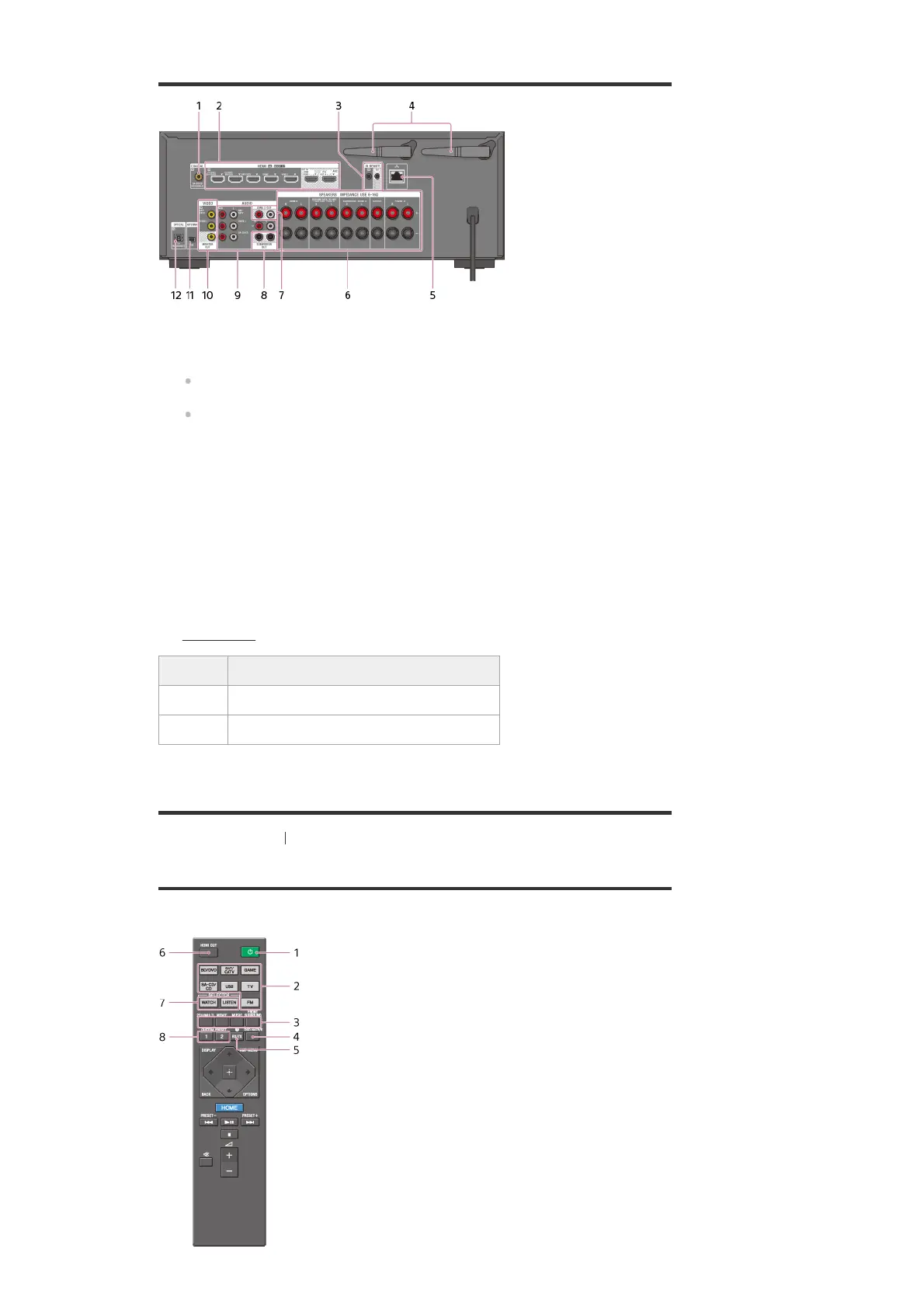
COAXIAL IN jack
1.
HDMI IN/OUT jacks (*1)(*2)
2.
IR REMOTE IN/OUT jacks
You can control the receiver from a distance by connecting an IR repeater (not supplied)
to the IR REMOTE IN jack.
You can start or stop playback of devices such as a CD player connected to the receiver
by connecting an IR Blaster (not supplied) to the IR REMOTE OUT jack.
3.
Wireless LAN antenna
4.
LAN port
5.
SPEAKERS terminals
6.
ZONE 2 OUT jacks
7.
SUBWOOFER OUT jacks
8.
AUDIO IN jacks
9.
VIDEO IN/MONITOR OUT jacks (*2)
10.
FM ANTENNA terminal
11.
OPTICAL IN jacks
12.
HDCP 2.2 is newly enhanced copyright protection technology that is used to protect content such as 4K movies.
*1
Connect a TV to the corresponding output jacks to watch video input from these jacks. For details, see
“Connecting a TV
.”
*2
Input jack Output jack
HDMI IN HDMI OUT A (TV) or HDMI OUT B/HDMI ZONE
VIDEO IN MONITOR OUT



 To Next Page