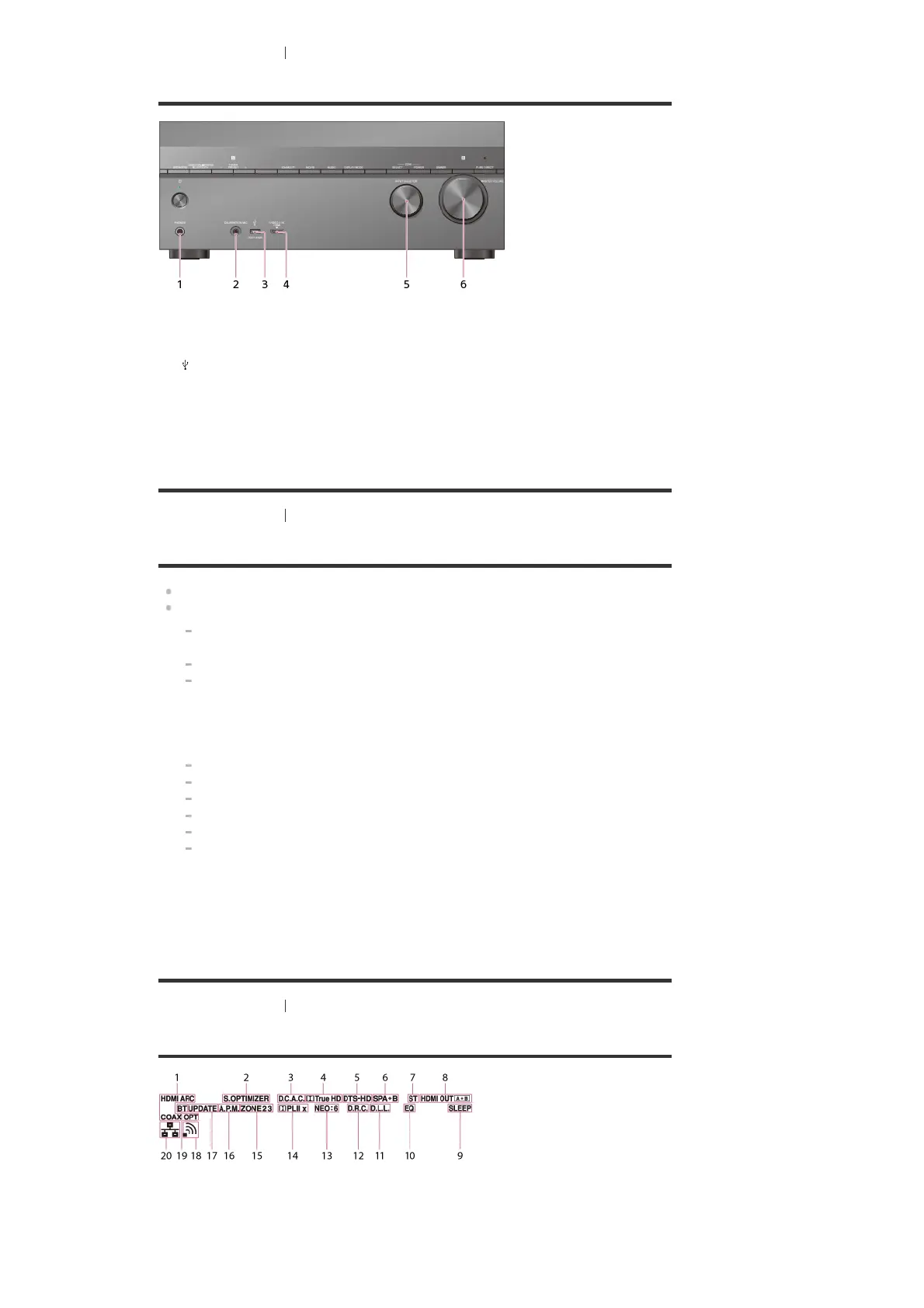
[2] Parts and Controls Receiver
Front panel (lower section)
[3] Parts and Controls Receiver
Power indicator
Green: The receiver is turned on.
Amber: The receiver is in standby mode, and you have set one of the following:
[Control for HDMI], [Remote Start], [Bluetooth Standby] (*1), or [Quick Start/Network
Standby] (*2) is set to [On].
[Standby Through] is set to [On] or [Auto].
[Zone2 Power], [Zone3 Power] or [HDMI Zone Power] is set to [On].
The indicator turns off when the receiver is in standby mode, and the following settings are
set to [Off]:
[Control for HDMI]
[Standby Through]
[Remote Start]
[Bluetooth Standby]
[Quick Start/Network Standby] (*2)
[Zone2 Power], [Zone3 Power] and [HDMI Zone Power]
[4] Parts and Controls
Receiver
Indicators on the display panel
PHONES jack
Connect headphones here.
1.
CALIBRATION MIC jack
2.
(USB) port
3.
HDMI (VIDEO 2 IN) jack
4.
INPUT SELECTOR
5.
MASTER VOLUME
6.
When [Bluetooth Standby] is activated, the indicator lights up in amber only if a device has been paired with the
receiver. If no devices are paired with the receiver, the indicator turns off.
*1
For USA, Canadian and Oceanian models only.
*2
Input indicator
Lights up to indicate the current input.
HDMI
Digital signals are input through the selected HDMI IN jack.
ARC
1.



 To Next Page