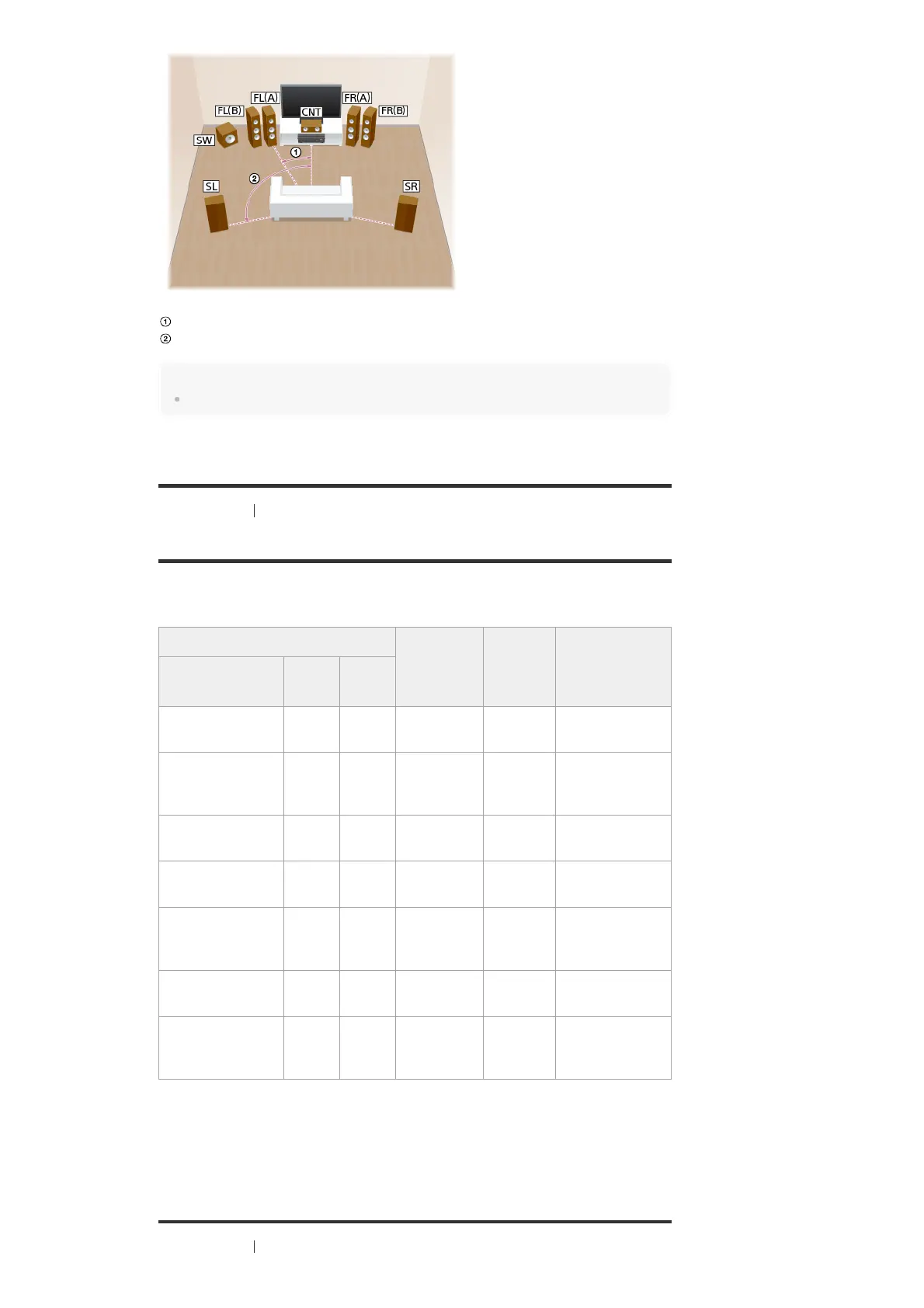
30°
100° - 120°
Hint
As the subwoofer does not emit highly directional signals, you can place it wherever you want.
[16] Preparation 1. Installing speakers
Speaker configuration and speaker pattern settings
Select the speaker pattern using [Speaker Pattern] in the [Speaker Settings] menu according to
the speaker configuration which you are using.
[17] Preparation
2. Connecting speakers
Speaker configuration in each zone [Surround
Back
Speaker
Assign] (*2)
[Surround
Speaker
Assign]
Speaker pattern
to be selected in
[Speaker
Settings]
Main zone
Zone 2
(*1)
Zone 3
5.1-channel
Not
used
Not
used
[Off] [Off] [5.1]
7.1-channel using
surround back
speakers
Not
used
Not
used
[Off] [Off] [7.1]
7.1-channel using
front high speakers
Not
used
Not
used
[Off] [Off] [7.1 (FH)]
5.1-channel with
Zone 2 connection
2-
channel
Not
used
[Off] [Off] [5.1]
3.1-channel with
Zone 2 and Zone 3
connections
2-
channel
2-
channel
[Off] [Zone3] [3.1]
5.1-channel with bi-
amplifier connection
Not
used
Not
used
[Bi-Amp] [Off] [5.1]
5.1-channel with
front B speaker
connection
Not
used
Not
used
[Front B] [Off] [5.1]
You can only enable the SPEAKERS ZONE 2 terminals if you set [SURROUND BACK/ZONE2 Priority] to
[ZONE2 Terminals] in the [Speaker Settings] menu, and set [Zone2 Power] to [On] in the [Zone Controls] menu.
*1
You can only set [Surround Back Speaker Assign] if the speaker pattern is set to a setting that does not have
surround back and front high speakers.
*2



 To Next Page