If using a fixed IP address
Select [Manual] in step 4 and follow the on-screen instructions.
Hint
See [Network Connection Status] when checking the network settings.
[75] Using Network Features Setting up a wireless LAN connection (for wireless LAN
connections only)
Connecting the receiver to the network using the
wireless LAN antenna (for wireless LAN connections
only)
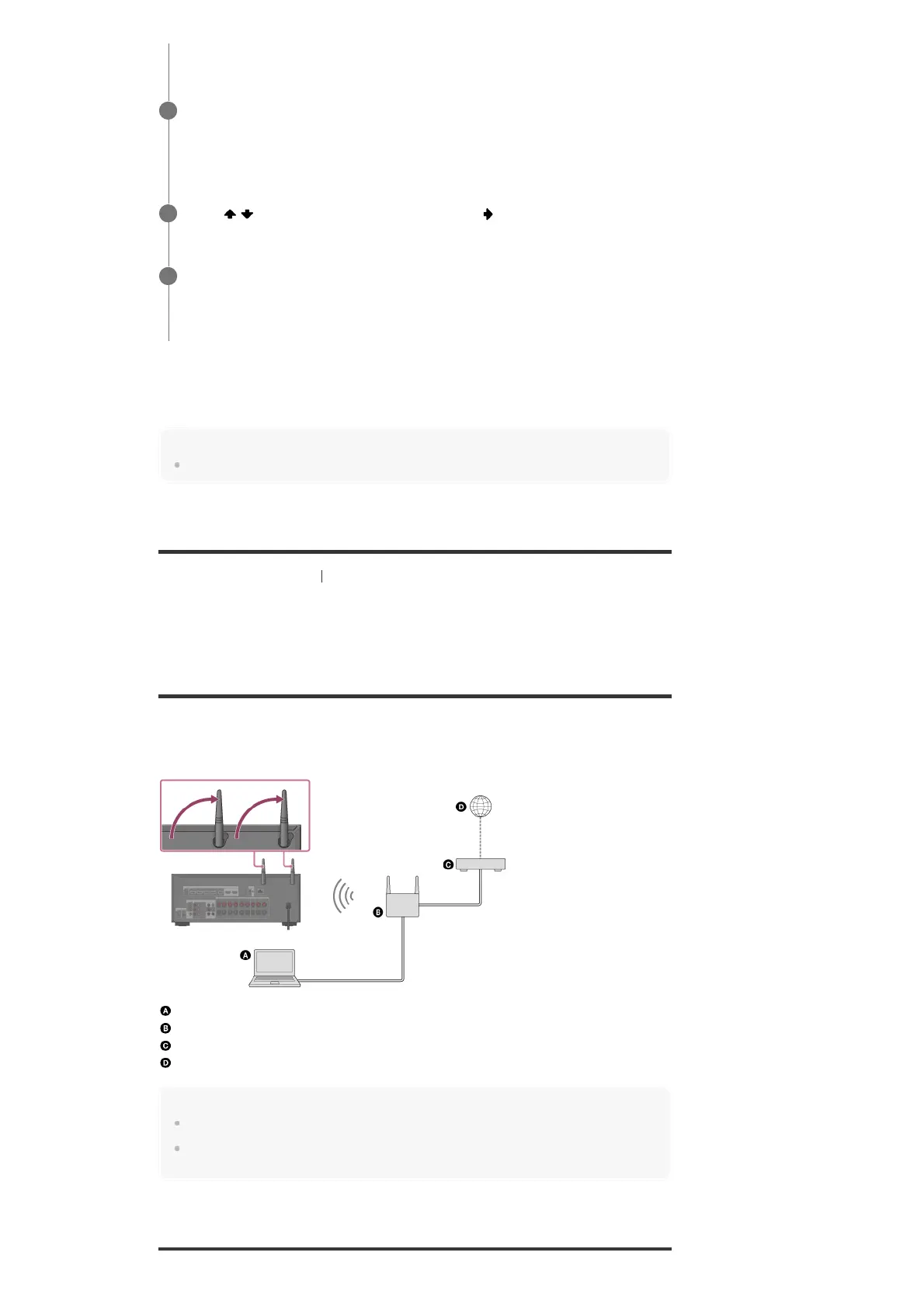
The following illustration is an example configuration of a home network with the receiver and a
server.
We recommend that you connect the server to the router with a wired connection.
Server (computer, etc.)
Router
Modem
Internet
Note
Audio playback on a server may occasionally be interrupted if you use a wireless connection.
When using the Screen mirroring, BLUETOOTH TX or BLUETOOTH RX function, stand up both
wireless LAN antennas for better performance.
Select [Auto].
The confirmation screen appears.
4
Press
/ to browse information, and then press .
5
Select [Save & Connect].
The receiver starts connecting to the network. For details, refer to the messages that
appear on the TV screen.
6



 To Next Page