To exit Zone 2 operation
Select [Zone Controls] - [Zone2 Power] from the home menu, then select [Off].
Available input for Zone 2 operations
See “Available inputs for each zone.”
Hint
A dedicated App for this model SongPal enables easier zone operation such as changing the
settings or switching the zone inputs from your smartphone or tablet.
[112] Using the Multi-Zone Features Enjoying video and sound in another room using a TV
or another receiver
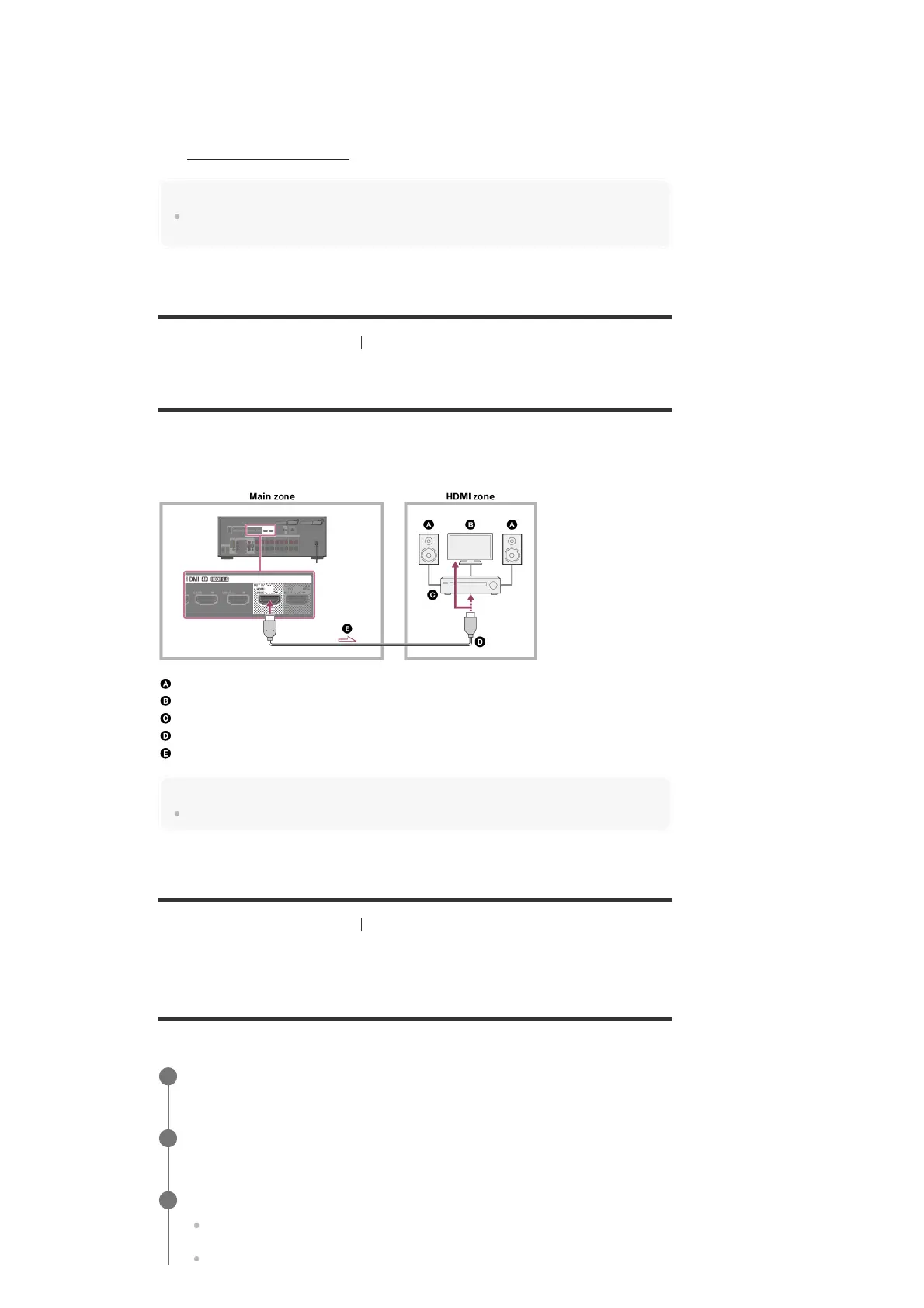
Connecting another amplifier or TV in the HDMI zone
HDMI input video/audio signals are output in HDMI zone using the HDMI OUT B/HDMI ZONE
jack of the receiver.
Solid lines show recommended connections and the dashed line shows alternative connection.
Speakers
TV
Amplifier/receiver
HDMI cable (not supplied)
Audio/video signals
Note
To use this connection, select [Setup] - [HDMI Settings], and set [HDMI Out B Mode] to [Zone].
[113] Using the Multi-Zone Features Enjoying video and sound in another room using a TV
or another receiver
Selecting the method to use the HDMI OUT B jack
(HDMI Out B Mode)
The HDMI OUT B/HDMI ZONE jack can be used for HDMI zone.
Select [Setup] - [HDMI Settings] from the home menu.
1
Select [HDMI Out B Mode].
2
Select the setting you want.
Main: Uses the jack for HDMI OUT B. Recommended when you enjoy TV or projector
content in only one room (main zone).
Zone: Uses the jack for HDMI zone. Recommended when enjoying video and sound
3



 To Next Page