Internet Setup [9.2. INTERNET SETUP]
*1
You can select this setting only when you have performed Auto Calibration and saved the
settings.
*2
You can only select this parameter if [SP PATTERN] is not set to a pattern with surround back
and front high speakers.
*3
XXX represents a speaker channel (FRONT, CENTER, SURROUND, FRONT HIGH).
*4
XXX represents a speaker channel (FRONT L, FRONT R, CENTER, SURROUND L,
SURROUND R, SUR BACK L, SUR BACK R, SUR BACK, FRONT.HIGH.L, FRONT.HIGH.R,
SUBWOOFER).
*5
Some parameters or settings may not be available depending on the speaker pattern setting.
*6
You can only select this parameter if the speaker is set to [SMALL].
*7
You can only select this parameter if you select [HD-D.C.S.] as the sound field.
*8
x.xxx represents the version number.
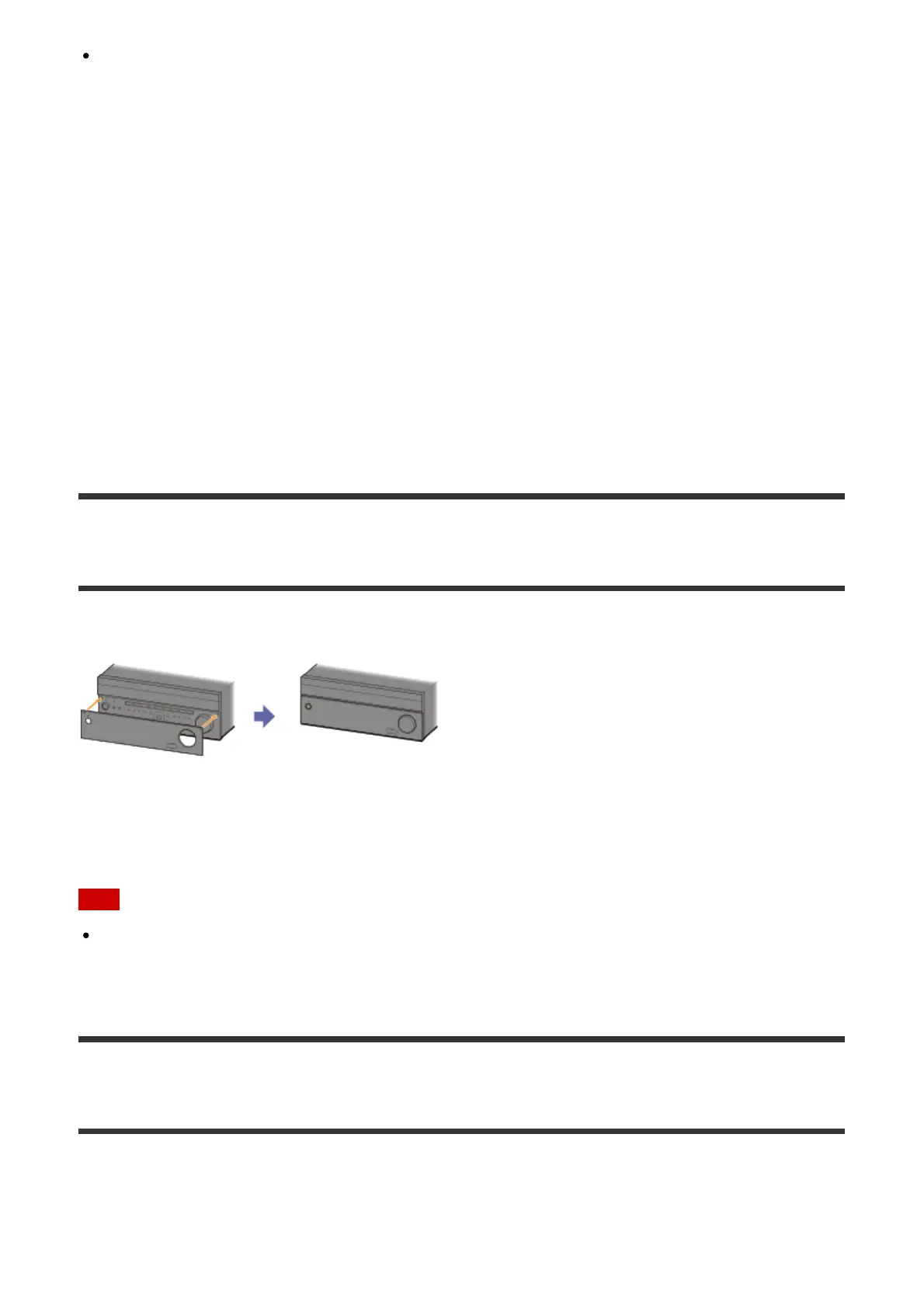
Attaching the front cover onto the front panel
Attach the front cover to prevent misoperations.
Removing the front cover from the front panel
Remove the front cover from the bottom side.
Note
Do not forcibly remove the front cover from the top side since it is firmly attached. Doing
so may cause injury or damage the front cover or the receiver.
Selecting the FM reception method (FM Mode)
Set FM mode to monaural.
1. Select [Listen] - [FM TUNER] from the home menu.
If the Simple mode screen appears, switch to the Full mode screen.



 To Next Page