Connect these HDMI jacks to jacks that support HDCP 2.2 on a TV or a player. Refer to the
operating instructions of the connected device for details.
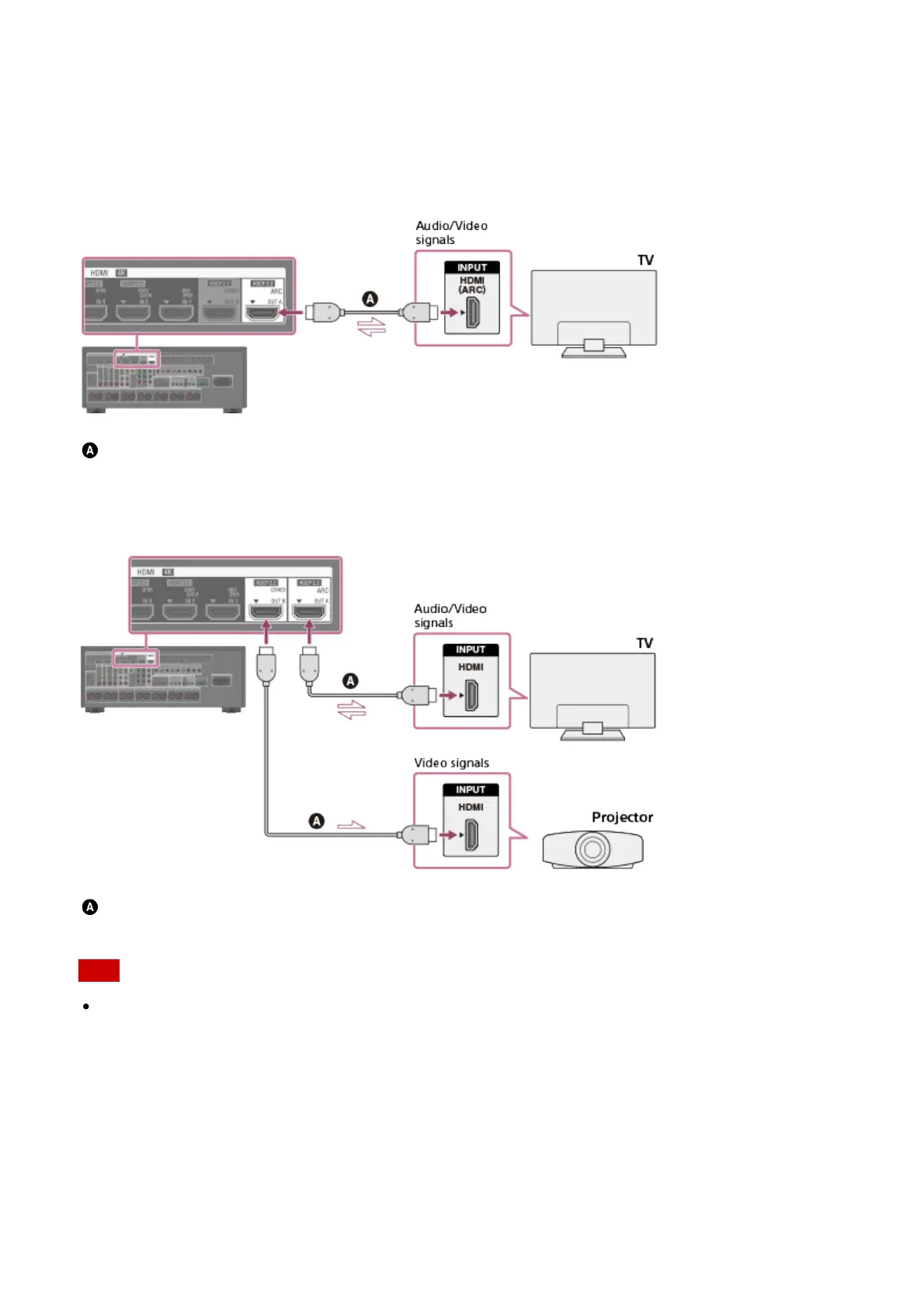
Connecting a TV compatible with the Audio Return Channel (ARC)
function via an HDMI connection
To use the ARC function, set [HDMI Out B Mode] to [Main] and [Control for HDMI] to [On].
HDMI cable (not supplied)
Sony recommends that you use an HDMI-authorized cable or HDMI cable made by Sony.
Connecting a TV and a projector
HDMI cable (not supplied)
Sony recommends that you use an HDMI-authorized cable or HDMI cable made by Sony.
Note
For this connection, set [HDMI Out B Mode] in the HDMI Setup menu to [Main].
Connecting a TV incompatible with the Audio Return Channel (ARC)
function via an HDMI connection
The solid lines show recommended connections and the dashed lines show alternative
connections.



 To Next Page