This function automatically assigns IP addresses to devices on the LAN.
LAN cable
We recommend using a normal shielded type cable for a wired LAN to avoid electric
noise.
Some flat-type LAN cables are easily affected by noise.
A CAT5e or greater Ethernet cable is required for transmission speed of 1,000 Mbps.
(CAT6 is recommended.) (for STR-ZA3000ES)
[20] Preparation
Connecting to the network
Connecting the receiver to the network (for STR-
ZA3000ES)
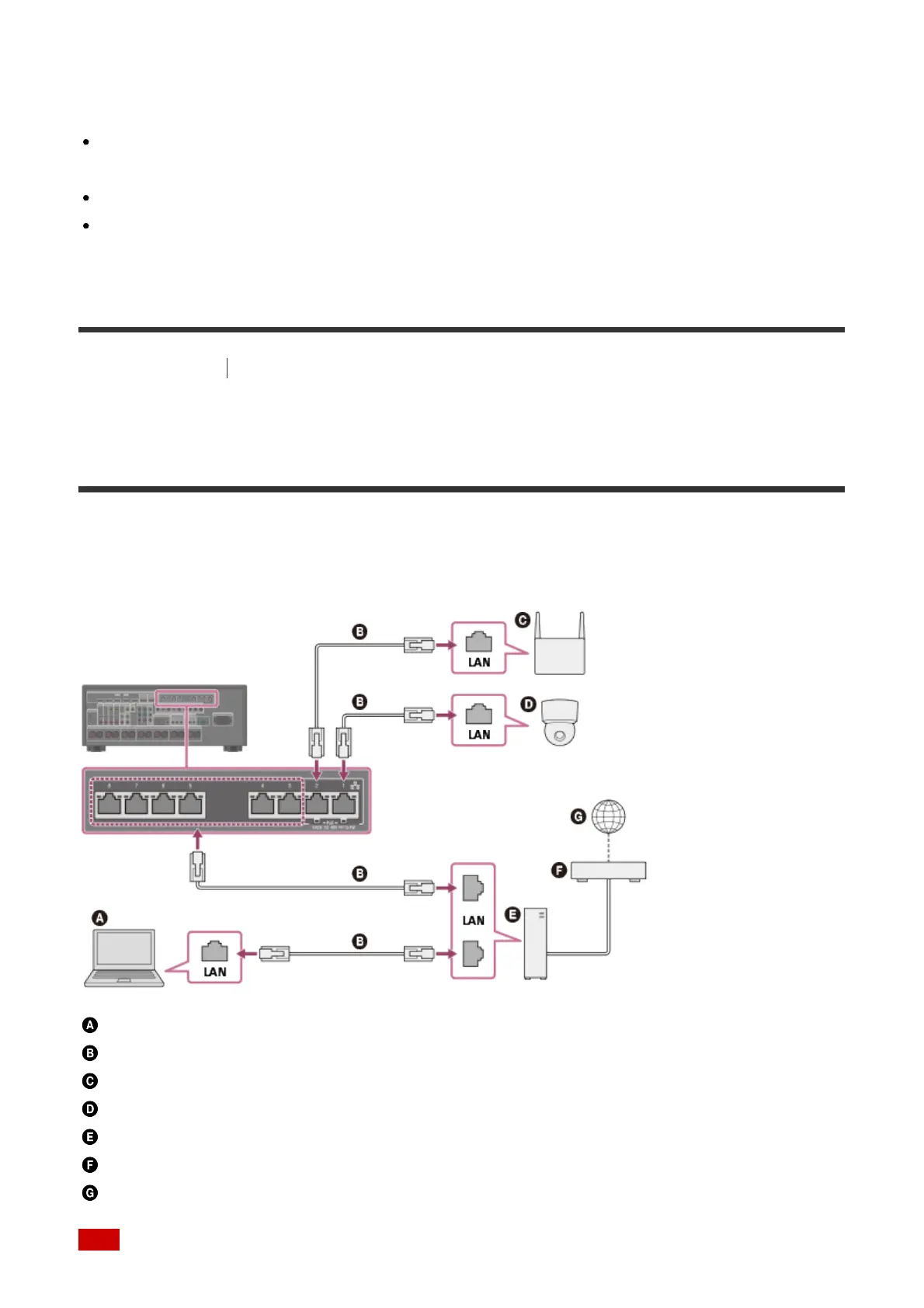
The following illustration is an example configuration of a home network with the receiver,
and a computer.
Computer
LAN cable (not supplied)
Wireless access point, etc.
Network camera, etc.
Router
Modem
Internet
Note



 To Next Page