7
Chapter 1 Overview
Connector Panel Configuration
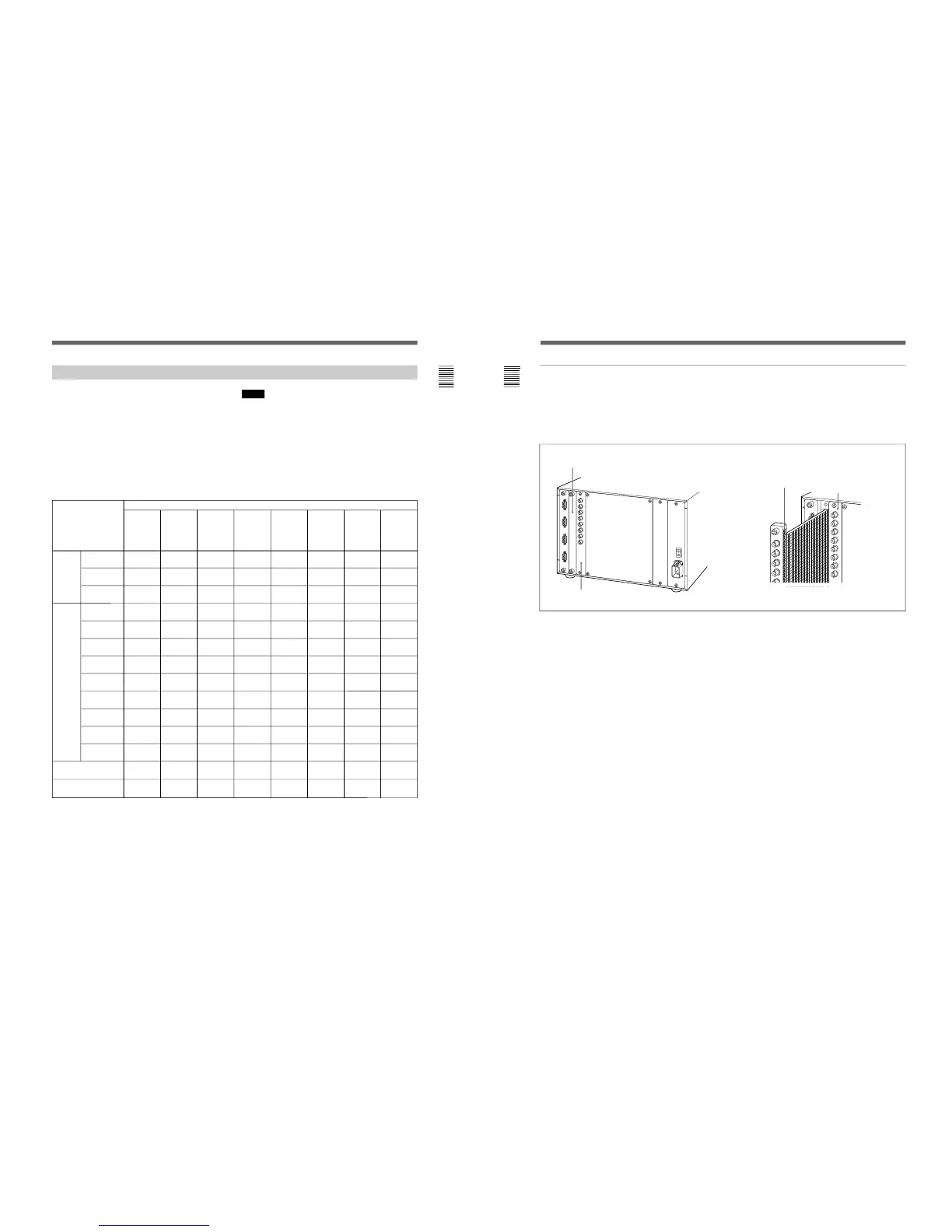
The unit comes standard with connectors for one
channel of Y/R–Y/B–Y or RGB. By adding optional
decoder adaptor or input expansion adaptors, the input/
output connector panel can be assembled in a wide
variety of configurations. The signals that each of the
adaptors’ connectors supports are given in the table
below. The type of signal to be applied to each input/
output connector is set with the INPUT
CONFIGURATION menu.
Y/C
PAL
BKM-21D
SDI Multi
Decoder
Adaptor
Adaptor name
BKM-24N
NTSC
Decoder
Adaptor
BKM-25P
PAL
Decoder
Adaptor
BKM-26M
PAL-M
Decoder
Adaptor
BKM-27T
Tri-
Standard
Decoder
Adaptor
BKM-28X
Analog
Input
Expansion
Adaptor
Composite
NTSC
Composite
PAL
Composite
NTSC
Composite
PAL
Composite
PAL-M
Component
525/625
Composite
SECAM
Y/R–Y/B–Y
525/625
RGB
525/625
Y/C
NTSC
Serial
digital
input
Analog
input
®
®
®
®
®
®
®
®
®
®
®
®
®
®
®
®
®
®
®
®
®
®
®
®
®
®
®
BKM-20D
SDI 4:2:2
Decoder
Adaptor
®
®
®
Number of analog
input
Number of digital
inputs
Y/C
PAL-M
336666
6
33––––
–
* : Equipped with floating/non-floating ground mode selector for HAM reduction
®
Notes
The BKM-20D and BKM-21D can not provide proper
active-through outputs if a signal whose format is not
selected in the INPUT CONFIGURATION menu is
input. (If AUTO is selected, input a signal which has
the same format with the signal monitored last.)
For information about the INPUT CONFIGURATION
menu, see “Setting the Input Configuration (SET UP 1) —
INPUT CONFIGURATION Menu” on page 32.
BKM-48X
Analog
Input
Expansion
Adaptor
®
®
6
–
*
8
Chapter 1 Overview
Analog input connectors board
Radiation shield
Note on using the BKM-20D/21D
When the input option slot on the rear of the monitor
has a BKM-20D/21D SDI Decoder Adaptor (option)
installed, if you remove and insert the analog input
connectors board, the radiation shield (see Fig. 2) of
the BKM-20D/21D may be damaged or detached.
Input option slot (with a cover plate)
BKM-20D/21D
Analog input
connectors board
When installing the analog input connectors board
again, remove the BKM-20D/21D temporarily while
carrying out the other operations, then reinstall it.
Fig.1
Fig. 2
Overview







 To Next Page