3-9
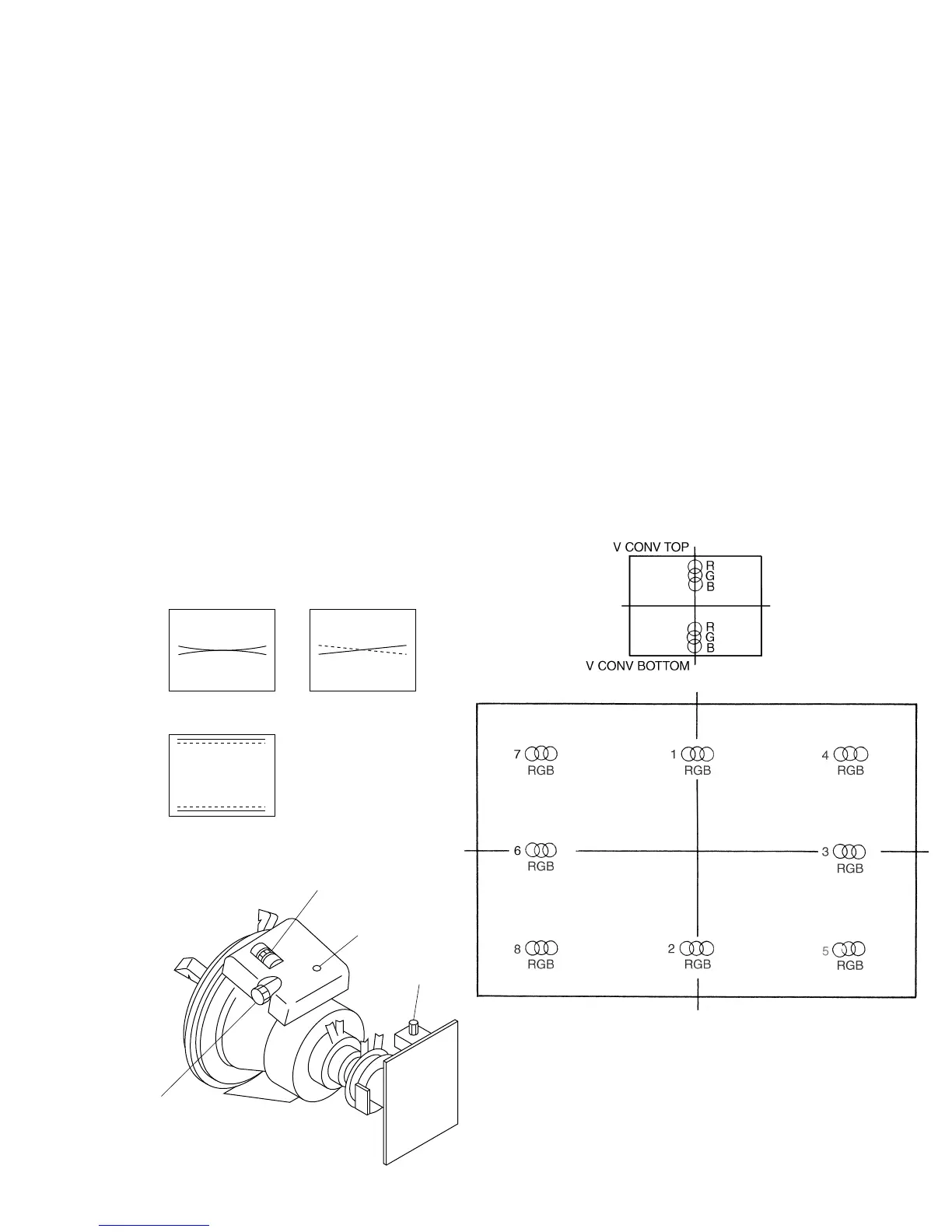
3-7-2. 20-inch Model Convergence Adjust-
ment
• 4:3 NORMAL SCAN mode
1. Set the SCREEN MODE to 4:3 NORM at the INPUT
CONFIGURATION menu.
2. Input the cross hatch signal.
• Vertical Convergence Adjustment
1. Minimize the vertical misconvergence at the center of
the left side of the screen and the center of the right side
of the screen using the DY correction reactors XBV and
XCV.
* As TLV is used for adjusting the horizontal trapezoid
distortion, only when MSV is very bad should it be ad-
justed while maintaining the balance with the horizontal
trapezoid distortion.
2. Adjust the V STAT BOTTOM data and V STAT TOP
data so that the vertical misconvergence at the top and
bottom of the screen becomes minimum.
Note: The V STAT BOTTOM and V STAT TOP adjust-
ment menu is under the E BOARD menu of the
MAINTENANCE menu.
Fig. 1-19
XCV
TLV
(RV501)
XBV
R
B
XBV
R
B
B
R
TLV
R
B
XCV
Fig. 1-20
• Horizontal Convergence Adjustment
1. Adjust the horizontal convergence adjustment data (H
CONV data) in the following order so that the red, green,
and blue dots coincide on the whole screen.
(Do not change the value of the H STAT data and H
STATIC CONV data (128).)
Note1: The horizontal convergence adjustment menu
is under the E BOARD menu of the MAINTE-
NANCE menu.
Note2: In anadjustable completely using a Permalloy
correction board and fix with RTV.
1. H CONV C T
2. H CONV C B
3. H CV R C
4. H CV R T
5. H CV R B
6. H CV L C
7. H CV L T
8. H CV L B
Fig. 1-21







 To Next Page