5-9
2. RGB Signal 100 IRE Adjustment
Note: The following adjustment menus are under the BK
BOARD menu of the MAINTENANCE menu.
R 100 IRE
G 100 IRE
B 100 IRE
1. Input the 100 IRE RGB signal.
2. Connect the oscilloscope to TP104.
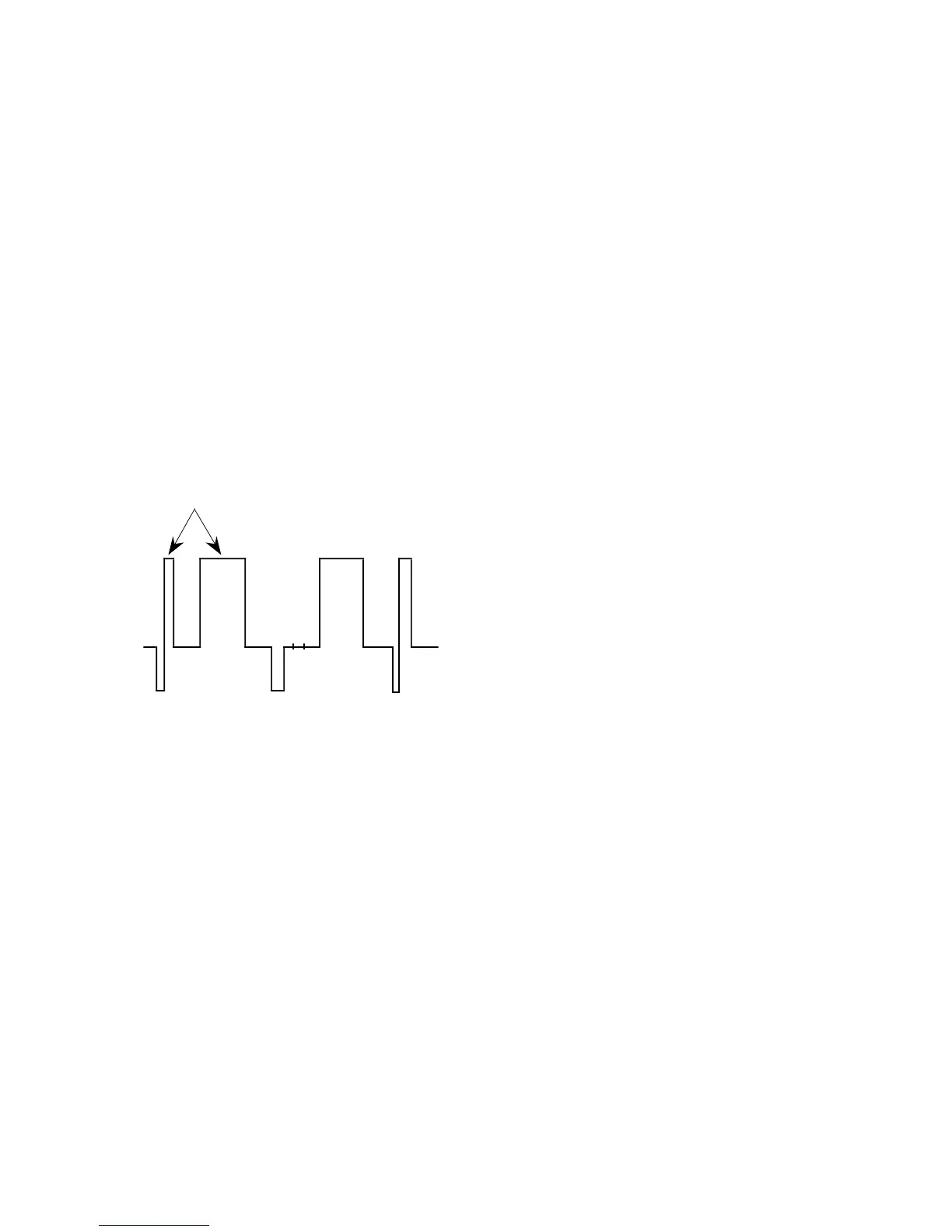
3. Adjust the R 100 IRE data so that the 100 IRE level and
100 IRE pulse level of the signal become equal.
4. Connect the oscilloscope to TP304.
5. Adjust the G 100 IRE data so that the 100 IRE level and
100 IRE pulse level of the signal become equal.
6. Connect the oscilloscope to TP504.
7. Adjust the B 100 IRE data so that the 100 IRE level and
100 IRE pulse level of the signal become equal.
Equalize
Level difference: 0 ±2 mV
Fig. 5-18
5-1-4. White Balance Adjustment
Refer to “3. SET-UP ADJUSTMENTS (3-9. White balance
adjustment)” (Page 3-12)







 To Next Page