EasyManua.ls Logo

Sony Trinitron KV-13VM30 - Page 39

Sony Trinitron KV-13VM30
116 pages
Print Icon
To Next Page IconTo Next Page
To Previous Page IconTo Previous Page
Loading...
JORORORI
OOOO
T
CI»)
C
[20
vol
RES
ree
i
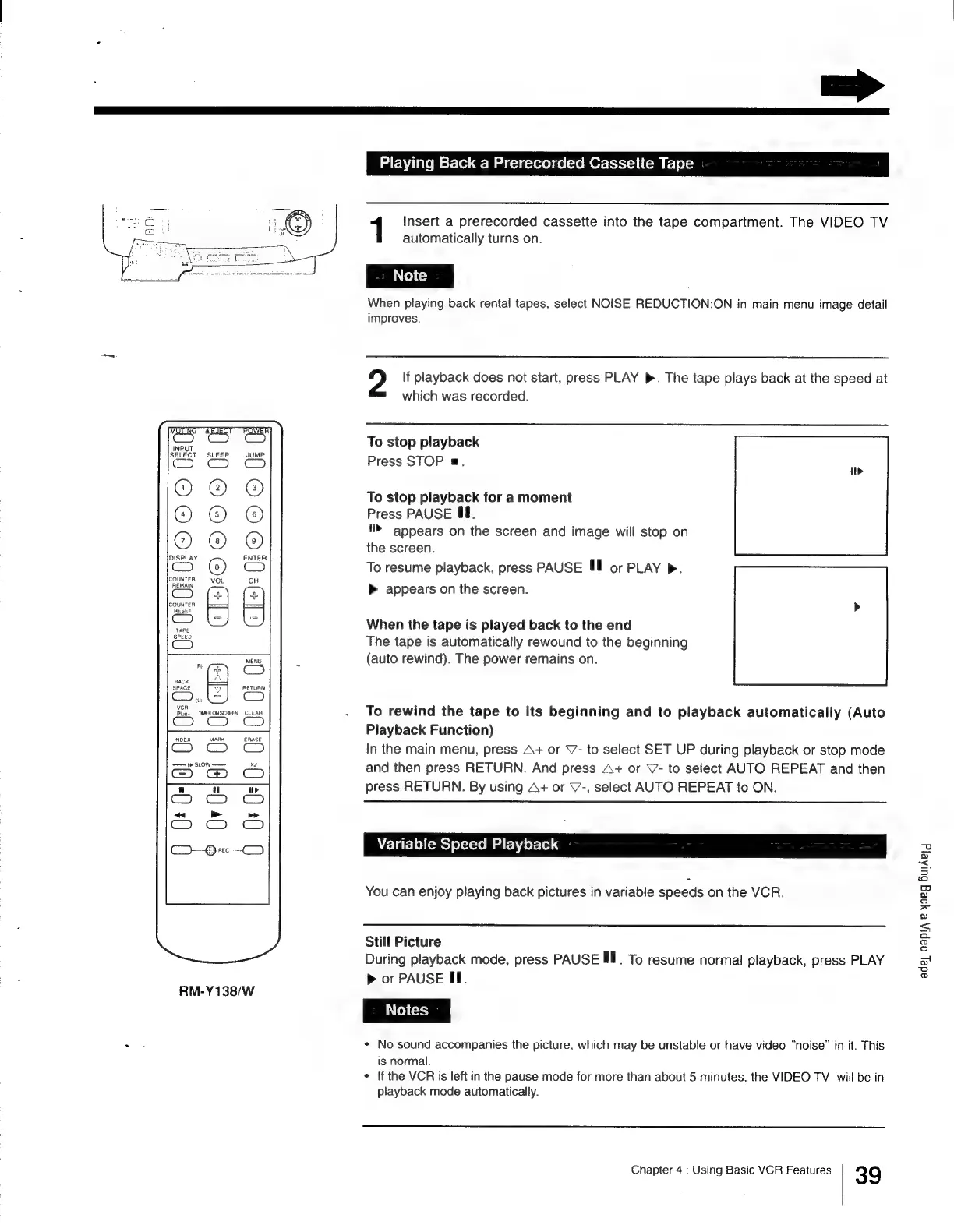
RM-Y138/W
+
Playing
Back
a
Prerecorded
Cassette
Tape
1
Insert
a
prerecorded
cassette
into
the
tape
compartment.
The
VIDEO
TV
automatically
turns
on.
When
playing
back
rental
tapes,
select
NOISE
REDUCTION:ON
in
main
menu
image
detail
improves.
2
If
playback
does
not
start,
press
PLAY
».
The
tape
plays
back
at
the
speed
at
which
was
recorded.
To
stop
playback
Press
STOP
a.
To
stop
playback
for
a
moment
Press
PAUSE
4f.
appears
on
the
screen
and
image
will
stop
on
the
screen.
To
resume
playback,
press
PAUSE
Ill
or
PLAY
>.
>
appears
on
the
screen.
When
the
tape
is
played
back
to
the
end
The
tape
is
automatically
rewound
to
the
beginning
(auto
rewind).
The
power
remains
on.
|.
To
rewind
the
tape
to
its
beginning
and
to
playback
automatically
(Auto
Playback
Function)
In
the
main
menu,
press
A+
or
\7-
to
select
SET
UP
during
playback
or
stop
mode
and
then
press
RETURN.
And
press
A+
or
V7-
to
select
AUTO
REPEAT
and
then
press
RETURN.
By
using
A+
or
V-,
select
AUTO
REPEAT
to
ON.
adey
oapi,
e
y9eg
BulAeld
Variable
Speed
Playback
You
can
enjoy
playing
back
pictures
in
variable
speeds
on
the
VCR.
Still
Picture
During
playback
mode,
press
PAUSE
Ill.
To
resume
normal
playback,
press
PLAY
>
or
PAUSE
FE.
No
sound
accompanies
the
picture,
which
may
be
unstable
or
have
video
“noise”
in
it.
This
is
normal.
¢
If
the
VCR
is
left
in
the
pause
mode
for
more
than
about
5
minutes,
the
VIDEO
TV
will
be
in
playback
mode
automatically.
Chapter
4
:
Using
Basic
VCR
Features
39

Other manuals for Sony Trinitron KV-13VM30

Related product manuals