EasyManua.ls Logo

Sony Trinitron KV-13VM30 - Page 52

Sony Trinitron KV-13VM30
116 pages
Print Icon
To Next Page IconTo Next Page
To Previous Page IconTo Previous Page
Loading...
Quick
Timer
Recording
52
To
extend
the
Quick
Timer
Recording
time,
press
QUICK
TIMER
REC.
to
advance
the
recording
time
in
30-minute
increments.
To
clear
the
Quick
Timer
Recording
setting,
press
QUICK
TIMER
REC
until
time
tength
is
0:00
If
the
tape
runs
out
during
Quick
Timer
Recording,
recording
will
stop
and
the
power
goes
off.
The
tape
will*not
rewind
automatically.
lf
a
power
interruption
occurs
during
Quick
Timer
Recording,
recording
will
stop
and
the
power
goes
off.
If
the
power
interruption
lasts
less
than
three
hours
and
the
power
is
restored
before
the
recording
end
time,
recording
will
start
again
from
that
point.
This
function
is
convenient
when,
for
example,
you
want
to
set
the
VCR
to
start
recording
immediately
without
going
through
the
whole
timer
setting
procedure.
¢
Make
sure
that
the
clock
is
set
correctly
before
you
activate
Quick
Timer
Recording.
¢
During
Quick
Timer
Recording,
you
cannot
change
the
channel
on
the
VIDEO
TV.
1
Insert
a
cassette.
The
VIDEO
TV
automatically
turns
on.
Press
INPUT
SELECT
so
that
a
channel!
number
appears.
Press
TAPE
SPEED
to
select
the
recording
speed,
SP
or
EP.
Select
the
desired
channel
number
with
the 0-9
buttons
or
CHANNEL
+/-.
if
you
try
to
select
the
Cable
TV
channel,
first
set
CABLE
to
ON
in
SET
UP
menu.
3
4
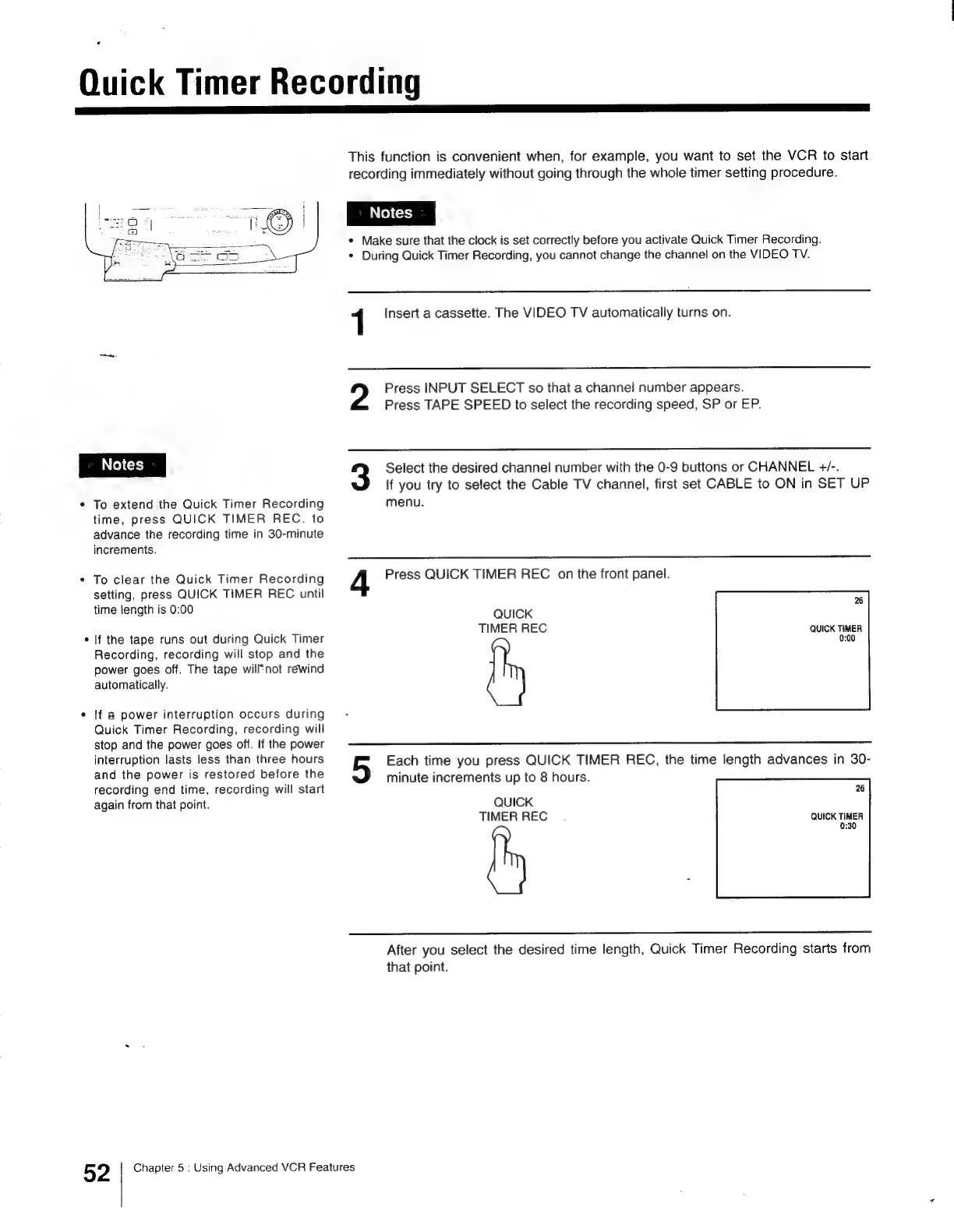
Press
QUICK
TIMER
REC
on
the
front
panel.
26
QUICK
TIMER
REC
QUICK
TIMER
0:00
Each
time
you
press
QUICK
TIMER
REC,
the
time
length
advances
in
30-
minute
increments
up
to
8
hours.
QUICK
TIMER
REC
26
QUICK
TIMER
0:30
After
you
select
the
desired
time
length,
Quick
Timer
Recording
starts
from
that
point.
Chapter
5
:
Using
Advanced
VCR
Features

Other manuals for Sony Trinitron KV-13VM30

Related product manuals