– 15 –
KV-AR34M36/AR34M64/AR34M66/AR34M94
RM-993
KV-AR34M60
RM-995
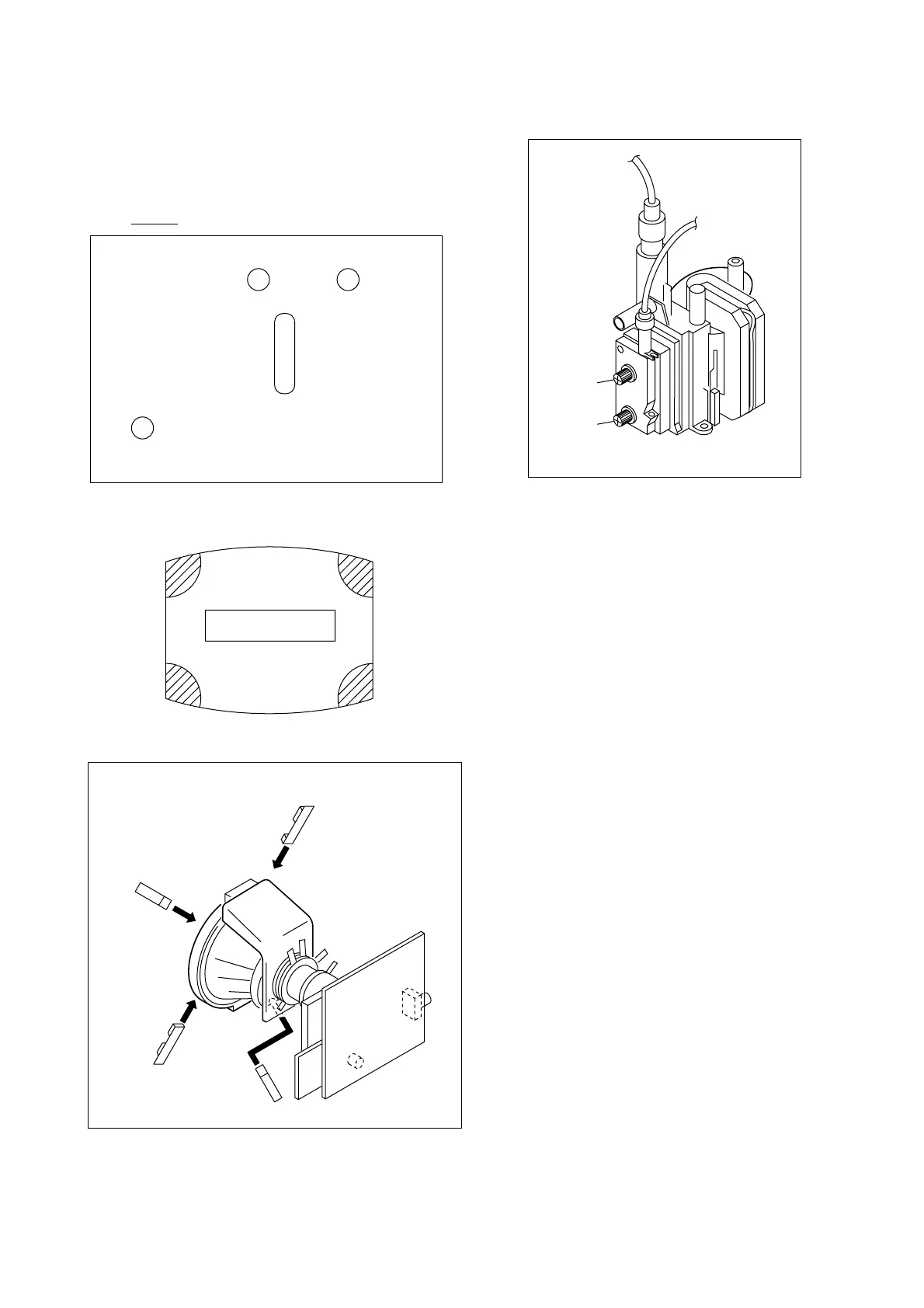
(3) Screen-corner Convergence
Fix a Permalloy assy corresponding to the misconverged
areas.
3-3. FOCUS ADJUSTMENT
FOCUS adjustment should be completed before W/B adjustment.
1. Receive digital monoscope pattern.
2. Set "Picture Mode" to "Standard".
3. Set S2801 to mechanical center position.
4. Adjust focus VR so that the center of the screen becomes just
focus.
5. Adjust S2801 when corner focus is unbalance is right and left.
6. Change the receiving signal to white pattern blue back.
7. Confirm Magenta ring is not noticable. Incase magneta ring is
obvious, reset S2801 to mechanical center position and then
adjust FOCUS VR to balance between MAGENTA RING and
FOCUS.
TLV Rotate TLV-2 VOL (29”, 34”) on DY
XCV Rotate XCV Adj core on DY
YCH Rotate YCH VOL on DY
TLH Insert TLH Correction Plate to DY Pocket
(Left or Right)
ON DY:
FLYBACK TRANSFORMER (T503)
YCH
XCV
TLV1
TLV2
ba
cd
a-d : screen-corner
misconvergence
a
b
c
d
Permalloy assembly
Focus
Screen




 To Next Page