11
Overview of Controls
Overview of Controls
Sony KV-DA34M81 Group E1 (GB, FR, PR, AR)_2-186-712-11 (3)
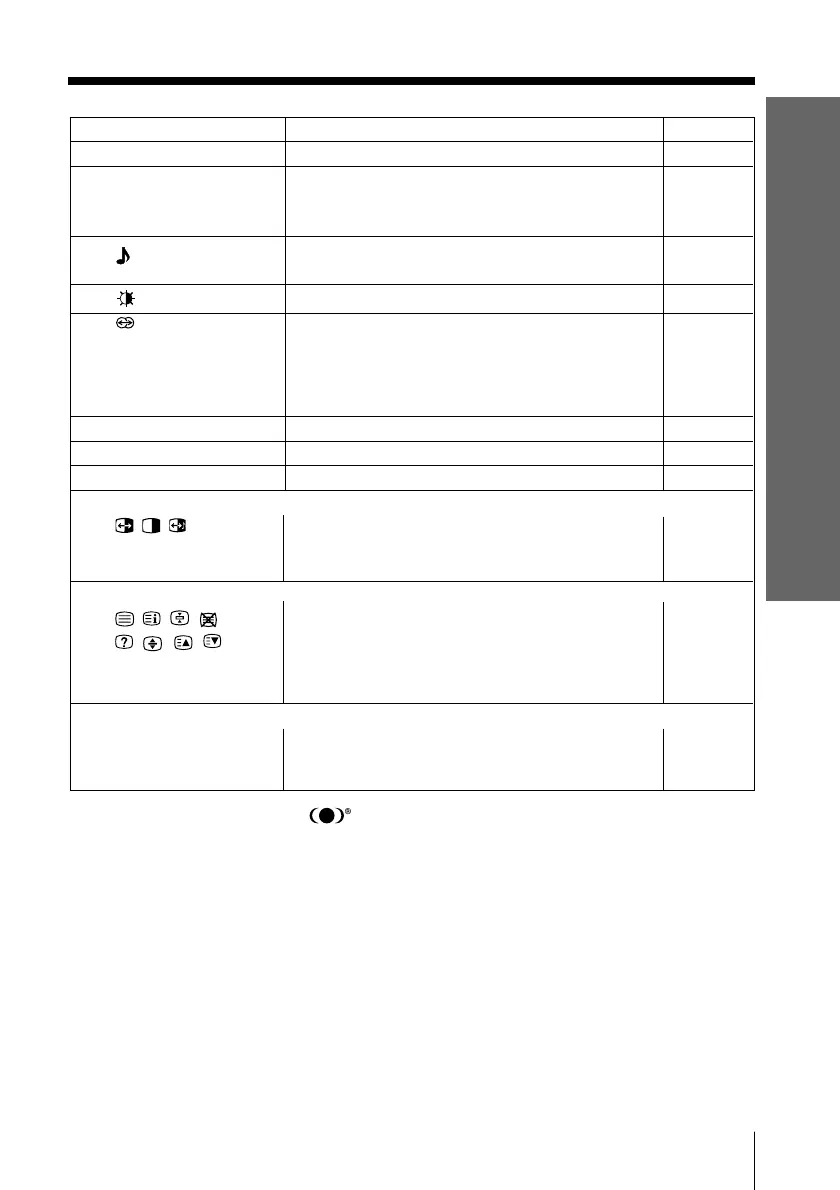
Button Description Page
qk DRC-MF
Select DRC-MF mode. 13
ql PROG INDEX
Display all preset TV programs.
16
(KV-DA34M86/
DA29M86 only)
w; Select sound mode options. 12
5-Band Graphic Equalizer display will appear.
wa Select picture mode options. 12
ws
Select surround mode options:
“TruSurround” (surround sound that spreads out
to the rear of a room), “WOW” (full, –
deep bass sound), “Simulated”(stereo-like
monaural sound), “Off”.
wd 0 – 9, - Input numbers. –
wf 2 +/– Adjust volume.
wg RESET Set TV to factory setting. 34
TWIN picture operations (KV-DA34M86/DA29M86 only)
, , , All yellow label buttons are used for Twin picture 15
TWIN PROG +/ operations.
TWIN PROG –
Teletext operations
, , , , All green label buttons are used for Teletext 17
, , , , operations.
z (red, green,
yellow, blue)
Optional components operations
VIDEO ?/1, OPTION, For details, see “Operating optional components”. 18
N, X, x, ., >,
%, 2 +/–
WOW, TruSurround, SRS and symbol are trademarks of SRS Labs, Inc.
WOW and TruSurround technologies are incorporated under license from SRS Labs,
Inc.
Licensed by BBE Sound, Inc. under USP4638258, 4482866.
“BBE” and BBE symbol are trademarks of BBE Sound, Inc.
01GB04INS-STMME.p65 9/7/04, 1:34 PM11
Black






 To Next Page