24
KV-21FK120
KV-21FK120
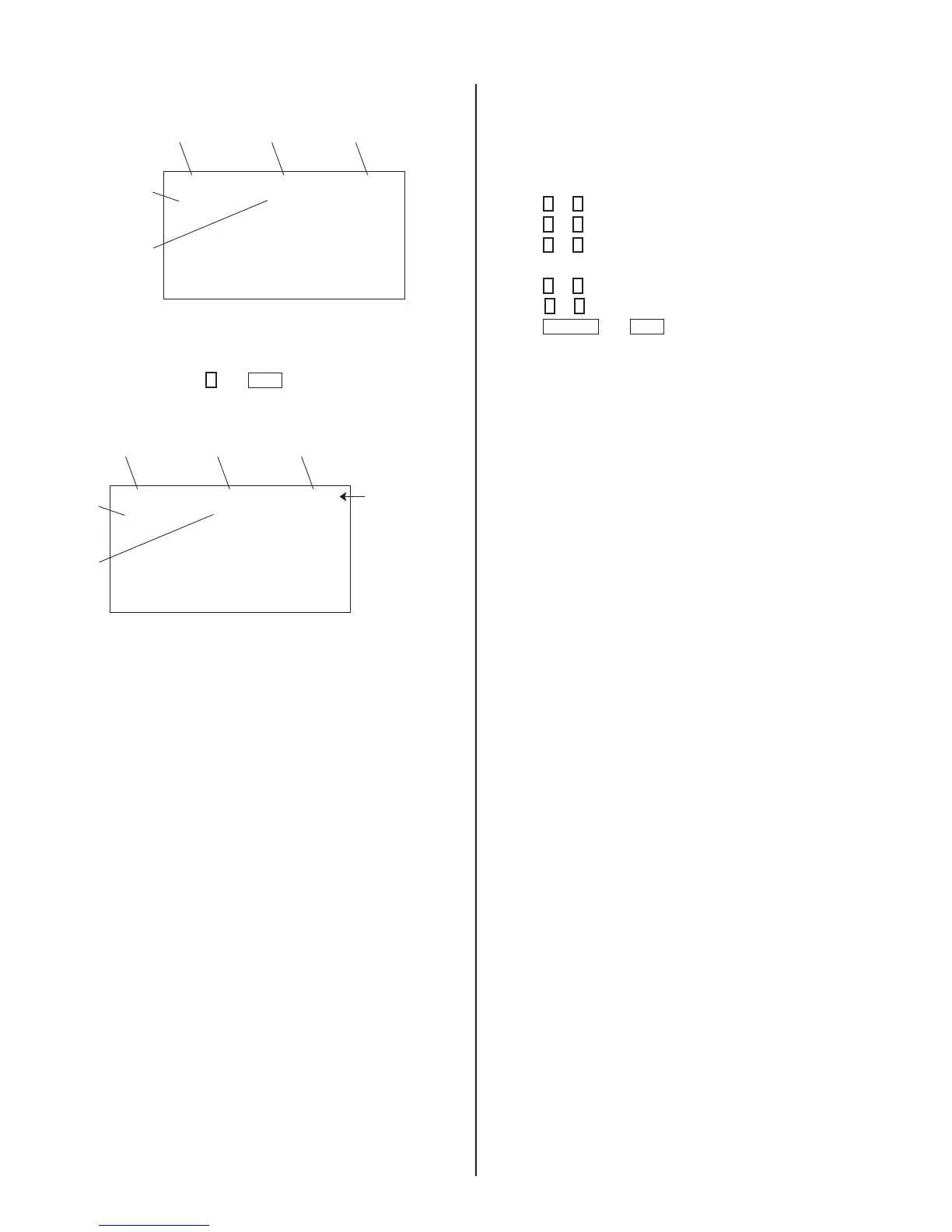
Service Adjustment Mode Memory
Category
Display
Item
Display
Data
Signal
Type
Channel
Type
NTSC VIDEO1DEF
M655E2AMF-107FP
S 3.OD
HSIZ 1 : 51 NVM:OK
Carry out Step 1 when adjusting IDs 0-6 and when replacing and
adjusting IC002.
1. In Service Mode, press
8
then
ENT
on the Remote Commander to
re-initialize.
Category
Display
Item
Display
Data
Signal
Type
Channel
Type
Text changes
to “RESET”
and changes
from green to red
NTSC RESETDEF
M655E2AMF-107FP
S 3.OD
HSIZ 1 : 51
2. The set automatically turns off after re-initializing is complete.
4-3. WHITE BALANCE ADJUSTMENTS
1. Input an entire white signal with burst.
2. Access Service Adjustment Mode.
3. Set the PICTURE and BRIGHTNESS to minimum.
4. Adjust with SBRT if necessary.
5. Press
2
or
5
to select the VP1 Category
6. Press
1
or
4
to select GCUT and BCUT.
7. Press
3
or
6
to adjust the data value for best white balance.
8. Set the PICTURE and BRIGHTNESS to maximum.
9. Press
1
or
4
to select GDRV and BDRV.
10. Press
3
or
6
to adjust the data value for best white balance.
11. Press
MUTING
then
ENT
to write into the memory.
4-4. MEMORY WRITE CONFIRMATION
METHOD
1. After adjustment, pull out the plug from the AC outlet, then replace
the plug in the AC outlet again.
2. Turn the power switch ON and set to Service Mode.
3. Call the adjusted items again to confi rm they were adjusted.








 To Next Page