Connecting and Setting Up the DTV
26
Connecting Cables
1
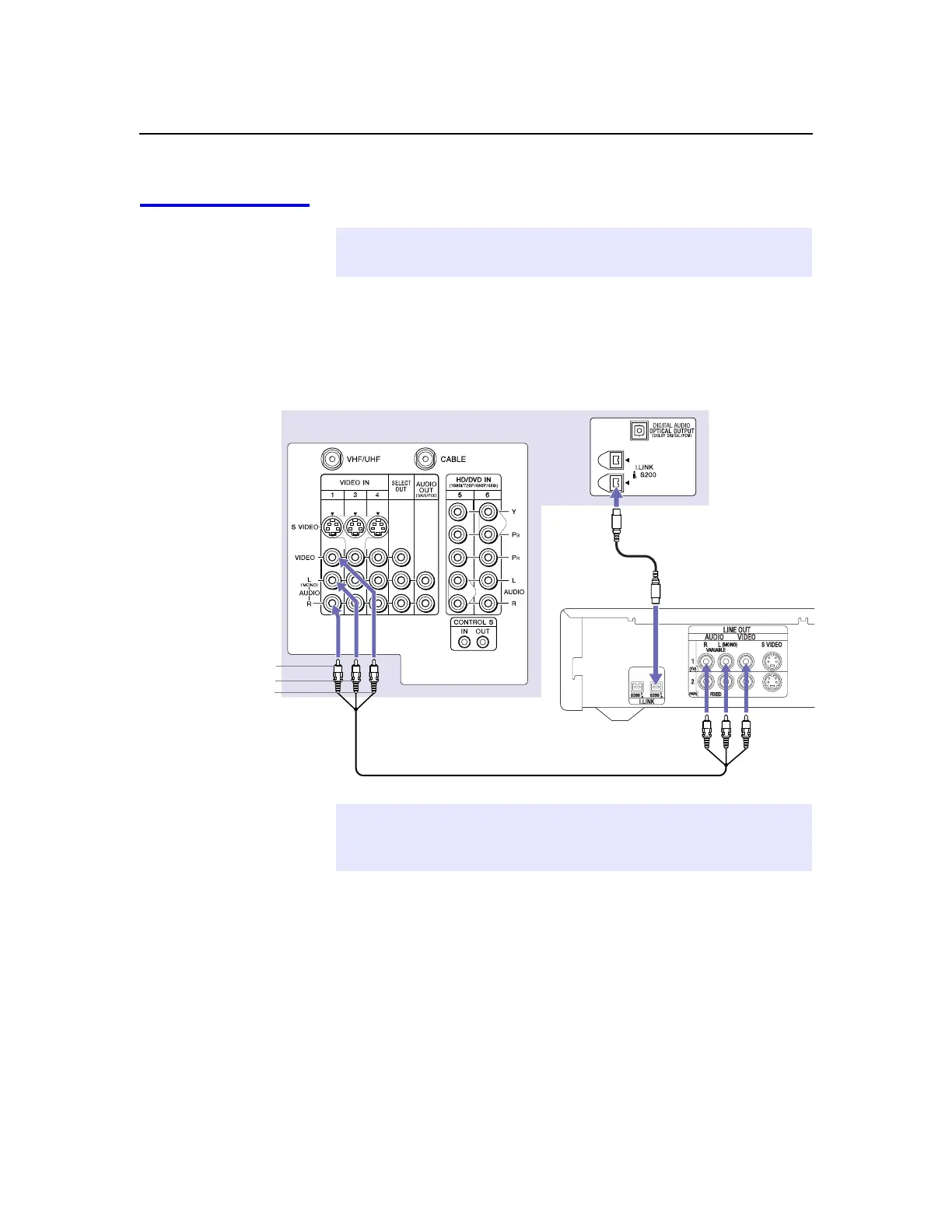
Using an A/V cable, connect the i.LINK device’sAudioand
VideoOUTjackstotheDTV’s Audio and Video IN jacks.
2
Using an i.LINK cable (see page 25), connect the device’si.LINK
jack to either of the DTV’si.LINKjacks.
✍ Before connecting this unit to i.LINK-compatible equipment, see the instruction
manual of the i.LINK device to be connected.
i.LINK cable
DTV
Sony digital cable
A/V cable
set-top box
AUDIO-R (red)
AUDIO-L (white)
VIDEO (yellow)
✍ i.LINK devices can be “hotplugged” (connected and disconnected while they
are still powered on). The DTV automatically recognizes the device and displays
the screen shown on pag e28.



 To Next Page