MAIN MENU
The best way to discover the program is to explore each screen in detail, and to find out how to
move from one to another. Read this chapter for a guided tour.
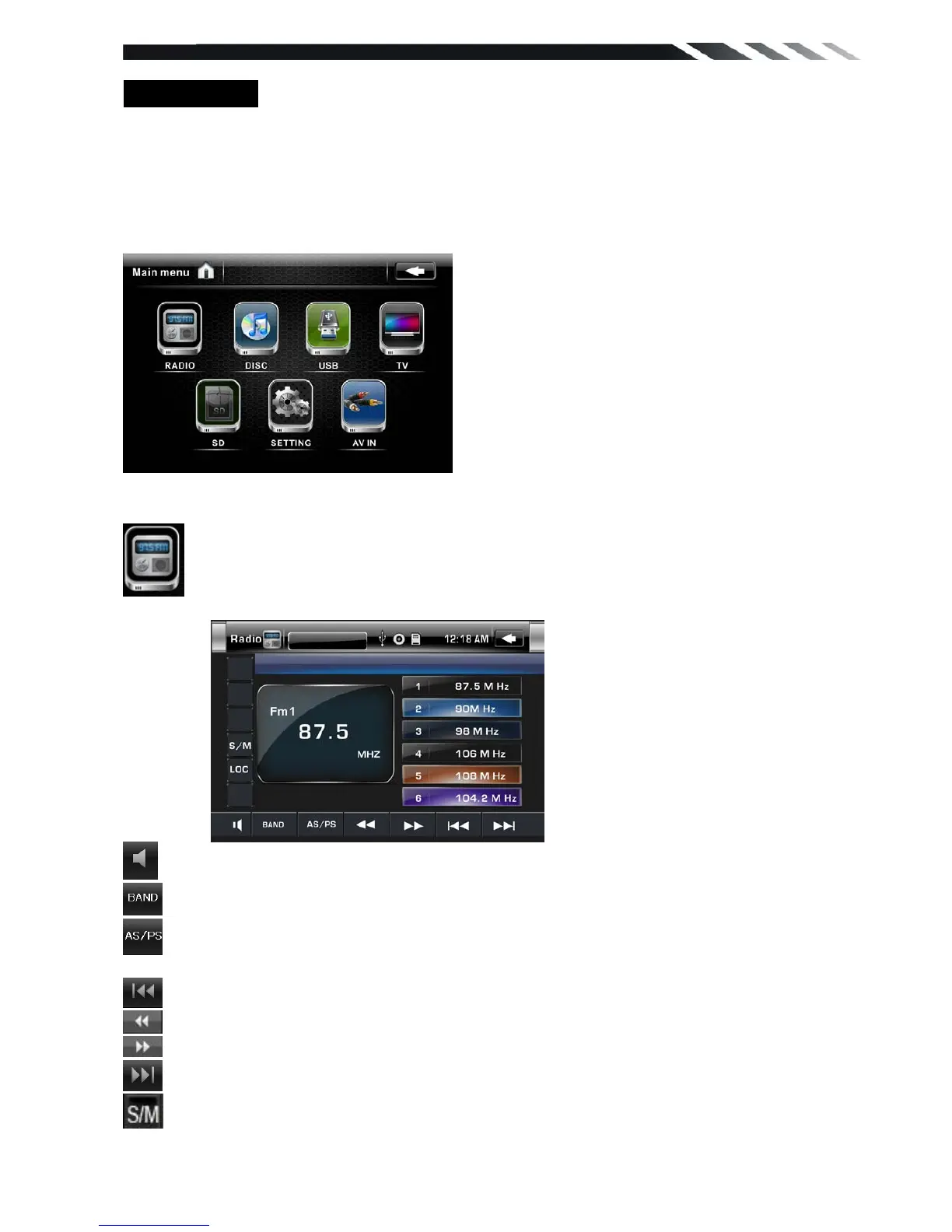
Unit starts by displaying the Main menu.
This is the root of the screen hierarchy, and you can simply access all features by tapping on
the touch screen buttons.
Tap the corresponding icons to enter a desired mode.
◆ RADIO PLAYER
To start Radio, tap RADIO button on main menu screen.
Mute the sound
Touch this button can choose FM1, FM2, FM3, AM1, AM2.
Touch this button can scan the stations from 1-6, Long Touch it to save the stations with
good reception automatically and scan each station for about 5 seconds
Touch this button to search stations
Touch this button to open manual select station backward
Touch this button to open manual select station forward
Touch this button to search stations
Touch this button to select stereo or mono sound reception.













 To Next Page