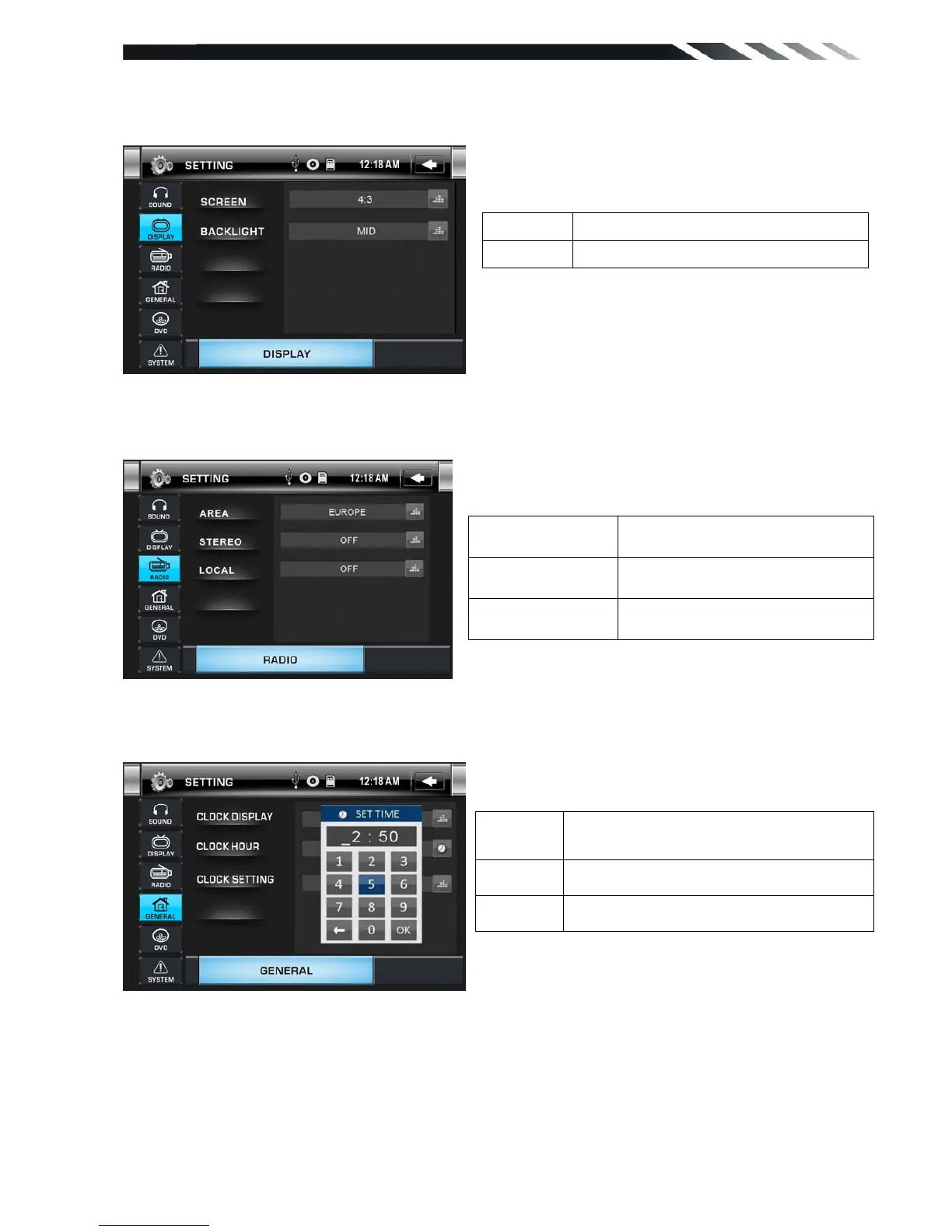
DISPLAY CONTROL
Tap DISPLAY button to show DISPLAY menu.
RADIO CONTROL
Tap RADIO button to show RADIO menu.
GENERAL CONTROL
Tap GENERAL Button to show GENERAL menu.
DVD SET UP MENU
During the DVD playback, press the SETUP button to enter into the system settings main
menu; press the up or down arrow buttons to move to the highlighted menu item and select one
of the Setup Pages:
Screen setting 16:9, 4:3,FULL
Backlight setting LOW, MID, HIGH
Set CLOCK DISPLAY ON or
OFF.
Set 24 Hour format or
12Hour format
Set CLOCK ADJUST time
AREA
Set AREA:EUROPE-U.S.A-SOUTH
AMERICA-RUSSIA
STEREO Set STEREO ON or OFF
LOCAL Set LOCAL ON or OFF













 To Next Page