PICTURE
I
PICTURE
1 2
3 4 5 6
• I :
212
1
~
1
0..
c '
7 8 9
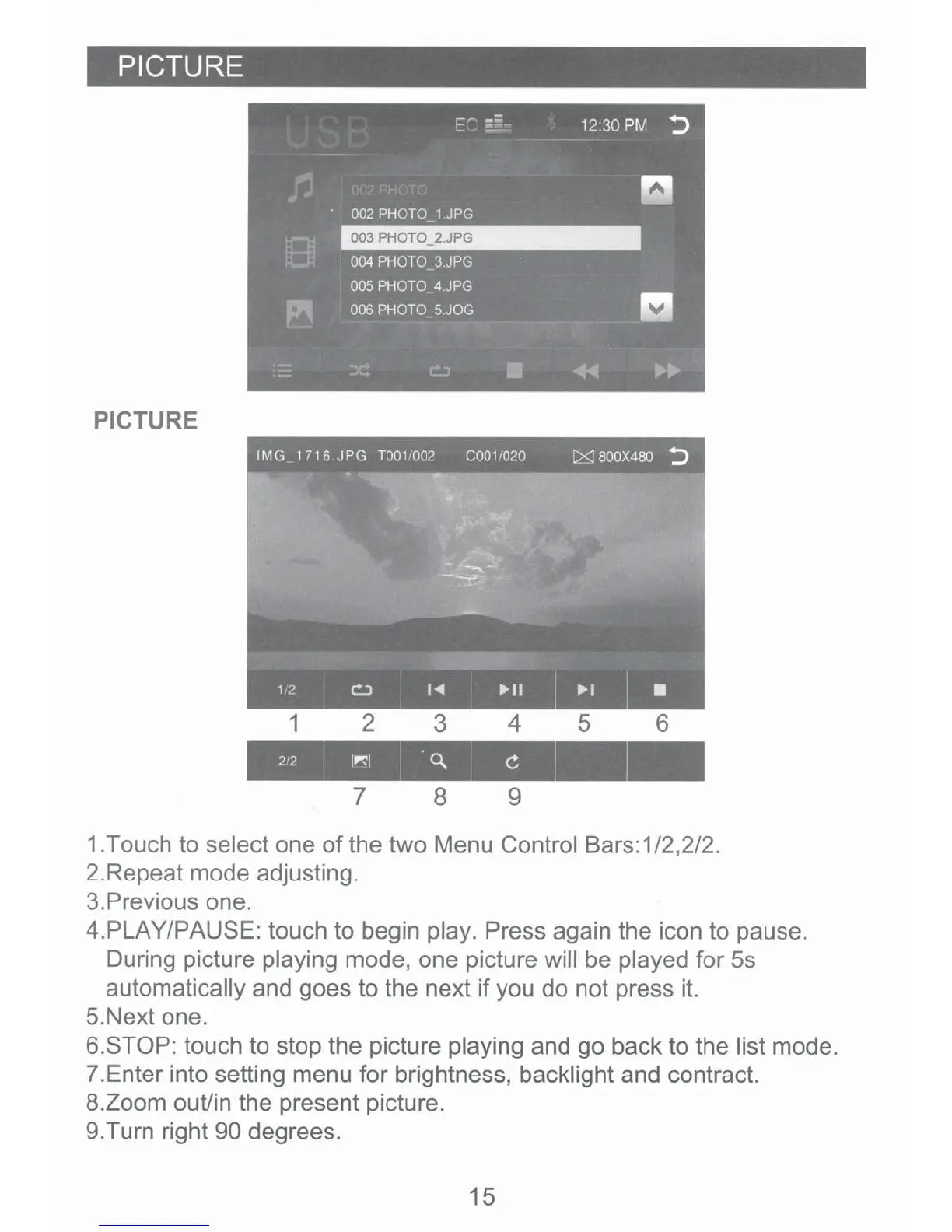
1.Touch to select one
of
the two Menu Control Bars: 1/2,2/2.
2.Repeat mode adjusting.
3.Previous one.
4.PLAY/PAUSE: touch to begin play. Press again the icon to pause.
During picture playing mode, one picture will be played for
Ss
automatically and goes to the next
if
you do not press it.
5.Next one.
6.STOP: touch to stop the picture playing and
go
back to the list mode.
7.
Enter into setting menu for brightness, backlight and contract.
8.Zoom out/in the present picture.
9.Turn right 90 degrees.
15













 To Next Page