DVR-IP4CF
38
9. NETWORK OPERATION
9.1 Network DVR Setup
Before installing the Network DVR, you need to first setup an IP Address, connect it
to the ADSL Modem or LAN Hub, and use IPEdit.exe to test the DVR.
Note: Before using PPPoE and DDNS connection method, one must first setup an IP
Address (using IPEDIT.exe).
9.1.1 Online with DHCP Server
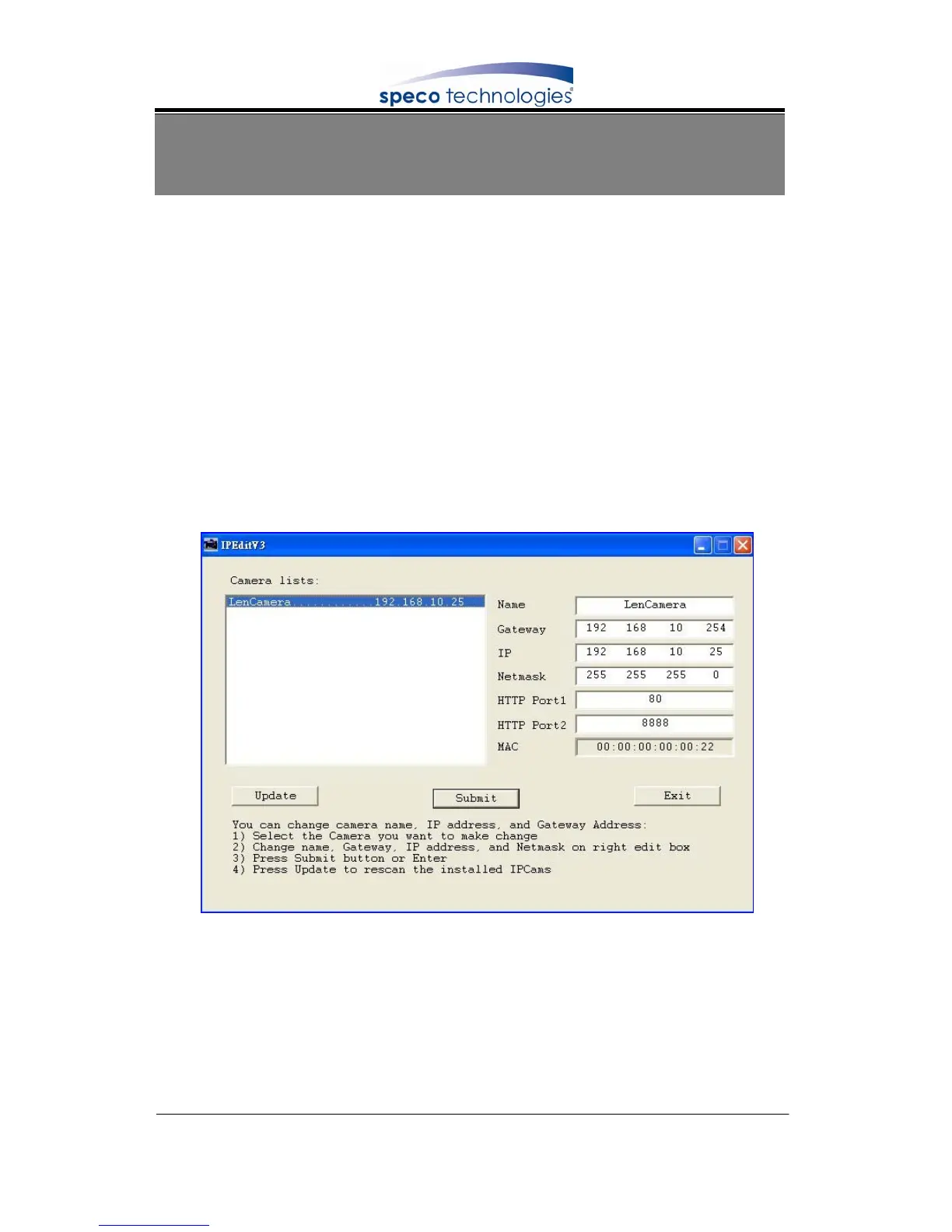
Use IPEDIT.exe to find the installed Network DVR. Select this Network DVR in the
Camera List Window. The default configuration will be shown on the right window.
Update the IP status.
Online with DHCP Server



 To Next Page