52
7030-0068-26
28Jul16
Customer Service, Canada/US (719) 633-8333 / (800) 231-0978
Customer Service, Europe +31 33 434 7050
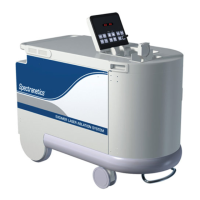
CVX-300
®
Excimer Laser System Version 26 Operator’s Manual
English / English
Error
Lamp
Problem
Description
Try this…
Power
Error
Lamp
Internal energy
deviation
detected
Remove the ber from the treatment area. Aim ber at
the center of the detector. Ensure the device is pointed
at the center of the energy detector, one to two inches
away. Depress the footswitch and continue to lase for up
to 10 seconds.
If the Power Error indicator turns off and remains off,
reintroduce the ber device and continue. Report the
incident to Spectranetics after the case is complete.
If the Power Error indicator remains illuminated, turn the
unit OFF ( ), then back ON ( | ). Bypass the warm‑up
period by pressing the RESET and STANDBY buttons
simultaneously (in order to bypass the warm‑up period,
the system must not be OFF ( ) for longer than
30 seconds.)
Attempt to calibrate with the Reference Catheter.
If successful, attempt to calibrate the ber optic catheter to
be used in the patient. Proceed if successful. Report the
incident to Spectranetics after the case is complete.
If the Power Error lamp continues to illuminate,
either steadily or intermittently, call Spectranetics
Customer Service.
Service
Lamp
System has
reached 95%
of maximum
energy output
System operation is typically not affected when this
indicator is initially illuminated. Call Spectranetics
immediately to schedule service.
Test the system using the Reference Catheter.
If the unit operates normally and calibration is
completed successfully, continue with the desired
ber optic catheter.
If calibration is unsuccessful, record the Fault Code
and call Spectranetics Customer Service.


 To Next Page