Page 43
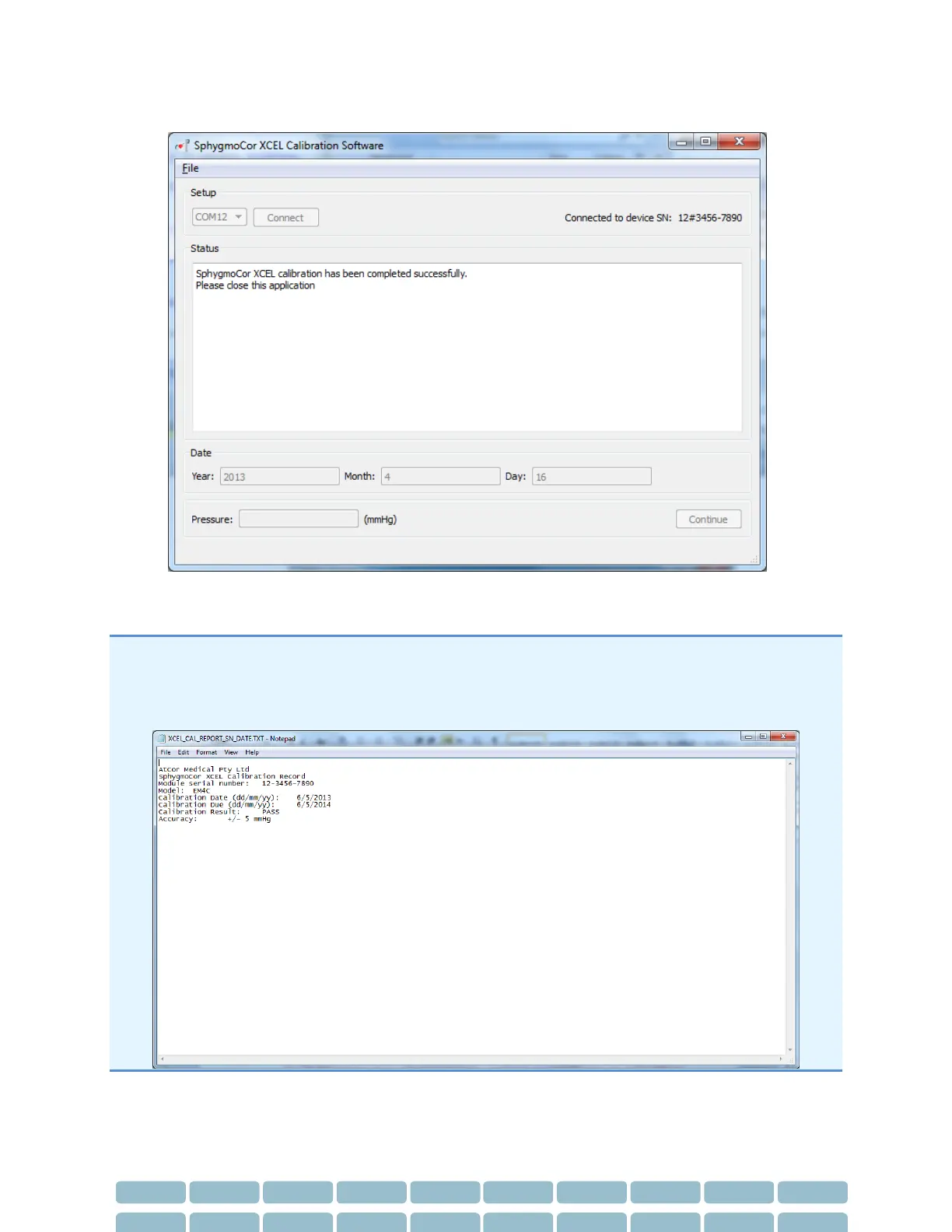
30- The SphygmoCor XCEL calibration has been completed successfully, close the XCEL Calibration
Software
Note: Once the calibration has been completed successfully, a calibration summary report will be
generated and saved as “XCEL_CAL_REPORT_SN_DATE.txt” in the same directory where the application
was installed (default installation directory is “C:\AtCor\XCEL calibration\”, but this can be changed by
the installer during the installation process).


 To Next Page