Page 44
Calibration Troubleshooting
Finding Com Port
To find the com port that is connected to the SphygmoCor XCEL device, follow these steps:
1- Connect the SphygmoCor XCEL device to the computer via the USB cable. Ensure your
SphygmoCor Software is closed.
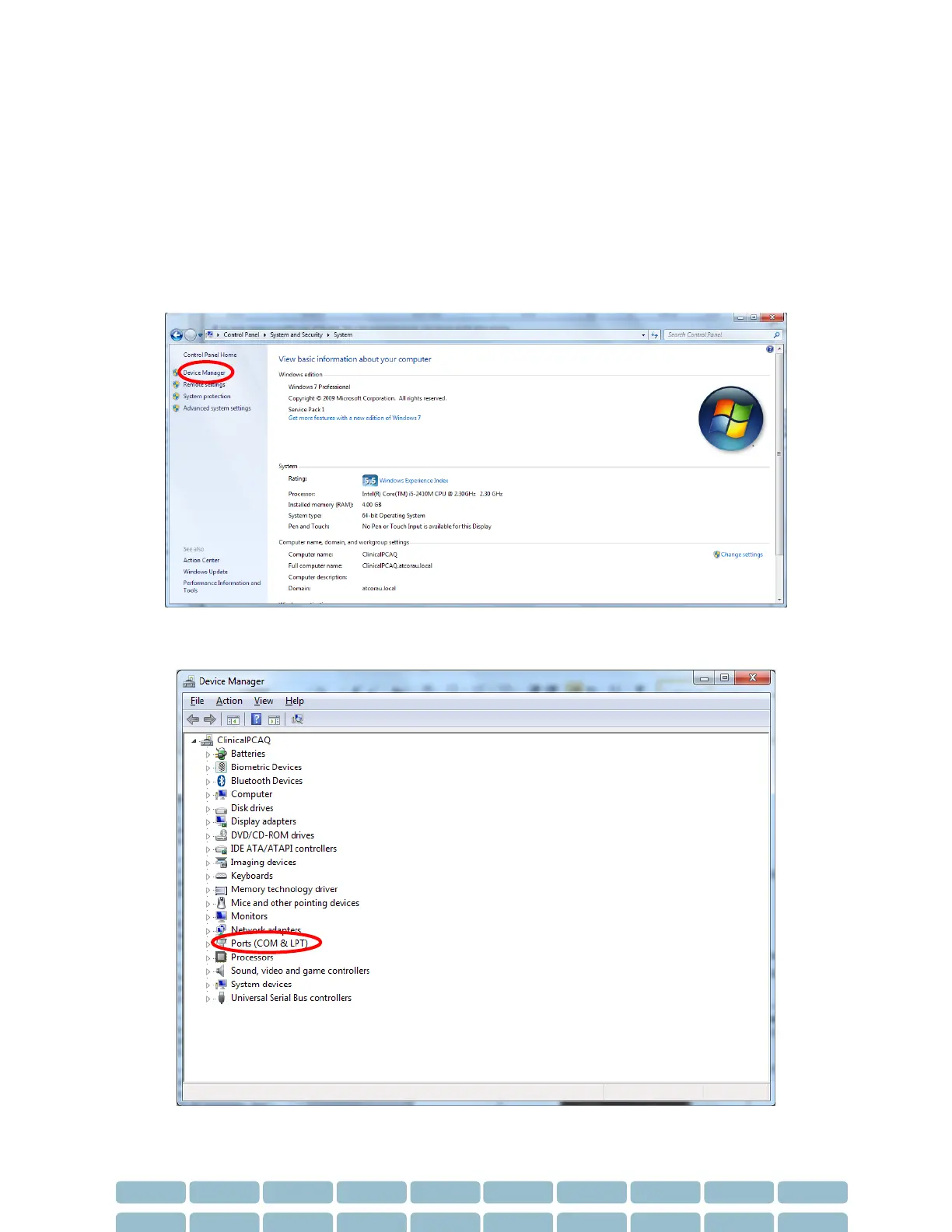
2- Navigate to Control Panel -> System and Security -> select System.
3- Select the Device Manager link on the left menu.


 To Next Page