Page
Product description
10
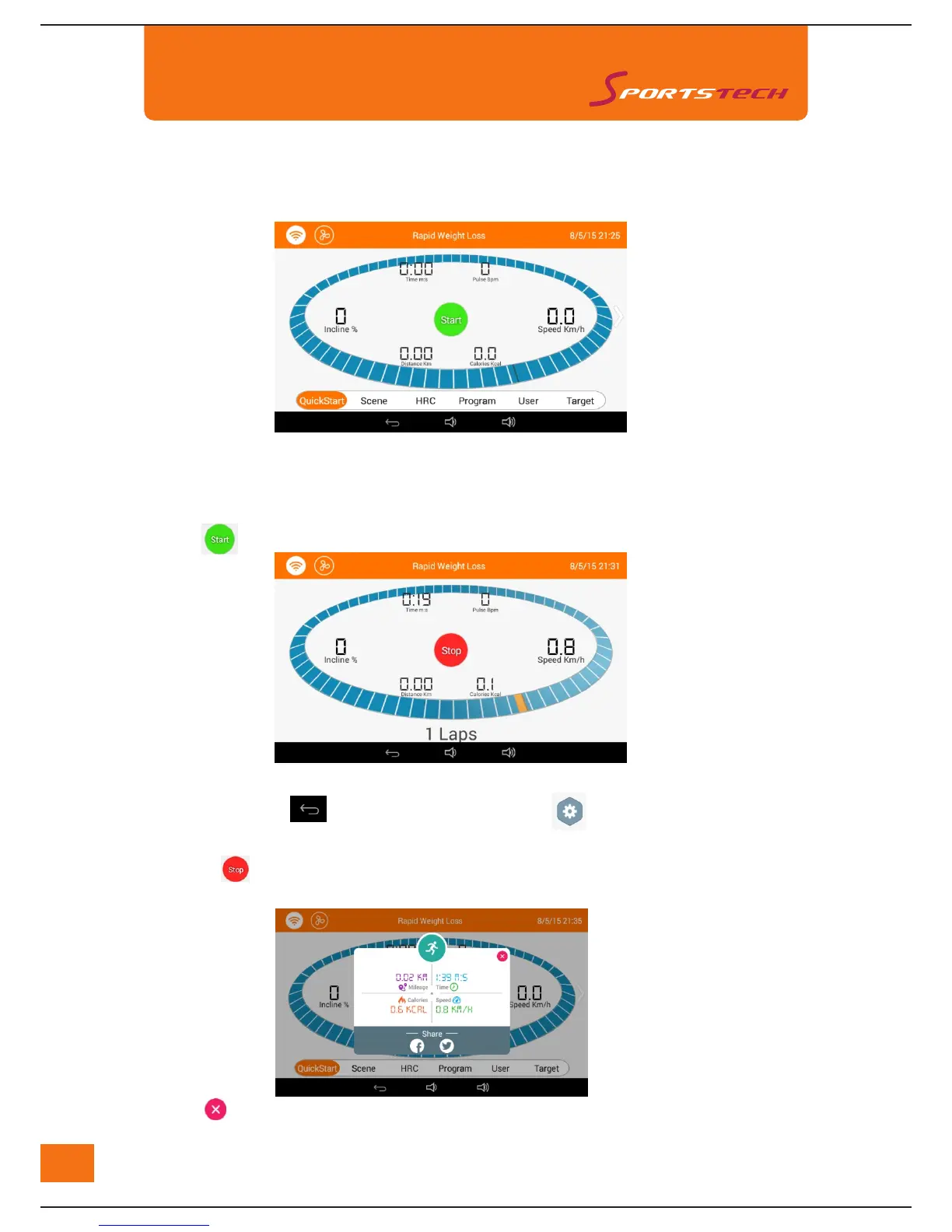
The display will monitor Time (M:S), Pulse(Bpm), Speed(Km/h), Incline(%), Distance(Km),Calories(Kcal).
The blue circal stands for 400m athletic track.
User may choose other training modes listed at the bottom of the interface by touching the corresponding
icons or by sliding the screen.
Touch "Speed" or "Incline" and then choose the value. User also can adjust the value by touching "+/-".
5. Intructions of Sports Inter
face Operation
1)Touch icon "Sports" and enter "Rapid Weight Loss" training mode, as below:
2) Touchh
"Start" icon to start the training.
3) While running, touchh
o to return to the main page, and touchh
o to enter system set up
4) Touchingg
will end the running and the machine will slow down and stop.
5) Touchh
or
to end the display of the work out records. User can share the records on "Facebook" or "Twitter".



 To Next Page