Page
Product description
11
3) Touc hh
4) Touc hh
2) Touchh
3) Touchh
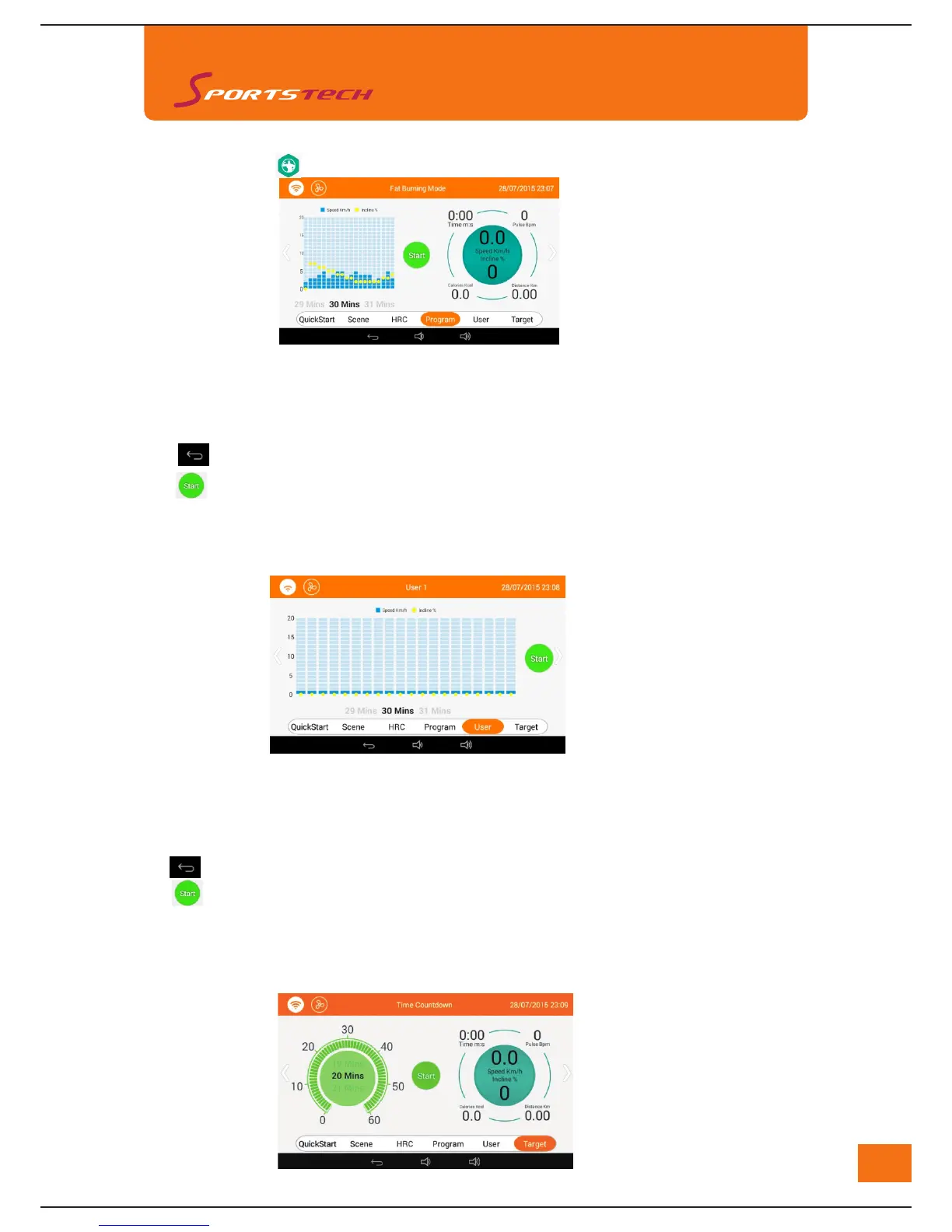
1) There are 3 user programs (User1-User3) for customized set up.
In "User" mode: user can set speed, incline and training time.
Default sections: 1;Setting Range: 1-20;Default Speed: 1.0KM/H;Setting Range: 1.0-20.0KM/H; Drag
blue square to set the speed;Default Incline: 0°;Setting Range: 0-15°;
Drag yellow square to set the speedDefault Time: 30:00; Setting Range: 8:00-99:00
Training time for each section is 1/20 of the setting time.
to exit User mode
to start training program.
4) Speed and incline is open for manual adjustment during program training.
5) The machine will stop operation when training time ends or it can be stopped manually.
6. Training Program
1). Touch "Sports" icon
and then "Program" icon to enter below interface
1) Slide the screen to choose different training programs among the 12 ones: Fat Burning Mode, Health Mode, Highway
Mode, Mountain Mode, Beach Mode, Plastic body Mode, Middle-aged Mode,Elderly Mode,
Diet Mode, Walking Mode, Female Mode, Male Mode
2) Default training time is 30:00, user can set the time accordingly within the range of 8:00-99:00.Each program is
divided into 20 sections, training time for each section is 1/20 of the setting time.
to exit program training.
to start training program.
5) Speed and incline is open for manual adjustment during program training.
6) The machine will stop operation when training time ends or it can be stopped manually.
2). Touch "User" to enter customized training program as below
3). Touch "Target" to enter Target Training Mode as below



 To Next Page