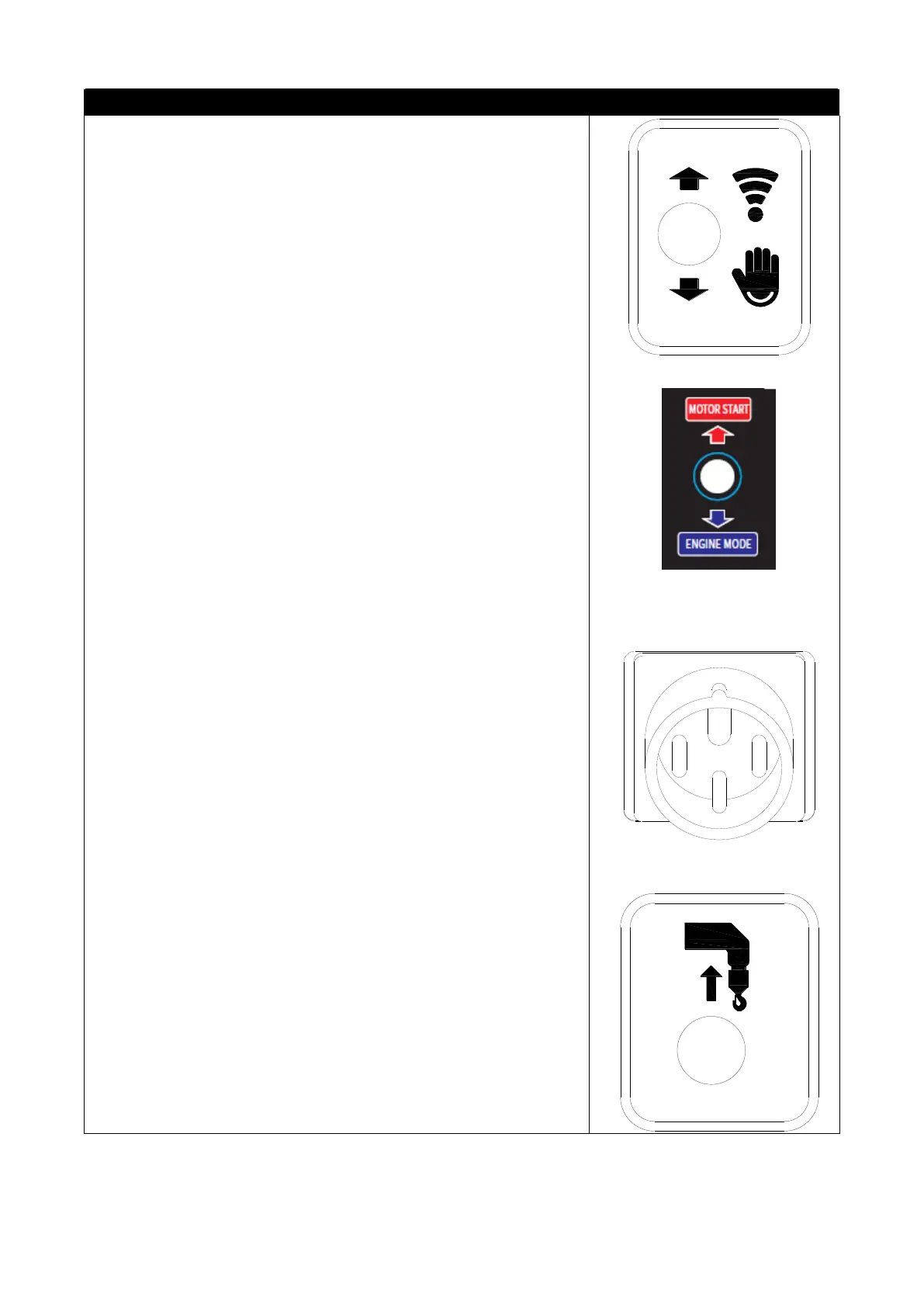
Remote control/manual switch (No. 16)
● Remote control: Move the switch upward to the "remote
control" position to enter the wireless remote control operation mode.
Crane synchronization is accompanied by voice prompts.
●Manual: Turn the switch down to the "manual" position to enter
the manual operation mode. Crane synchronization is accompanied by
voice prompts.
Motor start/stop switch (No. 17)
Use this switch to start and stop the motor
●Start: The switch is pushed up to the "MOTOR START" position,
and the motor starts.
●Stop: The switch is pushed down to the " ENGNINE MODE "
position, and the motor stops working.
Note: This crane has two sets of power sources, engine and
motor. This switch can only be used when powered by an electric
motor.
Power socket (No. 20)
When the motor is used as the power source, the industrial power
supply is inserted into the power socket of the machine, and the
incoming wire of the industrial plug must be reliably grounded.
Retracting/Retracting Hook Switch (No. 18)
When the hook rises and hits the heavy hammer of the over-rolling
switch, the crane enters the over-rolling protection state, and the
buzzer sounds an alarm. At this time, the operating handle or switch
does not work, and the protection needs to be released.
● Retracting hook: Push the hook lifting handle (4) forward with
one hand, and flip the retracting/release hook up switch with the other
hand (release the hand and stop the action), the hook rises until it
touches the nylon block of the boom When the action stops, loosen the
handle and switch, the handle and switch return to the neutral position,
and the hook is closed.



 To Next Page