9
Use the and buttons to navigate in the interface and modify the selec-
tion, the OK button to select and the button to return to the previous
menu.
START CAMERA
Allows you to start the camera in either, PHOTO, VIDEO or TIME
LAPSE mode. When a mode is selected, the test light in front of the
camera will ash for 30 seconds and a countdown will appear on the
screen to allow you to leave the area without being photographed.
DETECTION TEST
Allows to test the detection system of the camera. When the
DETECTION TEST mode is selected, no photo or video is recorded. Walk
perpendicularly in front of the camera. When the camera detects a
movement, the busy light blinks to indicate that normally, a photo
or video would have been recorded. If the system does not detect
the movement, increase the detection distance using the
"Sensitivity" option in the settings menu and revise the camera in-
stallation.
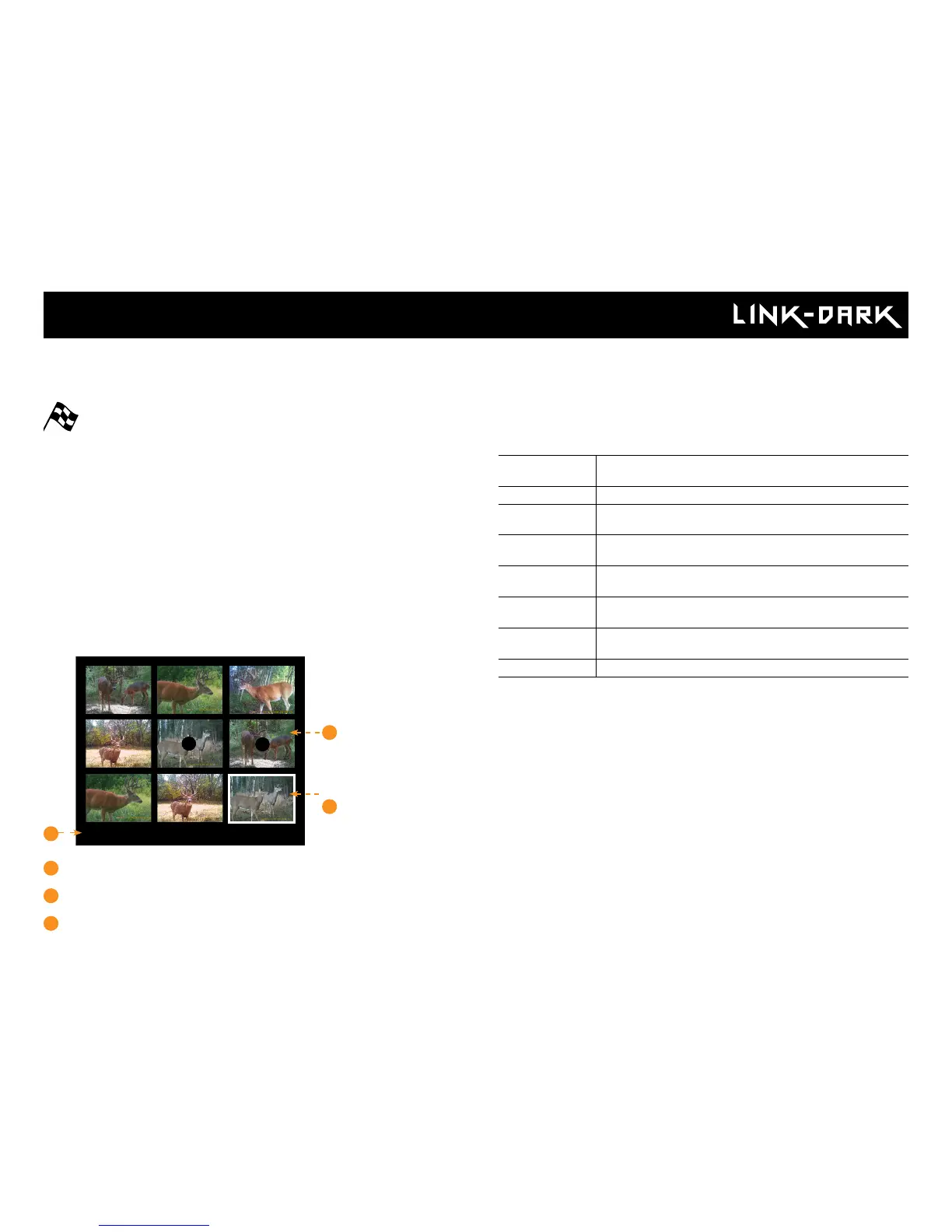
VIEW
Allows you to view or delete recorded photos and videos on the ca-
mera screen.
9/9
1
2
3
1
Selected photo / total number of photos
2
The play icon indicates that this element is a video
3
The outline indicates which photo is selected
Viewing on the camera screen:
When the VIEW mode is selected, the latest photos or videos recorded
appears as thumbnails gallery on the screen. Press or to navigate
this page, and press OK to view an enlarged picture. To view the next or
previous one press or . Press back to return to the thumbnail view.
When a large photo is open, press OK to view the different options available:
Play: Allows you to play or pause the video on the screen (this
option is available only for videos).
Zoom: Allows you to zoom in or out.
Date and time: Allows the user to view the date and time printed on
the photo.
Protect: Allows you to protect a photo or video to prevent it from
being deleted by selecting "Erase All".
Erase: Allows to erase the photo or the video appearing on the
screen from the memory card.
Erase all: Allows you to erase from the memory card all stored
photos and videos, with the exception of protected les.
Format: Allows to format the memory card and delete all protec-
ted photos and videos.
Exit: Allows to exit the menu and return to the viewing screen.
SETTINGS
Allows you to congure the different settings on the camera. From
PHOTO, VIDEO, TIME LAPSE, WIRELESS or GENERAL settings.
Main Menu















 To Next Page