EasyManua.ls Logo

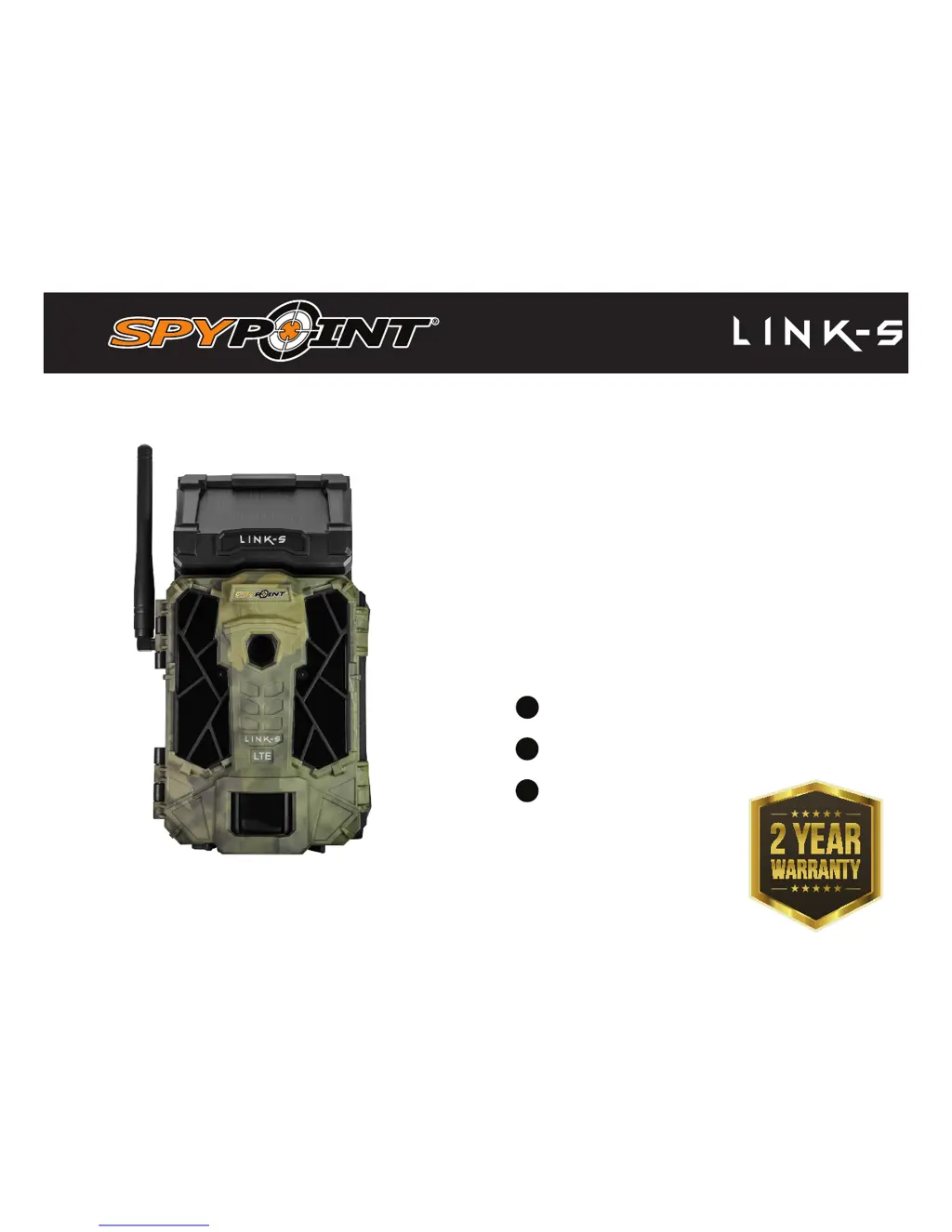
Spypoint LINK-S - User Manual

Spypoint LINK-S
20 pages
Print Icon
To Next Page IconTo Next Page
Loading...
v1.0
USER MANUAL
Models:
LINK-S
LINK-S-V
CELLULAR TRAIL CAMERA
1-888-779-7646
support.spypoint.com

support@spypoint.com

Other manuals for Spypoint LINK-S

Questions and Answers

  • D
    darlenecolemanSep 3, 2025
    Why does the screen of my Spypoint LINK-S turns off?
    • S
      Scott RogersSep 3, 2025
      If your Spypoint Scouting Camera's screen turns off, it may be because the camera is set to PHOTO or VIDEO mode, and the screen turns off after 30 seconds to save battery. Also, the camera automatically resets to PHOTO or VIDEO mode after 2 minutes of inactivity on the main menu. To get the screen back, turn the camera off and on again.
  • C
    Caitlin AndersonSep 2, 2025
    Why does my Spypoint Scouting Camera take black photos / videos?
    • M
      Mr. Willie Hardin MDSep 2, 2025
      If your Spypoint Scouting Camera is taking black photos or videos, verify the battery level to ensure it's not low, as the flash may stop working when the battery is near depletion, especially during video recording. Also, ensure there's something within the flash range to reflect the infrared back to the camera. To test the flash, try the camera in a dark room to see if it produces black and white pictures or videos.
  • B
    Brandon MillerAug 31, 2025
    What to do if my Spypoint LINK-S shows 'Low battery'?
    • G
      ginabakerAug 31, 2025
      If your Spypoint Scouting Camera is showing 'Low battery', you should recharge the batteries or insert new ones. It's always a good idea to check the battery level before using the camera.
  • Y
    yolanda47Aug 29, 2025
    Why does my Spypoint LINK-S say 'Insert memory card'?
    • R
      Richard WilliamsAug 29, 2025
      If your Spypoint Scouting Camera displays the message 'Insert memory card', it means that a memory card is required to record photos and videos.
  • K
    Kelsey YatesAug 27, 2025
    Why is my Spypoint Scouting Camera impossible to take photos/videos?
    • J
      James MurphyAug 27, 2025
      If your Spypoint Scouting Camera is not taking photos or videos, check the following: Ensure there are batteries in the camera. If so, replace alkaline batteries or recharge the lithium battery pack. Make sure the camera is turned on. Format the memory card. Perform a Detection Test to confirm the camera detects movement.
  • A
    andrewthompsonAug 26, 2025
    What to do if my Spypoint LINK-S Scouting Camera does not respond?
    • T
      Tricia KingAug 26, 2025
      If your Spypoint Scouting Camera is not responding, try removing the batteries and reinstalling them. If that doesn't work, replace the alkaline batteries or recharge the lithium battery pack.
  • A
    Angelica WatsonAug 25, 2025
    How to fix Spypoint Scouting Camera that is impossible to turn on?
    • T
      Troy ProctorAug 25, 2025
      If your Spypoint Scouting Camera is not turning on, try these steps: Recharge the internal battery for 24-48 hours, ensuring the camera is off and the solar panel faces down during charging. Check if there are batteries in the camera and that they are correctly installed. If using alkaline batteries, replace them; if using a lithium battery pack, recharge it.
  • K
    Katherine YoungAug 22, 2025
    What to do if my Spypoint LINK-S shows 'Card error'?
    • M
      mariobuckleyAug 22, 2025
      If your Spypoint Scouting Camera displays a 'Card error', try the following: First, turn the camera off and then on again. If that doesn't work, turn off the camera, remove the SD card, and re-insert it until you hear a click. Also, check if the gold contacts are clean. If the problem persists, format the memory card.

Summary

Components Overview

Power Options

Internal Rechargeable Battery and Solar Panel

Guidance on charging and using the internal battery and solar panel for power.

Optional Power Sources

Information on using AA batteries, lithium battery packs, and external 12V power.

Memory Card and BUSY LED

Memory Card Operations

Instructions for inserting, removing, and formatting SD/SDHC memory cards.

Camera Settings

Basic Camera Operations

Covers starting the camera, testing detection, and viewing photos/videos.

Photo and Video Settings

Configures photo delay, multi-shot, video length, and photo first options.

Wireless and Connectivity Settings

Configures cellular transmission, sync frequency, and GPS coordinates.

General Camera Configuration

Sets language, date/time formats, date, time, and motion sensor sensitivity.

SPYPOINT LINK App Usage

App Settings Configuration

Configures camera settings remotely via the app, including basic, sync, and advanced options.

Installation & Mounting Bracket

File Transfer to Computer

Troubleshooting Guide

Camera Power and Display Issues

Solutions for camera not turning on, screen turning off, unresponsiveness, or low battery warnings.

Photo and Video Capture Problems

Addresses issues with taking photos/videos, image quality, and detection.

Memory Card and SIM Card Issues

Troubleshoots problems related to memory cards, SIM cards, and data transfer.

Connectivity and System Errors

Resolves SIM lock (PUK), no service, modem communication, and protected file issues.

Warranty & Repair Service

Repair Service Instructions

Steps for contacting support, obtaining RMA, and sending products for repair or replacement.

Spypoint LINK-S Specifications

General IconGeneral
Photo Resolution12 MP
Trigger Speed0.07 seconds
Wireless Connectivity4G LTE
Water ResistanceIP66
Video Resolution720p
Memory CardMicroSD (up to 32 GB)
Flash TypeLow Glow
Battery LifeUp to 6 months
Operating Temperature-22°F to 122°F (-30°C to 50°C)

Related product manuals