Software description
External Control window
10 Reset ACC button
By pressing this button all the settings in the ACC table are reset to their initial
state - all lines are switched off.
11 PWM Setup button
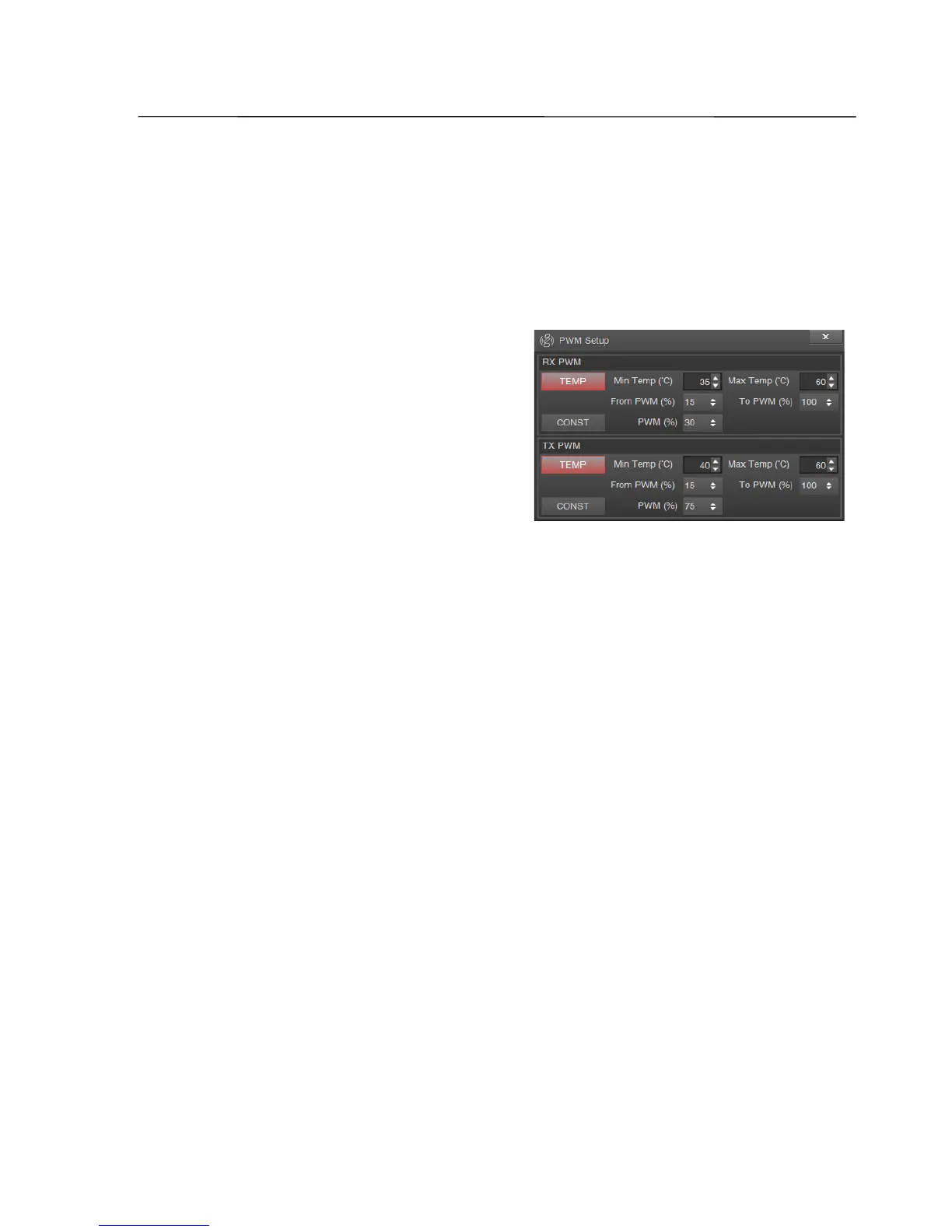
By a click, a window to set up PWM appears.
Temp button sets the mode, in which the
parameters of the PWM depends on the
temperature of the transceiver. It is possible
to set the temperature (Min Temp), above
which pulses appear with a predetermined
duty cycle (From PWM) on the lines of the
ACC connector. As the temperature
increases the duty cycle will vary. And at the maximum temperature (Max Temp)
will be equal to the value specified in the "To PWM" field.
Const button turns on constant duty cycle (the field PWM).
PWM parameters are specified separately for transmit and receive.
Note: One example of the PWM control may be the speed of an external fan which can be used to
prevent overheating of the transceiver or an external power amplifier, as well as to hold the
transceiver’s temperature at fixed value, which will guarantee a very high frequency stability of
the internal reference oscillator.
SSB-Electronic GmbH © Page 43 of 88 V2.8.1 Content is protected by Copyright.


 To Next Page