Software settings
Transceiver frequency correction
Frequency correction is recommended as follows:
- when using an external reference, switch it on, and connect it to the ZS-1
antenna input;
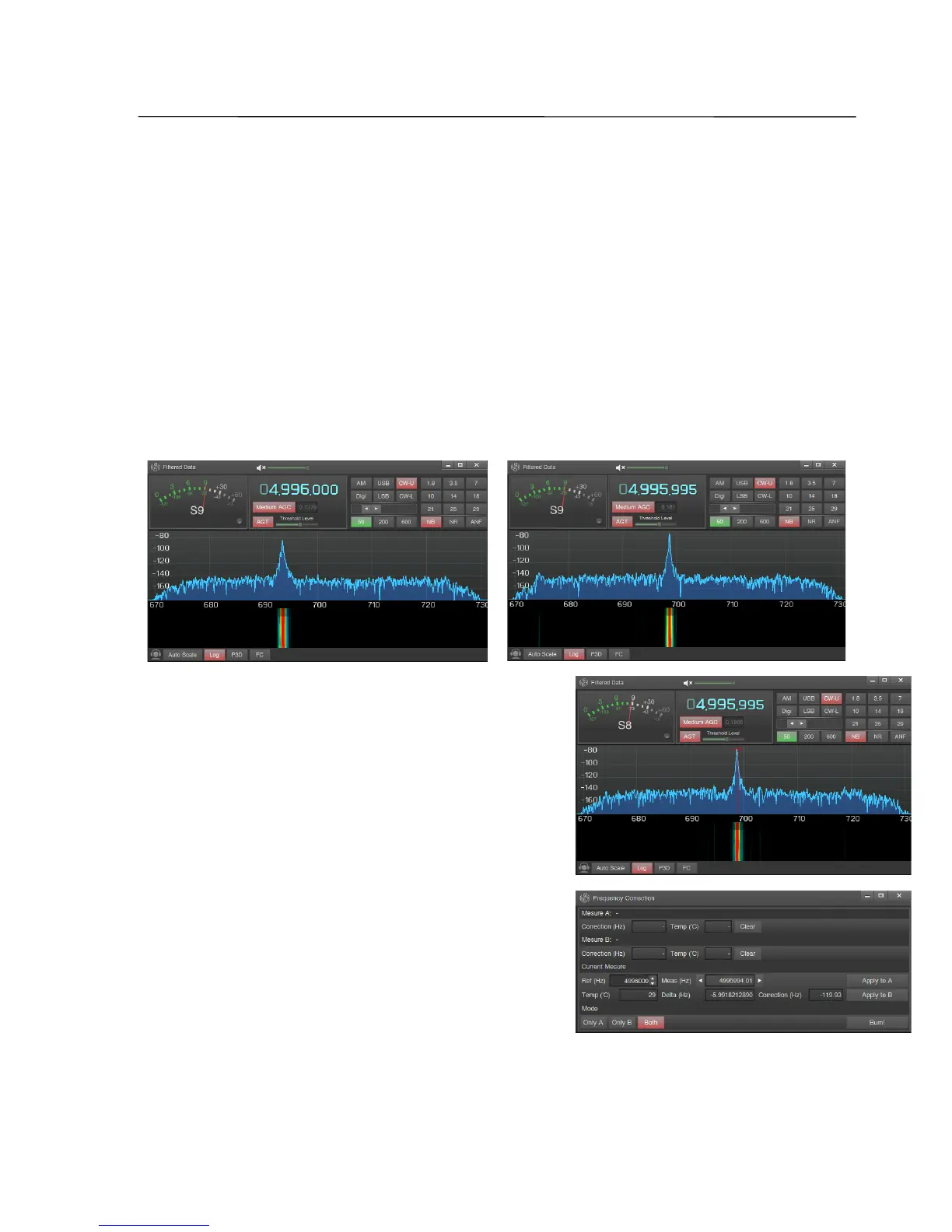
- start the software ZeusRadio, select the operation mode CW-U, set the filter
bandwidth to 100 Hz or less, and adjust to the desired frequency - the frequency of
the generator, or one of the HF reference frequencies (4996 kHz, 9996 kHz, etc.);
- open the window of the filtered data with a click of the right mouse button on
the S-meter, wait for the structure of the spectrum graph and set the reference
frequency closer to the center of the filter;
- click FC to open the Frequency Correction
window, the accurate measurement of the
frequency starts and the signal will be captured
by a red marker in the Filtered Data window
indicating the frequency, and in the Frequency
Correction window the measured values are
displayed: Ref - the value of the reference
frequency (set by the user), Meas - the measured
frequency, Temp - current temperature of the
transceiver,
SSB-Electronic GmbH © Page 74 of 88 V2.8.1 Content is protected by Copyright.



 To Next Page