Software settings
Transceiver frequency correction
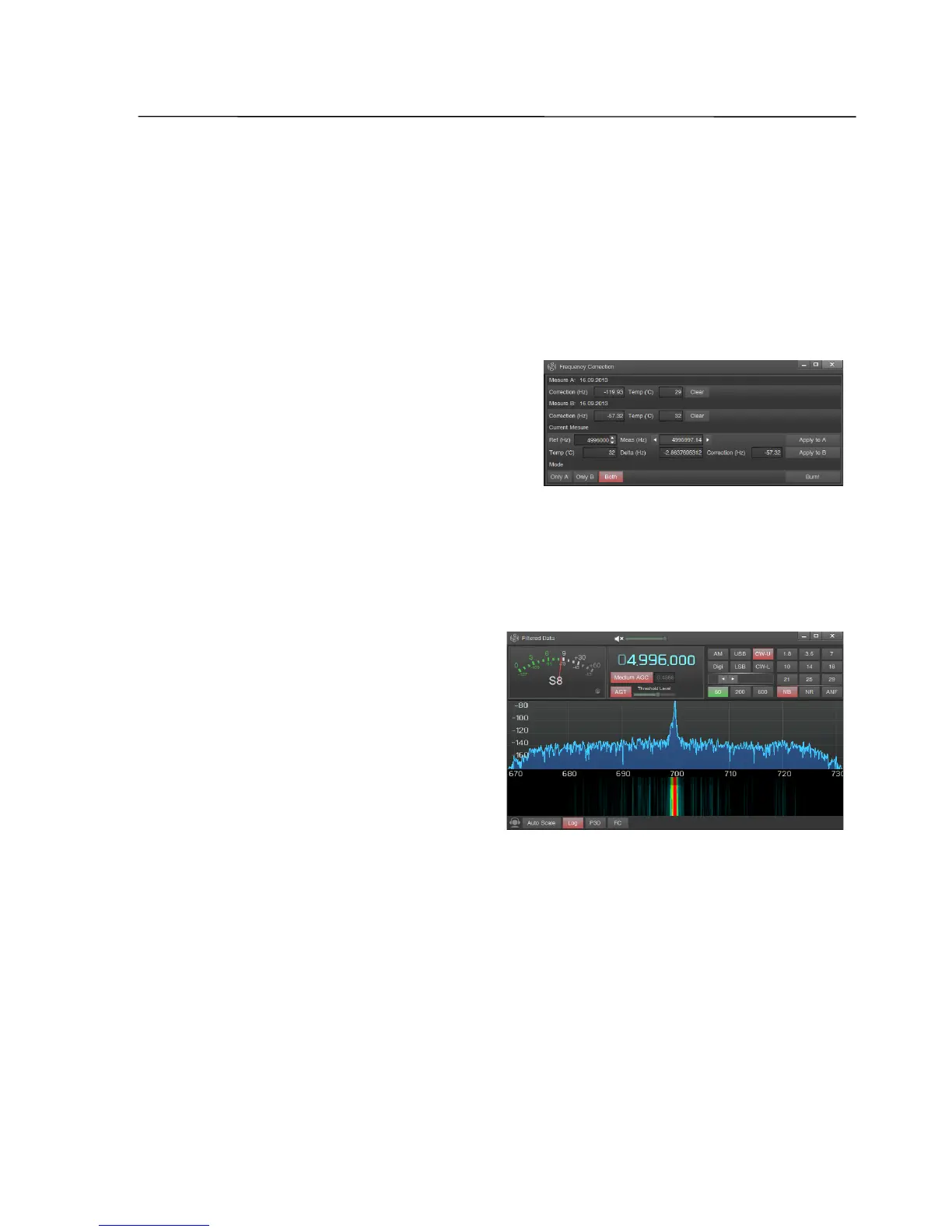
Delta - difference between the measured and the reference frequency, Correction -
measured error of the transceiver's reference oscillator frequency;
Note: If the spectrum contains several peaks, which is common for a HF signal, and the "wrong"
peak is captured, then you can use the arrows on the edges of the Meas field to move the marker
to the desired position; you can also change the transceiver’s frequency so, that the "correct" peak
will be closer to the filter center.
- Click Apply to A to save the results of measurements in the cell Measure A;
- wait for an increase of the transceiver's
temperature of at least 3˚ C, press Apply to B
to save the second set of measurements in
the cell Measure B;
- measured data will be stored in the
software ZeusRadio, but can be saved to the internal transceiver memory by
pressing the Burn button, (first the program must be stopped by pressing the
ON/OFF button in the main window of the program);
- after the selection of correction mode (Only A - correction using only
measurement A, Only B - correction using
only measurement B, Both –
temperature-dependent correction using
both cells), the Frequency Correction and
Filtered Data windows may be closed and
you can work with the transceiver.
Note: As long as the FC the window is open,
frequency corrections are not applied, and no
change in the main window is made.
For best results when using the temperature-dependent correction, it is
recommended to make the first measurement after the transceiver temperature is
5-7˚C above ambient temperature, and the second measurement after a rise of the
transceiver temperature of another 5-7˚C.
SSB-Electronic GmbH © Page 75 of 88 V2.8.1 Content is protected by Copyright.



 To Next Page