-9-
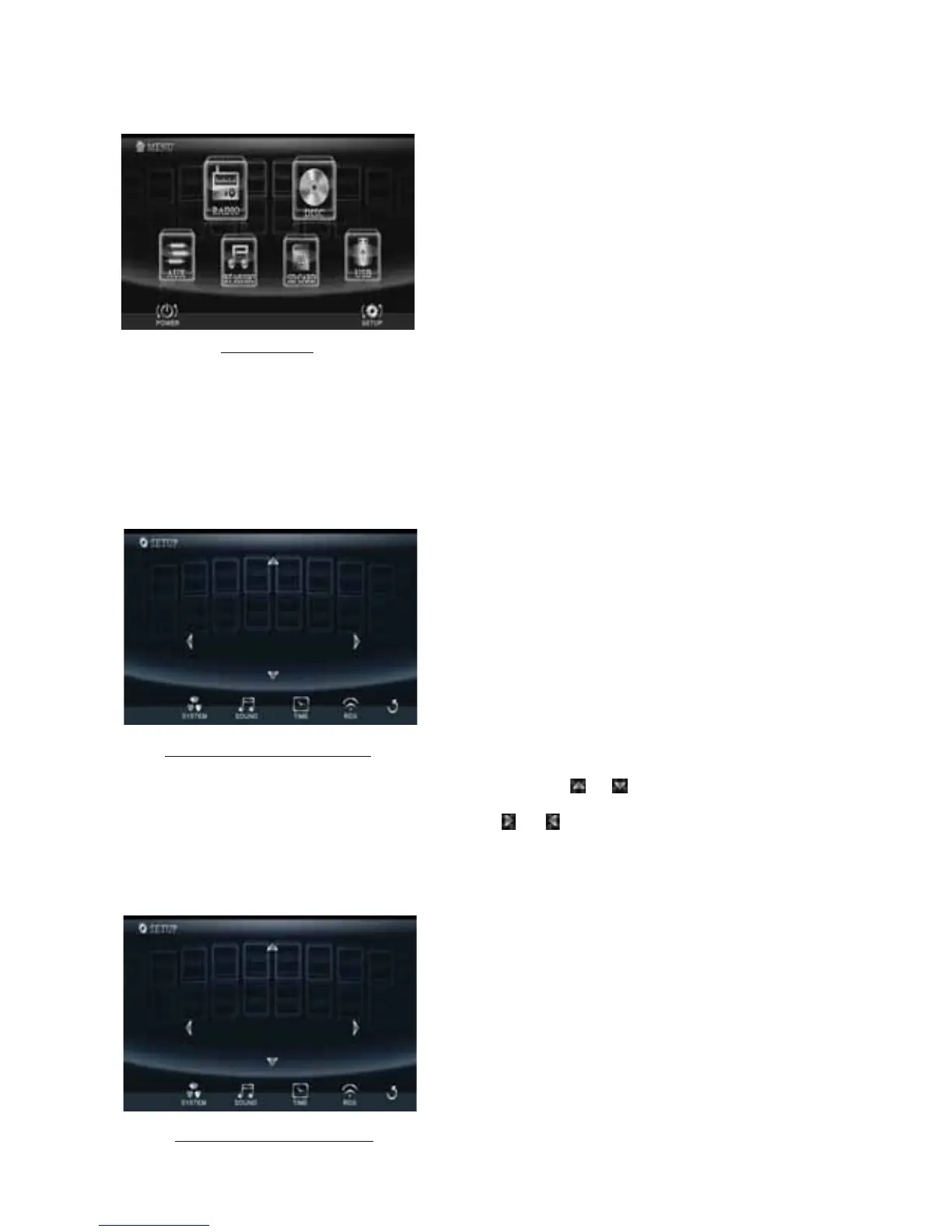
The source menu displays as follows:
In source menu, touch one icon of RADIO, DISC, BLUETOOTH MUSIC, AUX, SD CARD and USB
to enter one work source of RADIO, DISC, BLUETOOTH MUSIC, AUX, SD CARD and USB.
10.SETUP icon
1) SETTINGS SYSTEM
In source menu, touch SETUP icon to display SYSTEM page of SETUP menu as follows:
In the SYSTEM page of SETUP menu, repeatedly touch the or icon to highlight one setting
item of BRIGHTNESS, CONTRAST, COLOR, TINT, ANIMATION, WALLPAPER
and BLUETOOTH.
After highlighting a desired setting item, touch the or icon to set it.
2) SETTING SOUND
In SOUND menu, touch SOUND icon to display SOUND page of SETUP menu as follows:
Source Menu
System page of SETUP menu
Sound page of SETUP menu
COLOR
TIN T
CONTRAST
16
BASS
TREBLE
+03
BALANCE



 To Next Page