-17-
Disc/USB/Card Operation
1. Loading or unloading a Disc, USB or Card
1.1 Loading a Disc, USB or Card
To play files in a disc, press OPEN button on control panel to flip down the control
panel, then insert a disc with label surface up
into disc slot, then flip up the control
panel and attach onto chassis till hear a click sound, finally it will automatically play.
* Caution of Disc Handeling
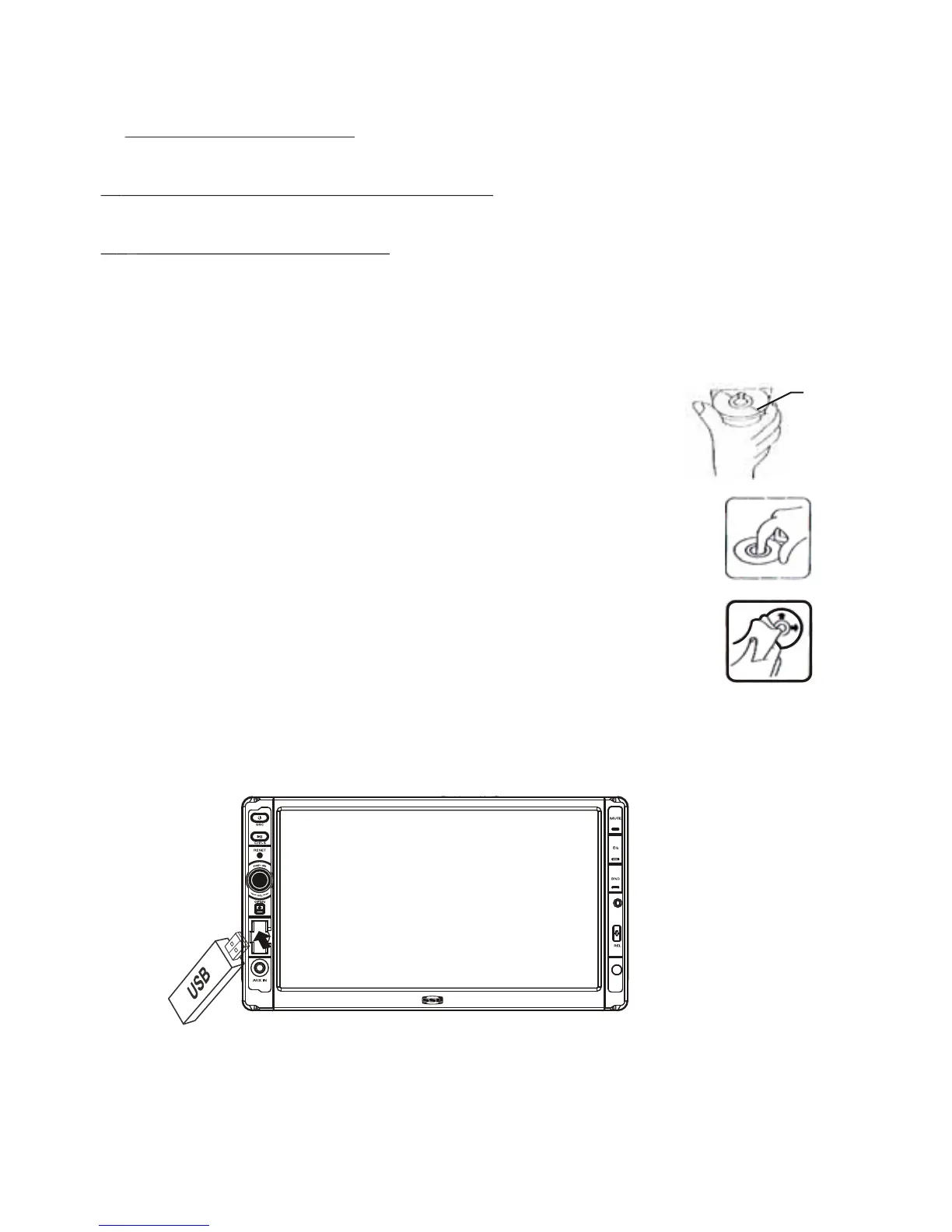
1) Handle a disc by its edge, do not touch the surface of play side.
2) Before inserting a disc, wipe the disc outwards from the disc
center with a clean, soft, dry, lint-free cloth. Do not use solvents
/thinner
such as petrol/benzine, cleaner.
3) After ejecting a disc, place the disc inside of a disc case.
USB: To use a USB function, open the port cover, insert the USB flash drive
and the unit will begin to play the files automatically.
SD: To use a SD function, remove the control panel, insert the SD card. Re-
attach the control panel and the unit will begin to play the files automatically.
Label
surface up
MIC



 To Next Page