-14-
Bluetooth Operation
1. Pairing and Connecting
Prior to using the bluetooth device named SSL as a handfree system for a
bluetooth-enabled mobile phone for the first time, you must
as follows:
* Prior to pairing and connecting, when displaying No Vi de o interface of radio,
CD,
AUX IN or Bluetooth music, the logo Bluetooth flashes in the touch screen.
* During using the Bluetooth device named SSL as a handfree system for a
bluetooth-enabled mobile phone, place the bluetooth-enabled mobile phone in
3 meters from the Car
A/V System;
1) Long press PAIR button on remote control to enter pairing mode and flash the
logo of the Bluetooth with blue frame(pressing BAND button can exit pairing mode).
2).Switch on the bluetooth mode of your mobile phone; then s
bluetooth device and enter it;
b device car
SSL , select it and enter it; then it will show an
interface that asks you to input a password, input 8888 and enter it; then i
with the bluetooth device SSL of the car A/V system, Confirm it,
then the frame of the bluetooth logo will be filled by blue color and they are light
all the time.
* finishing pairing and ing
or the mobile phone
plays music
2. BLUETOOTH PHONE
1) Make a call
(1) Dial with
mobile phone directly;
(2)Dial with the controls on BLUETOOTH PHONE interface or on remote control or
on control panel
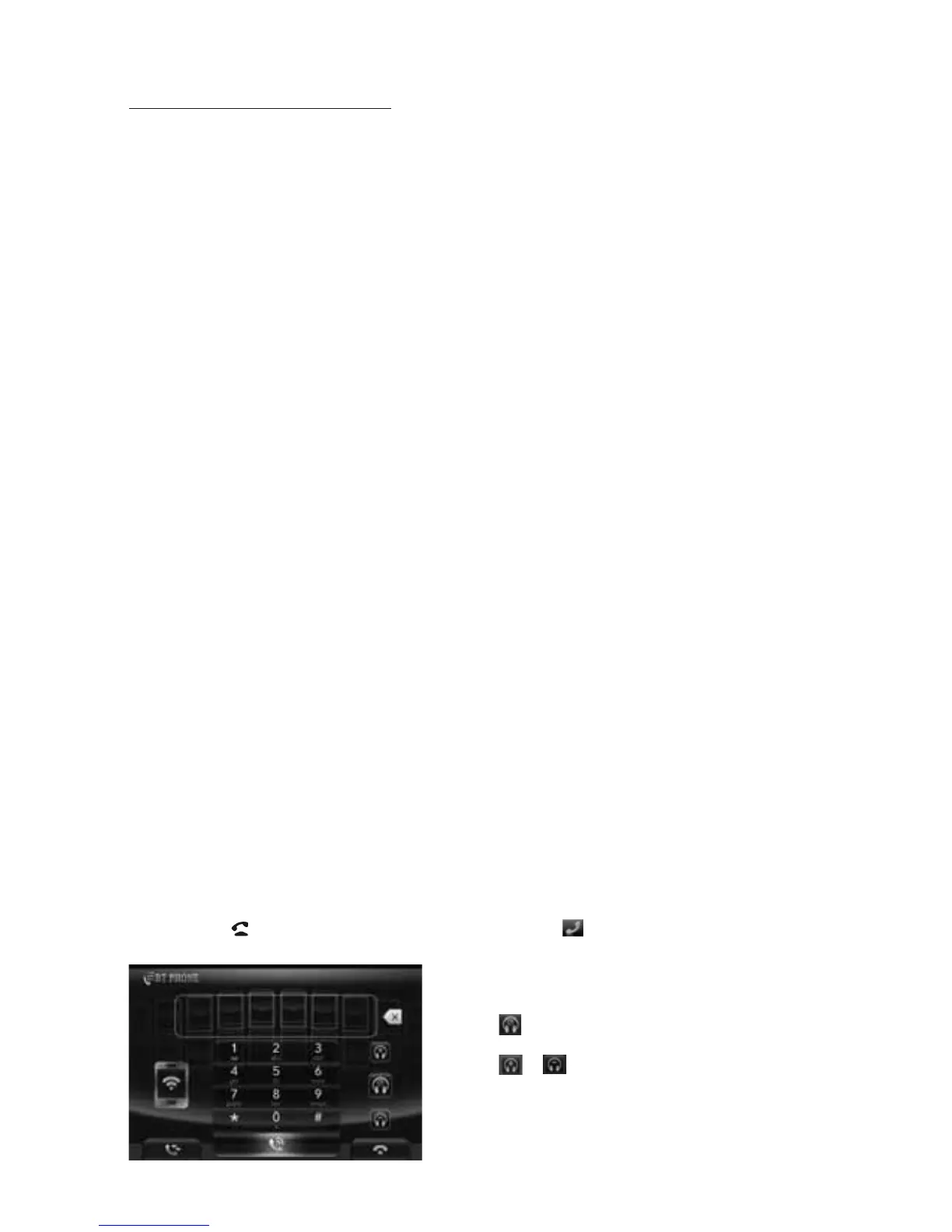
a. Long press button on remote control or touch icon to pop up BLUETOOTH
PHONE interface as follows:
pair and connect
them
elect the item to find a
When it finds the luetooth of the A/V
system, the name will be displayed
t will
pair and connect
When connect , the audio of the mobile phone transfers
to the car audio system whenever a call is made or received
.
: Same as MUTE button.
& : Same as VOL+ and VOL- or
VOL knob.



 To Next Page