-11-
Radio Operation
1. To enter RADIO mode(SRC button or RADIO icon)
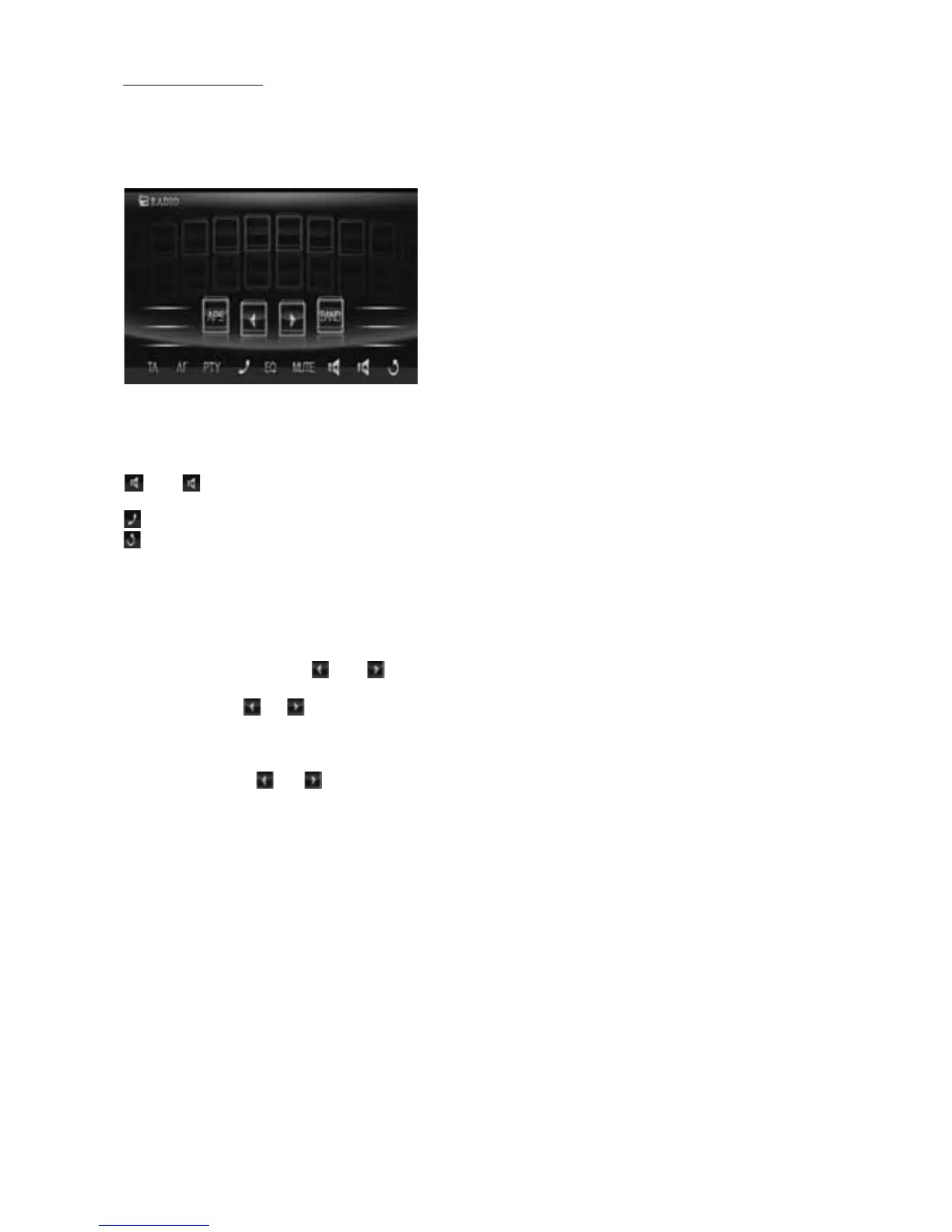
When you use SRC button or source menu (tapping RADIO icon) to enter RADIO
mode, it will display radio interface as follows:
* Some icons on radio interface correspond with the buttons
on remote control or control
panel as follows:
MUTE icon = MUTE button
& icons = VOL- and VOL+ buttons = VOL knob
EQ icon = EQ button
icon : To pop up BLUETOOTH PHONE interface.
icon: To enter source menu.
2. To switch between bands (BAND)
The BAND icon or button can switch between bands of FM1, FM2, FM3, MW1 and MW2,
and the word FM1,FM2,FM3,MW1 or MW2 will be displayed on screen.
3. To search for a station ( and icons or v and ^ buttons)
1) Long touching or icon or long pressing v or ^ button on
remote control can
automatically search down or up for an available station beginning from the current
frequency.
2) Briefly touching or icon or briefly pressing v or ^ button on remote control can
manually search down
or up for a your desired station beginning from the current
frequency.
4. To preset and scan all memory stations (APS icon or A/PS buttons)
1) When long touching APS icon or long pressing A/PS button on remote control , the radio
searches from the
lowest frequency and checks the signal strength level until 1 cycle
search is finished, and the 6 strongest stations are preset to corresponding preset number
memory bank for the current band.
The presetting function can be implemented in selected FM or MW band.
(It can presets
3x6 stations for FM and 2x6 stations for MW in all)
2) When briefly touching APS icon or briefly pressing A/PS button, the radio scans
for each preset station in FM or MW band from NO.1 bank, each preset station broad-
casts for 5 seconds. After finishing a circle of scanning, it will resume broadcasting the
station in NO.1 bank.
NOTE: In FM band, FM1,FM2 and FM3 are preset and scaned as one band at a time;
In MW band, MW1 and MW2
are preset and scaned as one band at a time.
DX



 To Next Page