-18-
1.2 Unloading a Disc, USB or Card
To unload the disc in disc slot, use STOP button to stop playback and then press
OPEN button to flip down the control panel, then press EJECT button to eject disc,
then remove it.
*
During MP3/WMA playback, the information of file, folder, title, artist and album
will be scrolling on LCD display. As long as the current playing MP3/WMA music
contains relevant ID3 tag information in version 1.0/2.0 format, the 3 items
underlined above will be scrolling
on LCD display; otherwise, they will not.
* There is ESP function for all formats of discs.
2. Function Icons
2.1 Function Icons-board of Digital Video/CD(Video)/MPEG4/Image/MP3/WMA
During Digital Video/CD(Video)/MPEG4/Image playback, tapping any place on
touch screen can pop up Function Icons-board 1 as
next page, then tap icon
to pop up Function Icons-board 2 as next page.
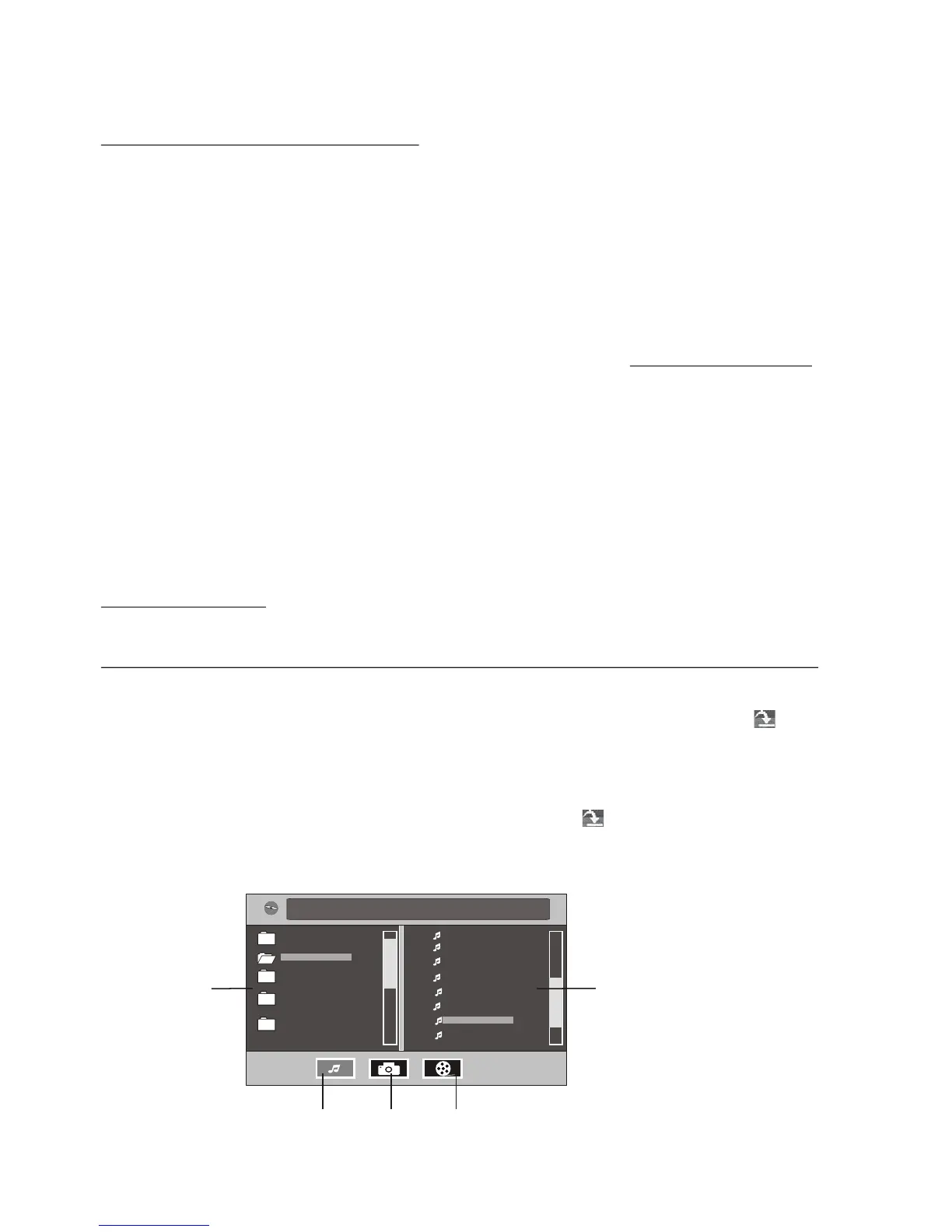
During MP3/WMA playback, tapping any place except folder area, track area and
MP3/WMA&Image&MPEG4 icons can pop up Function Icons-board 1 same as one
of Digital Video/CD(Video)/MPEG4/Image, then tap icon to pop up Function
Icons-board 2 same as one of Digital Video/CD(Video)/MPEG4/Image.
To remove the USB flash drive or SD card, press STOP and you may now remove
the respective media.
WMA



 To Next Page