8. icon and GOTO button
For Digital Video/MPEG4/CD(Video)/image/MP3/WMA, you can use , , ,
number and ENTER icons or GOTO, <, >, number and ENTER buttons to select
a chapter/track or from a playback
time point to play.
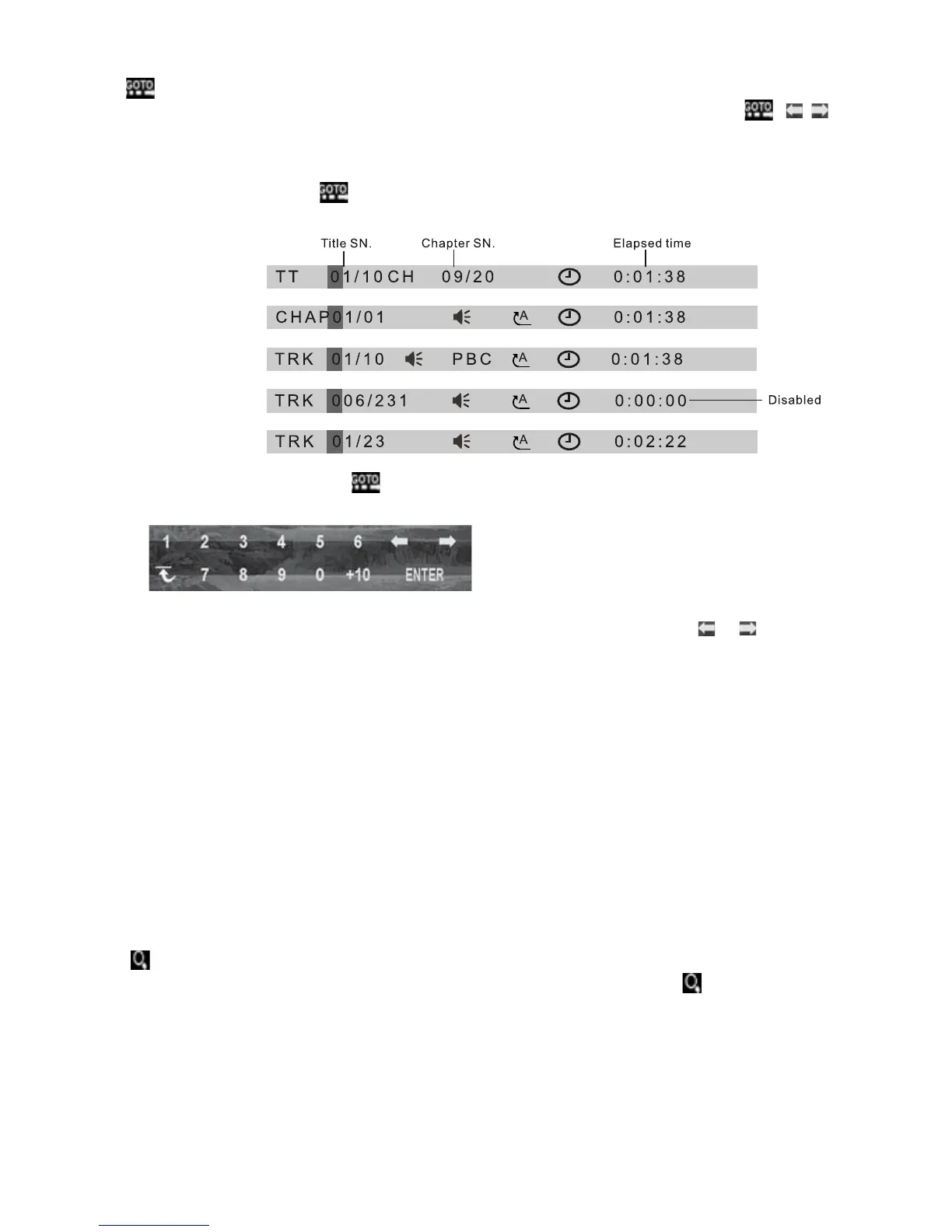
During playback, tap icon or press GOTO button to display changeable
playback information bar as follows:
Digital Video:
MPEG4:
CD(Video):
Image:
MP3/WMA:
* During playback, tapping
icon can also display the Goto Function icons-board
as follows:
When displaying the changeable playback information bar, use / icon or
< or > button to highlight title SN.(only for Digital Video) , chapter/track SN. or
elapsed time of current chapter/track(disabled for image).
When highlighting title SN. or chapter/track SN. , use number icons or buttons to
input desired SN. of title or chapter/track, then use ENTER icon or button to play
the selected chapter/track.
When highlighting elapsed time of current chapter/track(disabled for image), use
number icons or buttons to input desired playback time point for the playback time
of the whole media
for Digital Video/CD(Video) and of the current chapter/track for
MPEG4/MP3/WMA, then use ENTER icon or button to play from the playback time
point.
9. icon or ZOOM button
During Digital Video/CD(Video)/MPEG4/image playback, use icon or
ZOOM
button to switch zoom mode between ZOOM 2, ZOOM 3, ZOOM 4, ZOOM ½,
ZOOM 1/3, ZOOM 1/4 and ZOOM OFF.
When zooming in video/image, use direction buttons to move video/image
upwards, downwards, rightwards or leftwards.
For CD,
GOTO button is disabled.
When not zooming in image, direction buttons can switch on 4 fixed rotated
angles between >=90 deg cw, <=90 deg ccw, ^=UP-DOWN and LEFT-RIGHT.
-22-



 To Next Page