DP Master Configuration and Programming
37
5.4 Uploading the I/O Configuration to the
Scanner
Use the serial CONFIG port on the front of the scanner to upload
configuration files to the scanner.
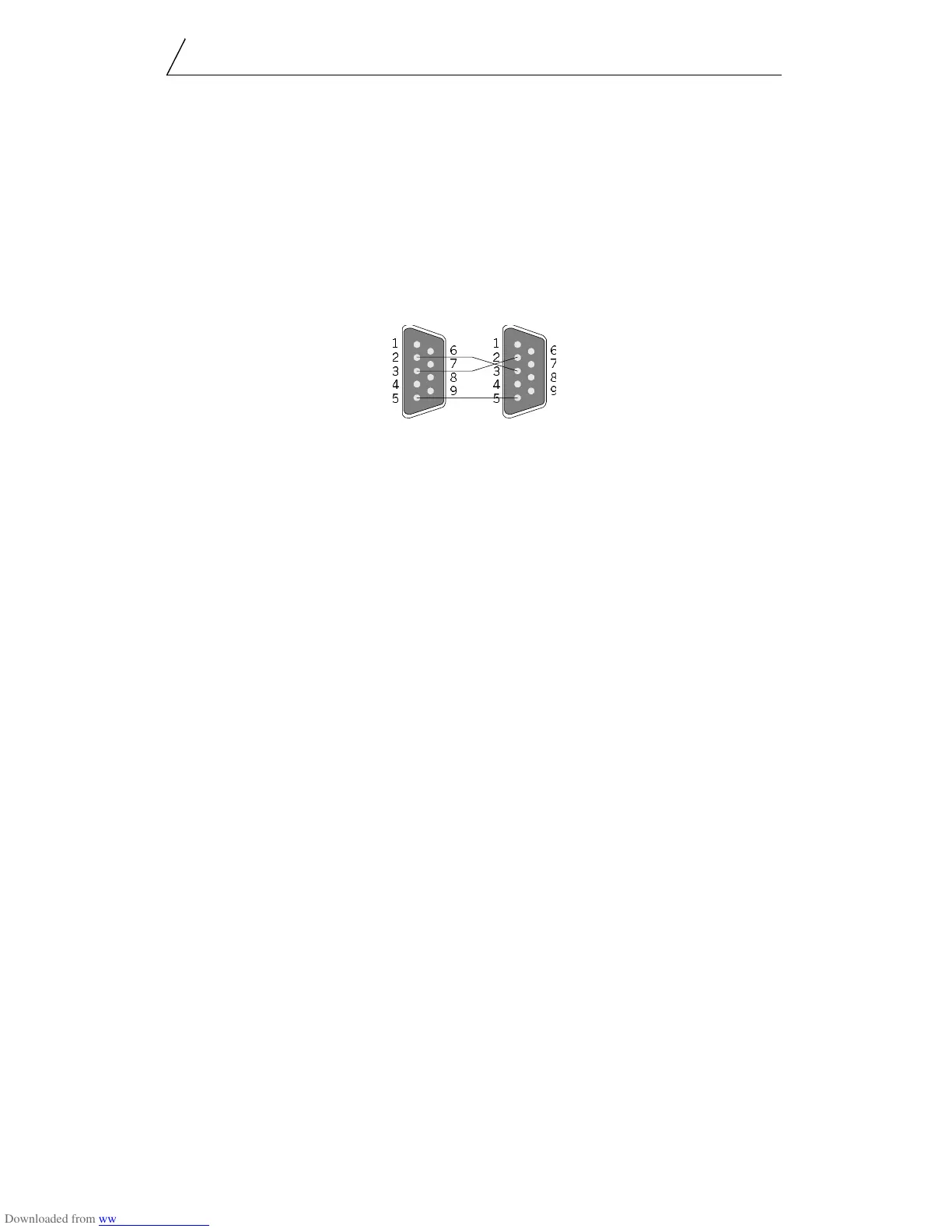
The serial cable for a standard PC COM port must have lines 2 and 3
swapped. No handshaking is required. Pins 2 and 3 are wired the same as a
PC 9-pin COM port.
Connect to the serial port using any communication software. The scanner
serial port supports any baud rate from 9600 baud to 115 Kbaud, with no
parity, 8 data bits, 1 stop bit. The scanner automatically detects the baud rate
you are using.
When configuring the scanner, the SLC must be in program mode. Type an
asterisk (*) to get the scanner’s attention. You may need to type several
asterisks to let the scanner auto-detect the baud rate being used. The scanner
displays the message:
Profibus DP ONLY
Copyright (c) 1999 SST, a division of Woodhead Canada Limited
For SST-PFB-SLC Card
Version x.xx
and a, “>” prompt at the terminal.
The scanner is now in CONFIG mode. While in config mode, the scanner
LEDs flash amber alternately. You cannot put the scanner online until you
exit from config mode.
1
2
3
4
5
1
2
3
4
5
6
7
8
9



 To Next Page