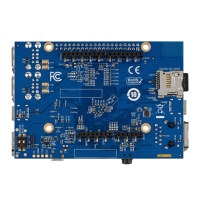
Step 3. Check the status of the power-on LEDs to ensure that the STWBC2-HP is correctly working.
There are three LEDs on the board that indicate the STWBC2-HP power-on status when the firmware
is available.
The table below shows the correct LED status.
Table 4. Power-on LED status
Item Color Behavior
D209 Green Always on
D202 Red Long blink once plus short blink once
D203 Green Long blink once
Step 4. Set the STWBC2-HP parameters for the board initialization.
Important: Disable the FOD and protection features in the STWBC2_GUI.
Step 5. Test the presence detection alternatively on the two coils.
The table below shows the level, duration, and cycle of the presence detection.
Table 5. Presence detection specifications
Item Level (V) Duration (ms) Cycle (ms)
RING_NODE1 ~6 ~80 ~1900
RING_NODE2 ~6 ~80 ~1900
Step 6. Test the power transfer switching.
The oscillation waveform appears in the activated RING_NODE, while the switching waveform appears
in another inactive RING_NODE. The switching waveform should be off in the half bridge mode and
square-waved in the full bridge mode.
Step 7. Test the ST super charger (STSC) protocol.
The STSC can support a higher power transfer than the Qi EPP. The table below shows its basic
behavior.
Table 6. Level of the STSC power supplies
Mode
V
IN
VDCDC
Presence detection 5 V 12 V
Digital ping 9 V 12 V
STSC 5 V 9 V 12 V
STSC 9 V 9 V 9 V
STSC 12 V 12 V 12 V
STSC 15 V 15 V 15 V
STSC 18 V 15 V 16.5~18 V
STSC 20 V 20 V 20 V
Step 8. Test the ASK demodulation.
The firmware can route the demodulation result (V, I) to a GPIO, which should be close to the Rx
modulation waveform.
Step 9. Test the Q-factor accuracy.
Comparing the Q-factor measurement accuracy with the LCR meter, the Q-factor measurement
accuracy should be close to the LCR meter.
TN1399
Procedure
TN1399 - Rev 1
page 5/26



 To Next Page