3 Test setup
3.1 Test conditions and equipment
The following tables list the equipment and tools used to test the STDES-50W2CWBC.
Table 1. Test equipment
Item Type Features/Description Reference
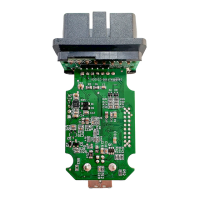
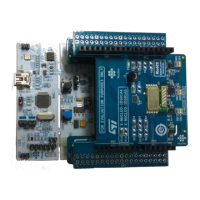
I1 STDES-50W2CWBC Evaluation board x1
I2 34401A 6 ½ digit multimeter by Agilent x1
I3 6403E PC oscilloscope by Pico x1
I4 E4980A LCR meter by Keysight x1
Table 2. Test tools
Item Type Description Order code/Reference
Provided by
ST
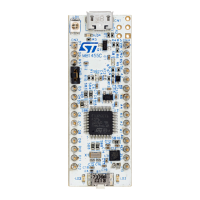
C1 STLINK-V3MINI
STLINK-V3 compact in-circuit debugger and
programmer for STM32
STLINK-V3MINI Yes
C2 STM32Cube
STM32 programmer tool used to download
the firmware into the evaluation board
STM32Cube Yes
C3 STWBC2 GUI
Tool to check the board behavior, perform
the tuning, and collect logs in case of failure
- Yes
C4 Firmware Firmware binary stdes-50w2cwbc_FW_v1.0.0.0.hex Yes
C5
STWLC88 or
STWLC98
Qi-compliant inductive wireless charger
power receiver for 50 W applications or 70
W applications
STWLC88 or STWLC98 Yes
C6 Wall adapter USB PD wall adapter - No
C7 USB Type-C™ cable 4 A or 5 A cable - No
3.2 Procedure
To achieve the best performance, follow the procedure below.
Step 1. Test the power supply.
The on-board DC-DC buck converter provides a supply voltage V
DD
starting from an external V
IN
DC
source. The V
DD
voltage is available on an external pin. It supplies the internal voltage regulators LDO
3V3 and LDO 1V8. These regulator outputs are available on an external pin. The STWBC2-HP should
generate its own power supplies directly from the V
IN
.
The aim of this test is to ensure that the STWBC2-HP is correctly powered. The table below shows the
reference range.
Table 3. Internal voltage range
Item Min. (V) Typ. (V) Max. (V)
VBUCK 3.42 3.6 3.78
LDO 3V3 3.1 3.3 3.5
LDO 1V8 1.7 1.8 1.9
Step 2. Download the firmware.
The firmware offers all the standard functionalities. It also supports the STWBC2-HP embedded USB-
PD.
TN1399
Test setup
TN1399 - Rev 1
page 4/26



 To Next Page