AN5056 Rev 8 27/49
AN5056 Generating a cryptographic key
48
5 Generating a cryptographic key
5.1 Generating a new firmware AES encryption key
Key generation and firmware encryption are performed automatically during the compilation
process with the prebuild.bat and postbuild.bat scripts (Refer to
[10] for a detailed
description of the build process).
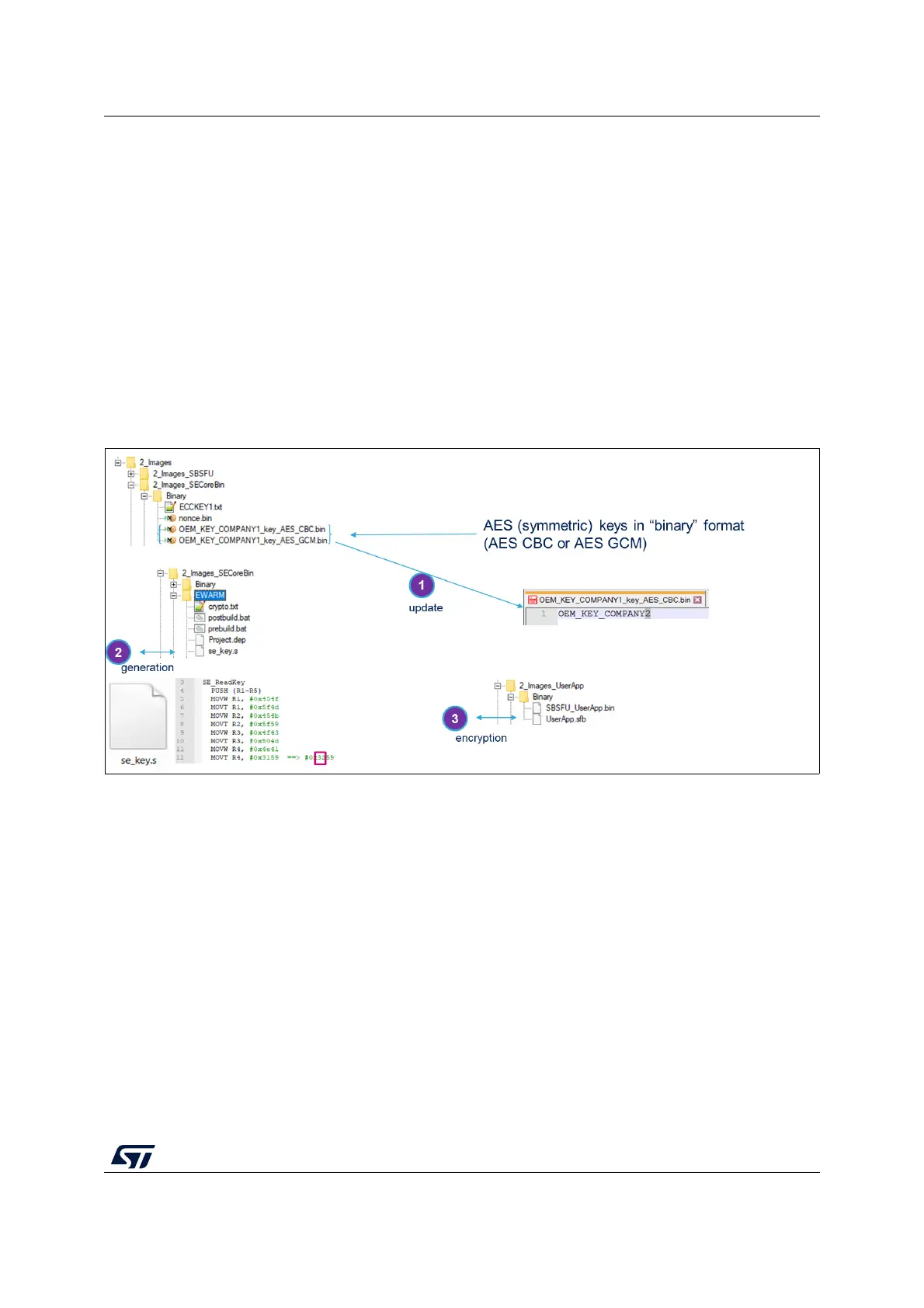
Figure 22 shows the few steps to modify the firmware encryption key of active slot #1. The
same applied to active slot #2 or #3:
1. Change the key value in file OEM_KEY_COMPANY1_keys_AES_xxx.bin
2. Compile SECoreBin: prebuild.bat is executed and se_key.s is generated
3. Compile UserApp: postbuild.bat is executed and UserApp is encrypted
Figure 22. New firmware encryption-key
5.2 Generating a new public/private ECDSA pair of keys
for firmware verification
As for the AES encryption key, the public key (SE_ReadKey_Pub()) is automatically
modified when the private key (ECCKEY1.txt) is changed.
Figure 23 shows the few steps to modify the private and public keys for ECDSA asymmetric
cryptography firmware verification of the active slot #1. The same applied for active slot #2
or #3:
1. Change the key value in file ECCKEY1.txt
2. Compile SECoreBin: prebuild.bat is executed and se_key.s is generated
3. Compile UserApp: postbuild.bat is executed and UserApp is encrypted



 To Next Page