Tips for debugging AN5056
32/49 AN5056 Rev 8
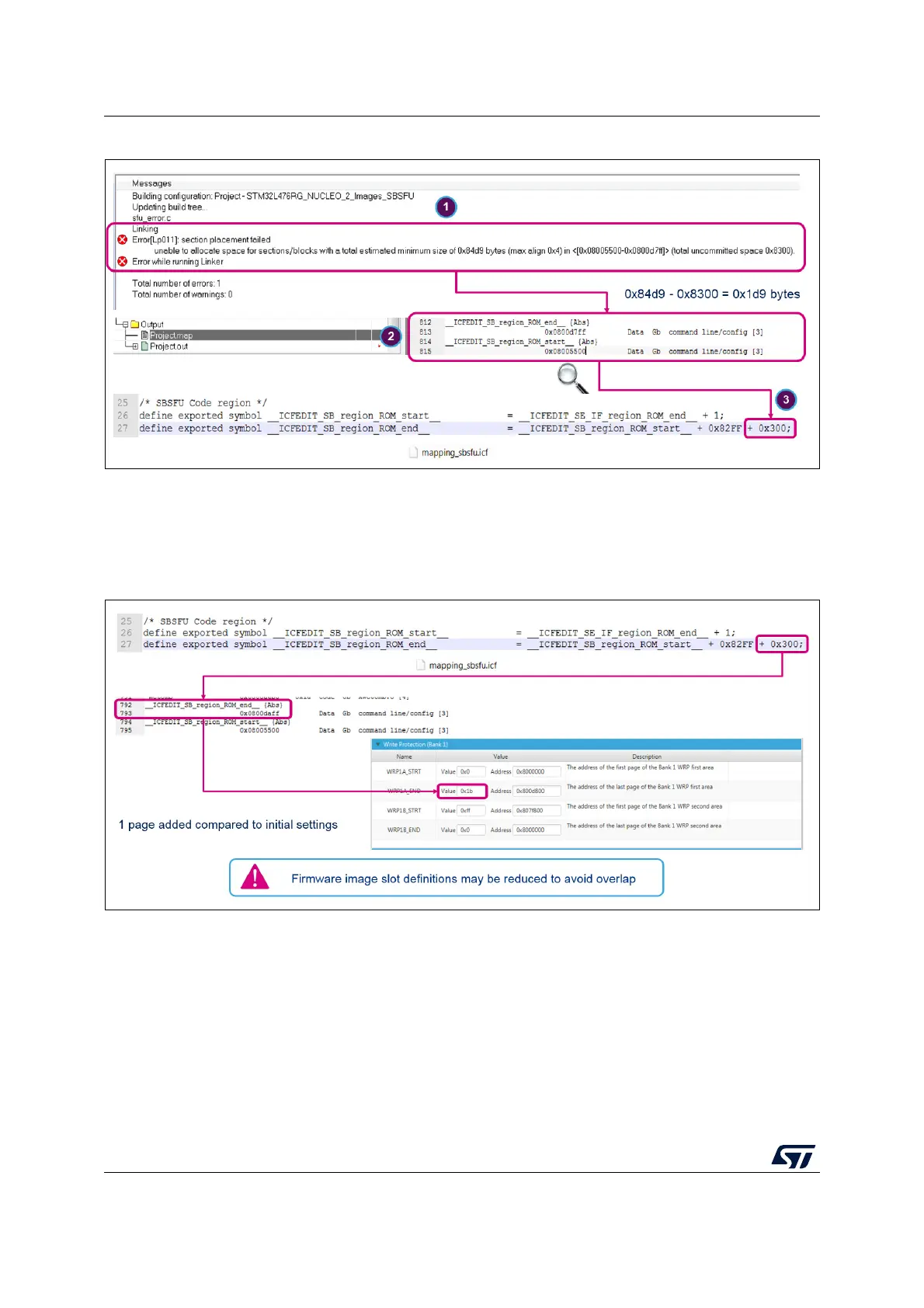
Figure 28. Memory mapping adaptations
The impact of memory mapping adaptation on security peripheral configurations must be
checked even though it is automatically computed. For example, check the WRP
configuration using STM32CubeProgrammer (STM32CubeProg) as shown in
Figure 29.
Figure 29. Checking the WRP protection
6.3 Debugging SECoreBin
To debug inside SECoreBin, the SBSFU project option must be changed to load SECoreBin
symbols. This is performed in the debugger menu as presented in
Figure 30:
• Browse to select file Project.out
• Set Offset to 0
• Check the Debug info only box



 To Next Page