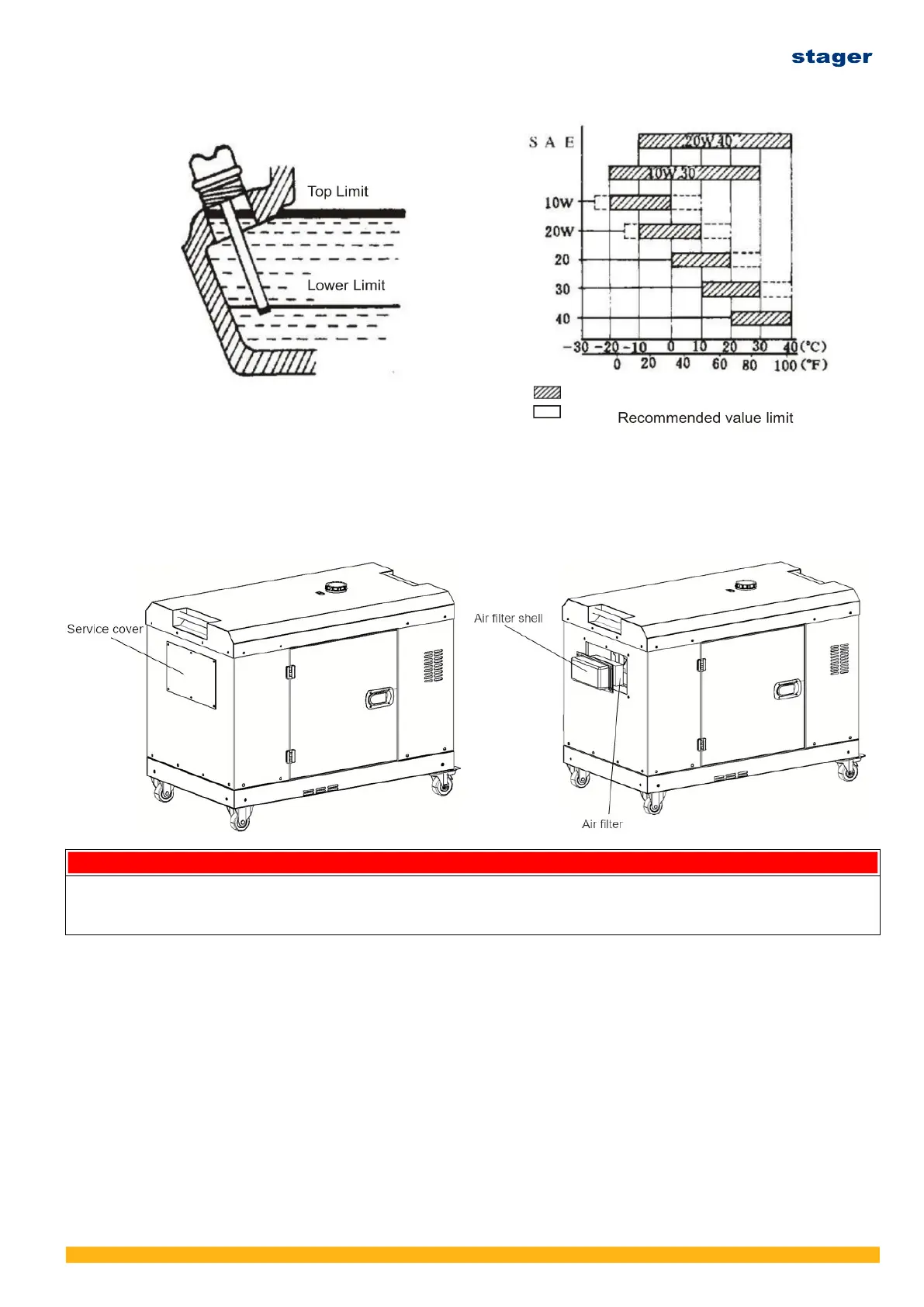
4.4 Service the air filter
(1) Remove the inspection cover and take out the air filter element from the air filter housing.
Blow the element with dry and clean compressed air and clean the air filter housing as well.
Replace the element if it’s blocked or damaged.
(2) Install the element and air filter housing back after cleaning.
CAUTION
• Do not wash the element with detergent.
• Replace the element when its output decrease or a bad exhaust color is noticed.
• Never run the generating set without the element, otherwise the rapid engine wear wilI result.
4.5 Check the generating set
• Turn off the main switch and disconnect the load. In case of silent type, remove the service
doors at two sides for daily inspection.
• Pre-checking before starting
(1) Make sure the surrounding of genset and load is safe. There’s no any inflammable matter
around genset and the genset is located in well ventilated area.
(2) Check oil, fuel and refill in case.
(3) Check the genset is well grounded. Make sure that the frame of open frame type genset or
canopy or silent type genset and the load is securely grounded.
Ver. 3/Rev. 2; Data: 8.08.2022 40



 To Next Page