5. START THE GENERATOR SET
WARNING
• Do not hook up tools or other apparatus to the generating set before starting.
• Screw the cylinder head bolts tightly to prevent rainwater or dust away from engine. Otherwise the quick
wearing of internal parts will be caused.
5.1 Electric starting
(1) Perform all inspections before starting per Section 3.4 and disconnect the load.
(2) Push the main breaker to “OFF” position.
(3) Turn the start key to “START” position to start the genset.
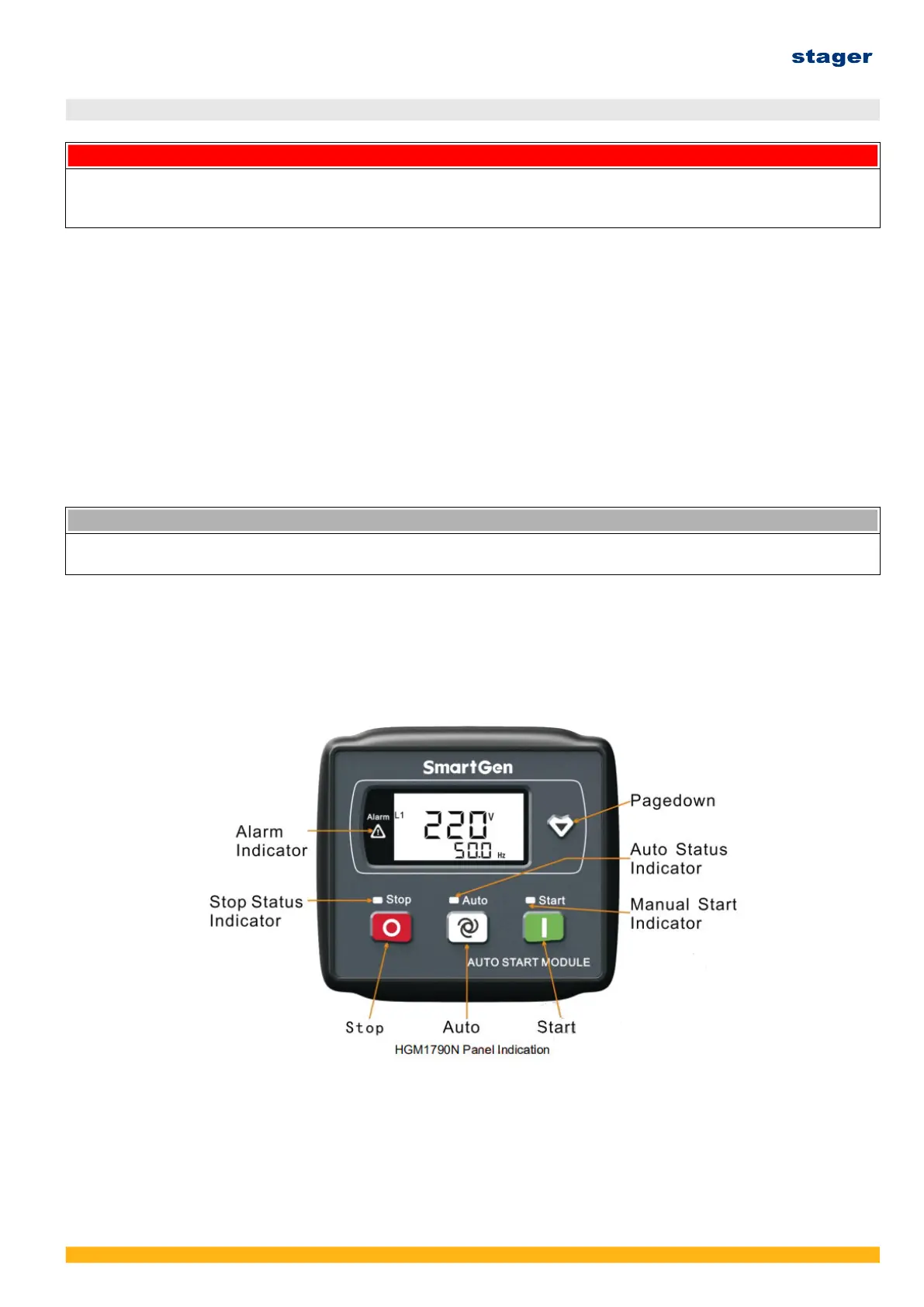
(4) Press “Manual” key on the controller and then press “Start” to have the genset enter self
checking mode.
If the engine cannot start in five seconds, then restart it after 30seconds. Check the fuel system
and battery voltage after three times failure starting. Do not start engine too often to prevent the
start motor from burning.
If the preheat device is applied in the genset, the genset will automatically preheat after starting
signal released (presetted preheating time is 10s). The genset will start after preheating.
NOTICE
• Run the start motor for long time will consume battery voltage or even burn the battery.
• Set the start key to “ON” position when engine is running.
5.2 Digital control panel
HGM1790 controller is applied single phase genset and HGM4020 controller is applied for three
phase genset. As to detailed controller information, please refer to controller manual.
(Note: Manufacturer may change the controller without notice. All operation manuals and programs
will be provided separately either in electronic version or printed version.)
Ver. 3/Rev. 2; Data: 8.08.2022 42



 To Next Page