PANEL KEYS
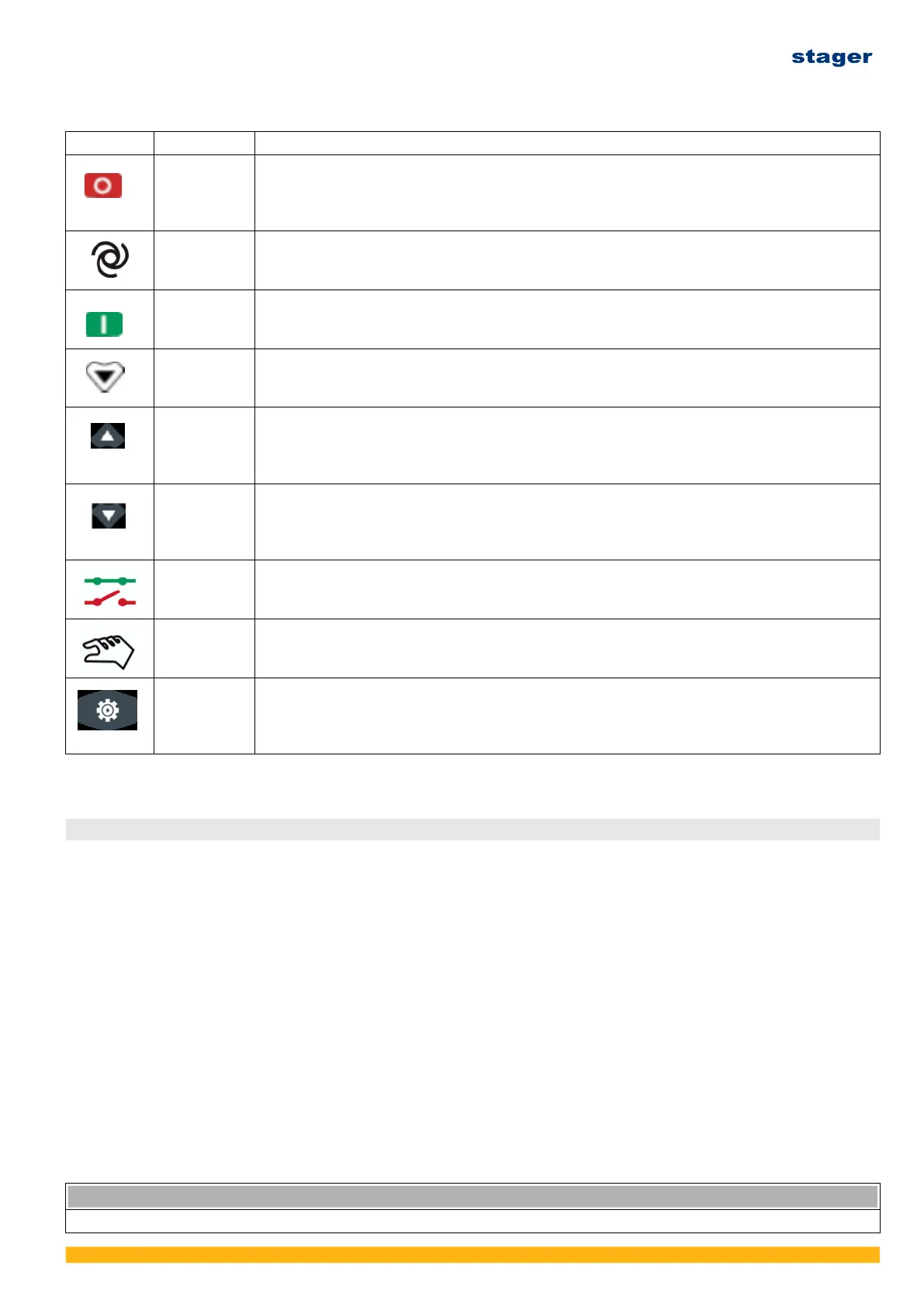
Key Definition Description
Stop / Reset In auto/manual mode, press this button to shutdown the genset; Reset shutdown alarms
when genset in alarm status; Indicator lights and LCD icons status can be tested if press
this button for over 3s in stop mode; Stop immediately if press this button during stop
process; Quick exit parameter setting menu if press this button.
Auto /
Increase
Pressing this button will place the module into its auto mode, and genset will be controlled
by remote start signals;
In settings menu moves cursor up and increases the set value.
Start /
Decrease
Pressing this button will start genset.
In settings menu moves cursor down and decreases the set value.
Page down Using this button you can scroll pages of the LCD monitor;
Enter settings menu if hold and press over 2s;
Move cursor and confirm setting information in parameter setting menu.
Up / Increase Scrolls the screen up; Shift the cursor up or increase the set value in parameter setting
menu.
In C/O interface under manual mode: press this button can control mains close or open
(HGM4020 series)
Down /
Decrease
Scrolls the screen down; Shift the cursor down or decrease the set value in parameter
setting menu.
In C/O interface under manual mode: press this button can control gen close or open
(HGM4020 series)
C/O Pressing this key causes the controller to toggle the display C/O and the main page. Press
Up or Down key to control switch close or open in C/O interface under manual mode.
Manual Pressing this key will set the module into manual mode.
Set / Confirm Scrolls the screen down; Shift the cursor down or decrease the set value in parameter
setting menu.
In C/O interface under manual mode: press this button can control gen close or open
(HGM4020 series)
6. OPERATE THE GENERATOR SET
6.1 Operate the generating set
(1) Start the genset per Chapter 5.
(2) Run the engine three minutes at zero load. Check the parameters displayed on the digital
controller.
(3) Check the running noise is normal and make sure there’s no fuel,oil or exhaust leakage.
(4) Set the main breaker to “ON” position. Connect the load to the genset. Make sure the load
power is within the rated power of genset.
6.2 Inspection during the running
(1) Check if the engine noise and vibration is normal or not.
(2) Check if the engine miss fires or runs rough.
(3) Check the exhaust gas color. (ls it black or too white?)
Stop the genset immediately in case either of above items is found abnormal. Do not run the
genset before troubleshooting. Contact with your nearby distributor for service assistance in case.
NOTICE
• If the engine has been running, the muffler will be very hot. Be careful not to touch the muffler.
Ver. 3/Rev. 2; Data: 8.08.2022 44



 To Next Page