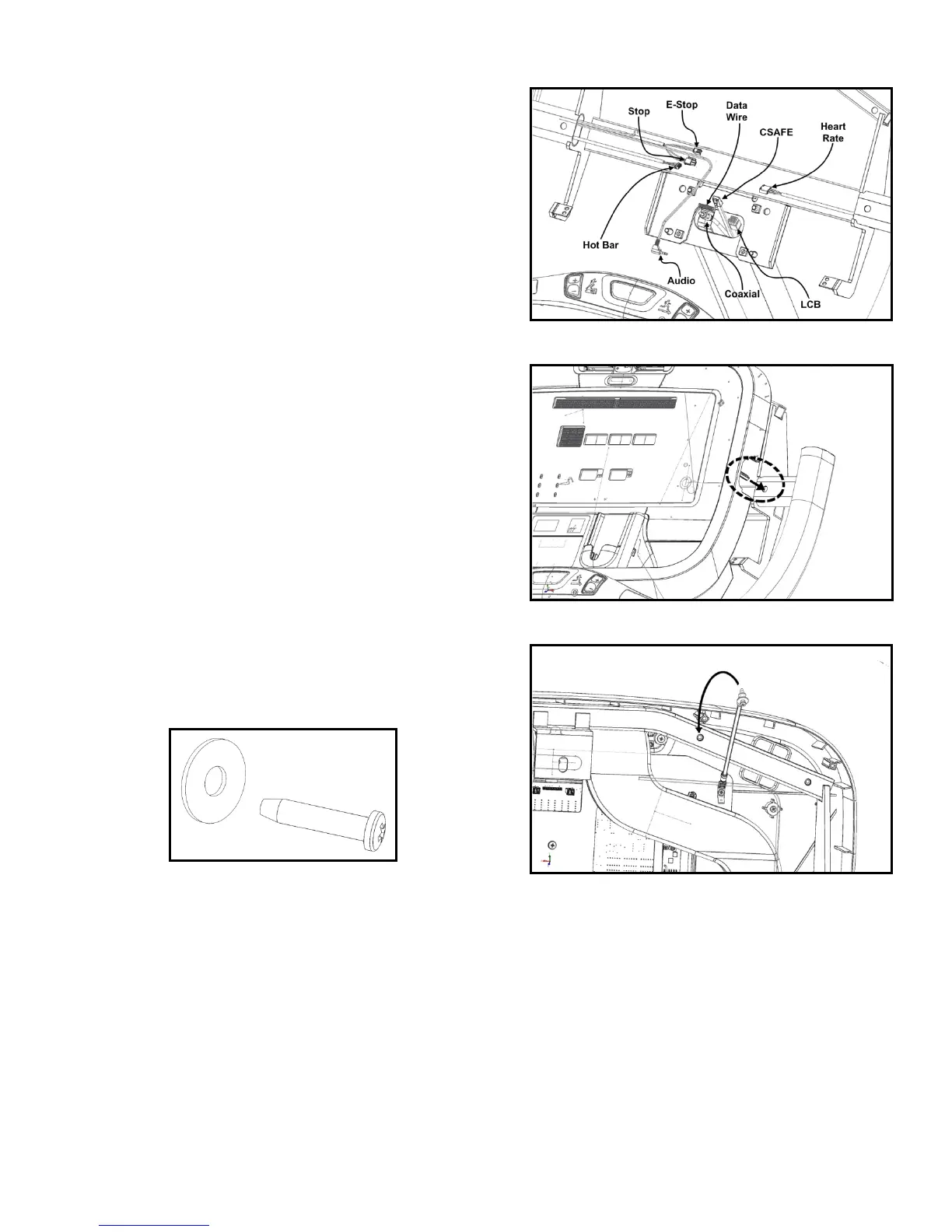
16. Mate all the applicable electrical connections to the
back of display electronics board (Fig. 16).
17. Slide the left & right display alignment studs (Fig. 17)
into the corresponding console frame guide holes to
rest the top half of the display on to the console
frame.
18. From the back of the display (Fig. 19), connect the
display’s grounding wire to the frame using a washer &
phillips head screw (Fig. 18).



 To Next Page