23
Clicking the buon will start the prinng process. Please click this once you are happy with the
models you have edited on the Scene.
Once you have made your selecons, click the ‘CONTINUE’ buon to take you to Step 2:
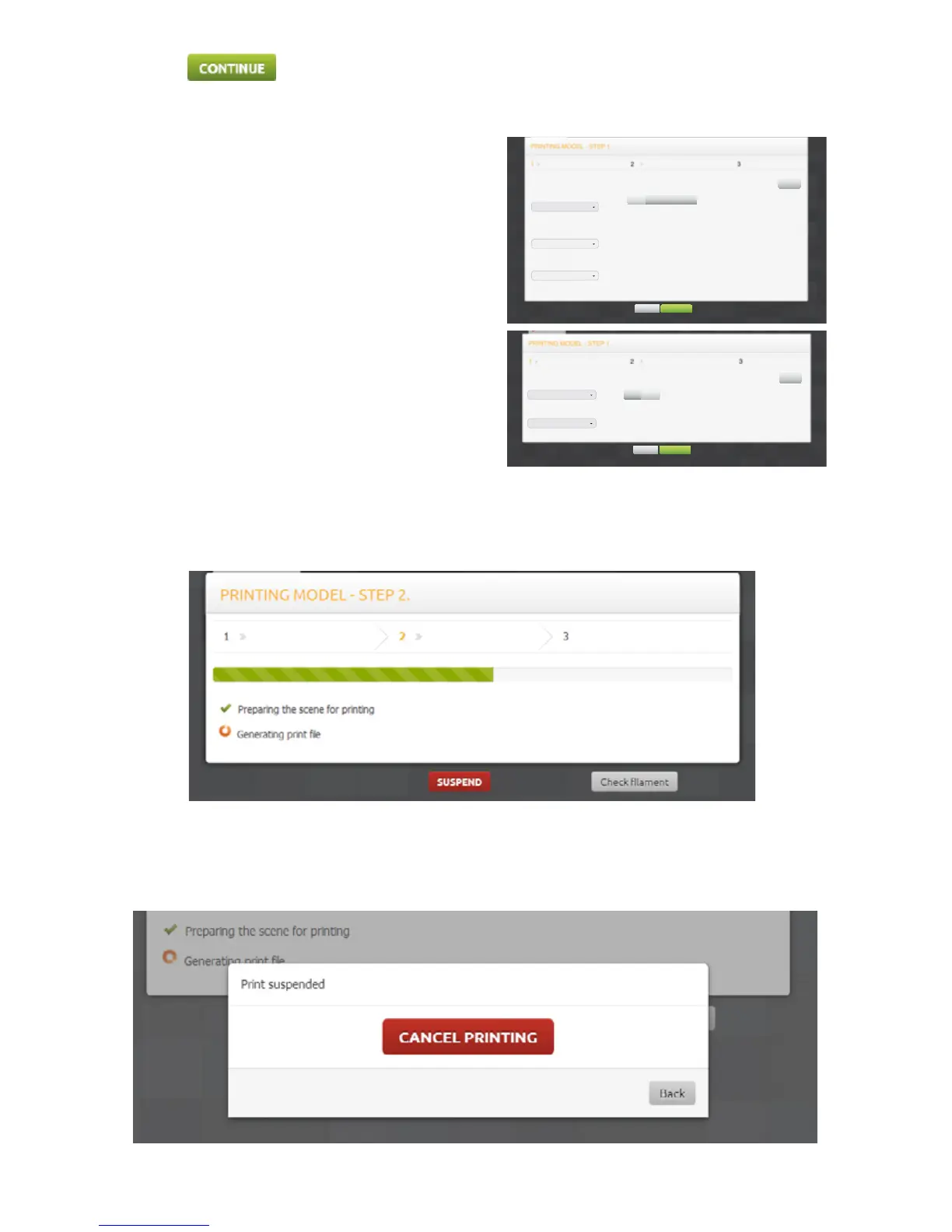
The ST3Di Edit Soware will then generate a print le based on the sengs you have chosen. At any point during
this process you can select the ‘SUSPEND’ buon and you will be asked if you wish to cancel the print:
Step 1 for the ModelSmart Pro 280 is shown below:
This gives you the ability to select the material type
for both extruders in-line with the cartridges you have
installed. You can also decide to print your model with
a support structure (if it has complex or moving parts;
see our Filament page for more informaon); and in
addion choose which extruder you would like to print
your supports with.
You can also select the quality output of your model
by choosing either ‘Normal’ or ‘High’. Please note that
selecng High Quality will increase the prinng me
considerably.
The same choices are available for the ModelSmart Pro
200, but based on one extruder only.
LEFT EXTRUDER
(Bottom Cartridge)
PRINT WITH SUPPORTS?
ABS
RIGHT EXTRUDER
(Top Cartridge)
PLA
QUALITY OF PRINT
Normal
Right ExtruderNo
Settings
CONTINUE
Back
Left Extruder
FILAMENT PRINT WITH SUPPORTS?
ABS
QUALITY OF PRINT
ABS
No Yes
Settings
CONTINUE
Back



 To Next Page